1
Skew to Fit
“Skew to Fit” allows horizontal and vertical repeats,
but it also allows the user to enter the width and
height of an area to be filled.
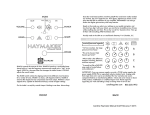
Figure 26
1. Determine the area that is to be filled in one of two
ways.
A. Enter the height and width (in inches) of the area
to be filled in the appropriate boxes using the pop-up
number pad (Figure 26).
B. Use the quilting machine to measure the area to
be filled. Move the quilting machine to align the
needle with the bottom left-hand corner of the area
to be filled and press the “Reset Home” button at
the top of the screen to zero out the X and Y measurements. Then move the quilting machine to the
top right-hand corner of the area to be filled. The
“Height” and “Width” boxes should now indicate the
measurements of the area to be filled.
2. Enable the motors by pressing the button at the
top right-hand corner of the screen to toggle from
“Motors Disabled” to “Motors Enabled.” This will
hold the machine steady so the measurements don’t
change during the next steps.
3. Enter values in the “Repeat # Height” and “Repeat
# Width” boxes, as well as the “Distance Apart” boxes,
if desired, as described in the previous section.
6. If the repeated patterns are stretched too much,
try increasing the value in the repeat boxes and
press the “Fit to Area” button again to re-process the
repeats. Likewise, if the patterns are too compressed,
try reducing the value in the repeat boxes and press
the “Fit to Area” button again.
7. Press the “Done” button to save the repeated pattern and return to the “Repeat” menu screen.
8. As with the previous “Repeat” function, the repeated pattern will now be treated by the HQ ProStitcher as a single pattern.
Within Area
The “Within Area” function allows the user to define
the width and height of an area to be filled and the
HQ Pro-Stitcher determines how many repeats of the
pattern will fit within that area. The area must be
larger than a single instance of the pattern. The pattern will not be skewed or cropped to fit within the
area defined and may not fill the area completely.
4. Select the “Point to Point” option if desired as
described in the previous section.
5. Press the “Fit to Area” button to process the repeats. The HQ Pro-Stitcher will stretch or shrink the
patterns as needed to precisely fit the desired area
with the number of repeats selected (Figure 26).
www.HandiQuilter.com/ProStitcher
Page 49