1
Deploying Oracle Application Server with ZXTM
Accelerating and managing an Oracle AS Cluster with ZXTM
Zeus Technology Limited
The Jeffreys Building
Cowley Road
Cambridge CB4 0WS
United Kingdom
Zeus Technology
1955 Landings Drive
Mountain View
CA 94043
United States
UK:
US:
+44 (0)1223 525000
+1 650 965 4627
Email:
Web:
[email protected]
http://www.zeus.com/
Contents
Introduction ......................................................................................................................... 3
Prerequisites ........................................................................................................................ 3
Topology............................................................................................................................... 4
Basic Configuration............................................................................................................... 5
Create a Traffic IP Group .................................................................................................... 5
Create a new service ......................................................................................................... 5
Passing the client IP to Oracle.............................................................................................. 6
Enabling Session Persistence................................................................................................ 7
Monitoring Application Cookies ............................................................................................ 7
URL Rewriting Persistence .................................................................................................. 7
Load Balancing Algorithms ................................................................................................... 8
SSL Offload ........................................................................................................................... 9
Enabling SSL decryption on ZXTM........................................................................................ 9
Configuring Oracle to recognise SSL Offloading ................................................................... 10
Using and protecting Enterprise Manager ........................................................................... 10
Deny All Access to the EM console ..................................................................................... 11
Allow restricted access to EM console ................................................................................. 11
Create a new service on port 7777 .............................................................................. 11
Create a new protection class ..................................................................................... 12
Redirect /em to the new virtual server ......................................................................... 12
Rewrite incoming host header ..................................................................................... 12
Further protection options .......................................................................................... 12
Copyright ............................................................................................................................ 13
Contact Information ........................................................................................................... 13
2
DEPLOYING ORACLE APPLICATION SERVER WITH ZXTM
Introduction
This document describes how to configure ZXTM to manage a cluster of Oracle Application
servers. We will discuss load balancing the cluster members for reliability, offloading SSL
connections to ZXTM for speed and efficiency, using ZXTM to manage session persistence
and securing the Oracle Enterprise Manager administration tool.
Prerequisites
•
ZXTM version 4.0 or later is required
•
Oracle Application Server 10g
This document will assume that you have already installed and configured your Oracle
Application Server Cluster using the Oracle documentation 1 available from their web site.
It is also assumed the reader has installed ZXTM on one or more machines in front of this
cluster. For help with the initial set up of ZXTM you may refer to the getting started guide 2
available from the Zeus website.
1
http://www.oracle.com/technology/documentation/appserver.html
2
http://knowledgehub.zeus.com/media/getting_started.pdf
DEPLOYING ORACLE APPLICATION SERVER WITH ZXTM
3
Topology
Oracle clustering supports two high availability topologies. They are “Active – Active” and
“Active – Passive”. This guide will address the more scalable configuration of the “Active –
Active” topology.
In the “Active – Active” scenario all Oracle cluster members are load balanced by ZXTM
and will therefore require some session management. If your application does not make
use of Oracle session replication, ZXTM can manage this for you using session persistence
classes. The benefits of using ZXTM this way can be in speed and efficiency, because the
application server does not need to replicate any state information. However a node failure
will result in the loss of all sessions persisted to the node that failed.
In an “Active – Passive” scenario ZXTM will send all traffic to the active node and only fail
over to the passive node when the active node fails. In this configuration Oracle
recommend you use some form of shared storage which is mounted on the active node.
You therefore need to have some way of remounting the shared storage on to the other
node when a failure occurs. Please read the Oracle Application Server High Availability
guide 3 for more information on “Active – Passive” topologies.
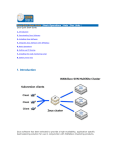
In our environment, we have two ZXTM appliances (zxtmva1 and zxtmva2). We also have
two Oracle AS servers installed on a supported Linux platform (rhelserv1 and rhelserv2).
We used the default install options and our Oracle HTTP Server is listening on TCP port
7777.
3
4
http://download-uk.oracle.com/docs/cd/B31017_01/core.1013/b28941/toc.htm
DEPLOYING ORACLE APPLICATION SERVER WITH ZXTM
Basic Configuration
To set up a simple service to load balance traffic across your Oracle Cluster, you would
perform the following actions:
1. Create a traffic IP group. This is a group of IP address(s) which will be used to host
the web application.
2. Create a new service for your Oracle AS cluster using the Traffic IP group .
Create a Traffic IP Group
Go to Services -> Traffic IP Group, and create a new traffic IP group, containing the
external IP address(es) to which the host names of your websites resolve. The example
group is named "Oracle Cluster".
Create a new service
We will use the “Manage a new service” wizard to manage a new virtual server and pool.
We want to manage a new service using protocol HTTP and port 80. We can call this
service “Oracle cluster”.
DEPLOYING ORACLE APPLICATION SERVER WITH ZXTM
5
On the next screen we need to add all the Oracle AS cluster members as nodes.
Click “Next” to review the configuration and finish the set up.
You will then need to go to Services -> Virtual Servers -> Oracle Cluster and bind the
service to the Traffic IP Group created earlier.
Your Oracle Cluster service should now be running. You can return to the home page of the
ZXTM and the green play button should be highlighted next to your new service.
Passing the client IP to Oracle
In order to have the Oracle application server log the real IP of the client and make that IP
available to standard J2EE methods such as getRemoteAddress you will need to configure
the OHS to retrieve the client IP address from a CLIENTIP host header. To do this you
need to set the following directive in your httpd.conf:
UseWebCacheIP On
Once that is set you can use the following TrafficScriptTM rule to add this header to all
incoming connections.
# Set the remote address in the CLIENTIP header.
http.setHeader("CLIENTIP", request.getRemoteIP() );
6
DEPLOYING ORACLE APPLICATION SERVER WITH ZXTM
Enabling Session Persistence
Oracle application server can manage session replication internally within the cluster. To
make use of this you should follow the J2EE specifications and refer to the instructions in
the Oracle enterprise manager (ascontrol) when deploying your application.
If for some reason you can not make use of Oracles' internal session management or you
chose not to use it for reasons of efficiency or speed, you can use ZXTM to ensure clients
with sessions are always directed to the same server. The best method for doing this with
Oracle AS is using a combination of the following persistence classes:
1. Monitor Application Cookie
2. URL rewriting
This combination is suggested because it will catch clients both with and without cookies
enabled.
Note: This will only work for browsers without cookies if you use are using the J2EE
encodeURL() method from the HTTPServletResponse class to generate your URLs. This
method will detect clients with cookies disabled and encode the session information inside
the URL it generates. When you create a session the application server will set a
JSESSIONID cookie which can be used by ZXTM to ensure that all requests with this
session are sent back to the same node. If the client does not accept the cookie,
encodeURL() will append the jsessionid to the URL and separate it from the real path by
using a colon, e.g. http://some.web.server/some/path;jsessionid=xxxxxxxxx
Monitoring Application Cookies
Go to Services -> Pools -> [your Oracle AS cluster] and click on the "Session Persistence"
link. Click the "Create New Session Persistence Class" link, and create a class named
"jsessionid_cookie".
Set this class to "Monitor Application Cookies" and set the cookie name to "JSESSIONID".
Leave the failure mode set to "choose a new node to use". This will cause ZXTM to send
the request to a different node if the persistent node isn't available.
URL Rewriting Persistence
Configuring URL Rewriting Persistence is a two stage process. First, a persistence class
using "Universal Session Persistence" must be created, and then two TrafficScript rules
written that detect a rewritten URL, extract the JSESSIONID from it and persist on this ID.
To create the session persistence class, go to Catalogs -> Persistence and create a new
class called "url_rewriting". Set this class to use the "Universal Session Persistence"
method and failure mode of "choose a new node to use", and click "Update" to finish.
(Note that you should not associate the url_rewriting class with any particular pool - the
TrafficScript rule below will associate it with a request as and when it is required.)
DEPLOYING ORACLE APPLICATION SERVER WITH ZXTM
7
Now, go to Services -> Virtual Servers -> [your Oracle AS Cluster] -> Rules and click the
"Manage Rules in Catalog" link in the "Add New Request Rule" section. Create a new
TrafficScript rule called "url_rewriting_persistence", and paste the following into the rule's
text box, and click "Update". Note that the argument to connection.setPersistence
must match the name of the persistence class you created above.
# Don't need to do this if we can persist on a cookie
$cookie = http.getCookie( "JSESSIONID" );
if( $cookie ) break;
$url = http.getpath();
if (string.regexmatch($url, ".*;JSESSIONID=([\\w.]*).*", "i")) {
$sessionid = $1;
connection.setPersistence( "url_rewriting" );
connection.setPersistenceKey( $sessionid );
}
Finally, create a new response rule. Go to Services -> Virtual Servers -> [your Oracle AS
Cluster] -> Rules and click the "Manage Rules in Catalog" link in the "Add New Response
Rule" section. Create a new TrafficScript rule called "url_rewriting_response", cut and
paste the following into the rule's text box, and click "Update".
# We're only interested in intercepting html responses
$contenttype = http.getResponseHeader( "Content-Type" );
if( ! string.startsWith( $contenttype, "text/html" ) ) break;
# Don't need to do this if we can persist on a cookie
$cookie = http.getCookie( "JSESSIONID" );
if( $cookie ) break;
$body = http.getresponsebody();
if (string.regexmatch($body, ".*;JSESSIONID=([\\w.]*).*", "i")) {
$sessionid = $1;
connection.setPersistence( "url_rewriting" );
connection.setPersistenceKey( $sessionid );
}
As mentioned above, you can safely use (and we recommend that you use) the Monitor
Application Cookies and URL Rewriting methods together to ensure that session
persistence works regardless of whether or not clients have cookies enabled.
Load Balancing Algorithms
By default, a newly created pool will use a simple round robin algorithm. This takes no
account of the load on the back-end servers, and so it is recommended that one of the
more sophisticated algorithms is used. The optimal choice will depend on the application
being run. See section 5.2.1 of the ZXTM User Manual for details of each algorithm.
The “Least Connections” algorithm is a sensible default for a typical Oracle AS deployment;
set it on the Services -> Pool -> [Your Oracle Cluster Pool] -> Load Balancing page.
8
DEPLOYING ORACLE APPLICATION SERVER WITH ZXTM
SSL Offload
You may use ZXTM to terminate (off-load) any incoming SSL connections. This reduces the
load on your application server by making use of the highly optimised SSL engine of ZXTM.
A potential issue with this solution arises when you want your application to know when
the connection is secured. Oracle HTTP Server provides a module called mod_certheaders
which can be used to tell your application the link between ZXTM and the client was
secure.
Enabling SSL decryption on ZXTM
ZXTM can support HTTPS as the internal protocol, but when you are using SSL Offloading
ZXTM will still process the encapsulated HTTP. For this reason a SSL offloading service
should be created in the same way you created the HTTP service, using the HTTP protocol,
but port 443 instead of 80. You can either create a new virtual server which uses the same
pool as the HTTP server, or if you want all traffic over HTTPS you can modify the
previously created “Oracle Cluster” virtual server to use the HTTPS port (443).
Once you have modified the port and clicked on the update button at the bottom of the
page you will want to enable SSL decryption. This is under its own heading on the same
virtual server page.
DEPLOYING ORACLE APPLICATION SERVER WITH ZXTM
9
Once you click update, your virtual server is setup and ready to decrypt incoming SSL
connections. If you also want to pass on SSL variables, you can do this by setting the
ssl_headers option to “yes” in the “SSL Decryption” section.
Configuring Oracle to recognise SSL Offloading
In your Oracle HTTP server configuration you need to add the following directive (for Unix)
LoadModule certheaders_module libexec/mod_certheaders.so
Or (for Windows)
LoadModule certheaders_module modules/ApacheModuleCertHeaders.dll
Then in the main server config, virtual host or location, you need to add the following
directive:
AddCertHeader HTTPS
Note: This information was taken from the Oracle HTTP server administrator's guide 4 (OAS
version 10G,Release 2) section 8.11 (mod_certheaders). In more recent versions of the
library the information appears to be missing. However the functionality is still available in
OAS version 10G,Release 3.
Once that is done you need to add some TrafficScript to your ZXTM so that it adds a
header to requests which come in over SSL.
# Set the SSL-HTTPS header so that Oracle knows this request came in over
SSL
if ( ssl.isSSL() ) {
http.setheader("SSL-HTTPS", "true");
} else {
http.removeheader("SSL-HTTPS");
}
Using and protecting Enterprise Manager
The main server in the Oracle HTTP Server runs the Oracle Enterprise Manager (EM) and
any security conscious administrator will want to restrict who can access that service.
ZXTM can allow you to access the enterprise manager through ZXTM while protecting it
from unauthorized users or, if you prefer, deny access completely.
Denying access is simple; however, if you want to allow restricted access to the console
we have to overcome a few hurdles first.
4
10
http://download-uk.oracle.com/docs/cd/B14099_19/web.1012/b14007/confmods.htm
DEPLOYING ORACLE APPLICATION SERVER WITH ZXTM
The Enterprise Manager only runs on one of the cluster members so our service must
ensure we always connect to that node. The Enterprise Manager will also send redirects if
the HTTP host header does not match the server name. So we also need to ensure we use
the correct host name when we connect to it. Before we discuss how to achieve that we
will discuss the simpler option of denying access completely.
Deny All Access to the EM console
If you don't require access to ascontrol through the ZXTM you can simply deny access to
that path with the following TrafficScript:
$path = http.getPath();
if ( string.startsWith($path,”/em/”) )
{
connection.close("401 Denied\r\n");
}
Allow restricted access to EM console
If you would like to allow access through the ZXTM, but protect the service with a
protection class, you would perform the following actions:
Create a new service on port 7777
This service should only have one node, your cluster manager.
DEPLOYING ORACLE APPLICATION SERVER WITH ZXTM
11
Create a new protection class
Create a connection class called “Oracle Admin” and in Access restrictions add 0.0.0.0/0 to
the banned list. Then add IP addresses you want to allow into the allowed list.
Redirect /em to the new virtual server
You now need to redirect all requests for the path /em to go to the new virtual server
running on port 7777. To do this, simply create a TrafficScript rule on the Oracle Cluster
virtual server to send a HTTP redirect.
$path = http.getPath();
if ( string.startswith($path, "/em/" ) )
{
$hostheader = http.getHostHeader();
http.redirect("http://".$hostheader.":7777/em/");
}
Rewrite incoming host header
For the enterprise manager to work, the incoming request needs to have a host header
that matches the server name of the Oracle server, if it does not you will need to use
TrafficScript to rewrite the host header on the Oracle Admin service.
# Set the host header to the name of the Oracle cluster controller.
http.setHeader("Host","rhelserv1.techserv.cam.zeus.com");
Further protection options
The Protection classes available in ZXTM can use more than just IP addresses to make
access decisions. You could use a TrafficScript rule to decide if the access should be
granted. For example you could write a script to only allow access if the Host header
matches a certain string. You would then add a hosts entry on the client for “my-secretserver-host-name-string” that resolves to the virtual server IP address.
12
DEPLOYING ORACLE APPLICATION SERVER WITH ZXTM
Copyright
© Zeus Technology Limited 2007. Copyright in this document belongs to Zeus Technology
Limited. All rights are reserved.
Trademarks
Zeus Technology, the Zeus logo, Zeus Web Server, Zeus Load Balancer, Zeus Extensible
Traffic Manager, ZXTM and associated logos and abbreviations, TrafficScript, TrafficCluster
and RuleBuilder are trademarks of Zeus Technology Limited.
Other trademarks may be
owned by third parties.
Contact Information
If you would like to learn more about any of the topics covered by this white paper, please
feel free to contact us for more information. You can reach us in a variety of ways:
By Email
For general enquiries:
[email protected]
For commercial and technical enquiries:
[email protected]
For reseller information:
[email protected]
For press and public relations information: [email protected]
By Telephone
Zeus Technology UK:
+44 (0)1223 525000
Zeus Technology US:
+1 650 965 4627
Fax:
+44 (0)1223 525100
By Post or in Person
Zeus Technology Limited
Zeus Technology
The Jeffreys Building
1955 Landings Drive
Cowley Road
Mountain View
Cambridge CB4 0WS
CA 94043
United Kingdom
United States
www.zeus.com
Our web site contains a wealth of information on our products, services and solutions, as
well as customer case studies and press information. For more information, please visit
http://www.zeus.com/.
knowledgehub.zeus.com
The ZXTM KnowledgeHub is a key resource for developers and system administrators
wishing to learn about ZXTM and Zeus’ Traffic Management solutions.
It is located at
http://knowledgehub.zeus.com/.
DEPLOYING ORACLE APPLICATION SERVER WITH ZXTM
13