1
HAT600 SERIES ATS CONTROLLER
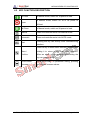
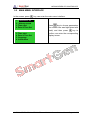
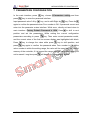
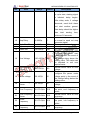
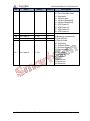
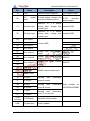
4.2 KEY FUNCTION DESCRIPTION
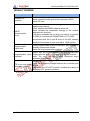
I# Close
In Manual mode, switch on 1# power to load.
In Manual mode, switch off 1# or 2# power to
Open
off-load.
II# Close
In Manual mode, switch on 2# power to load.
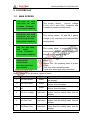
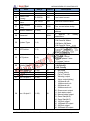
Manual
Press and controller enter into Manual mode.
Automatic
Press and controller enter into AUTO mode.
Pressing this key can directly enter commissioning
Test
interface.
Press the key to enter menu interface; pressing and
Menu /
holding it to return to the main menu interface.
Confirm
When an alarm occurs, pressing and holding the
key can remove alarm.
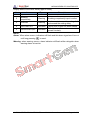
Scroll Screen
Scroll the screen.
/Increase
this key can increase values.
HAT600 SERIES ATS CONTROLLER
2014-12-15
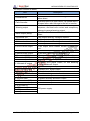
In parameter editing, pressing
Version 2.0
Page 10 of 38