1
SwitchX Switch EVB Hardware User Manual
Rev 1.5
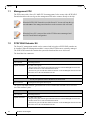
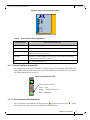
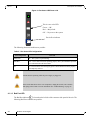
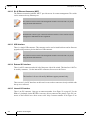
Table 6 - Bad Port LED Configurations
LED Configuration
Description
Off
OK – All ports are up and running.
Flashing Orange
Error –One or possibly more ports has just received a symbol error.
This LED shows symbol errors. Possible causes for this are:
•
bad cable
•
bad connection
•
bad connector
This LED lights up when one or more ports is receiving a symbol error. The LED immediately
goes off until the next symbol error is received.
4.1.1.7 UID LED Switch Identifier
The UID LED is a debug feature that will become available to customers in the near future. For
details please contact Mellanox Technologies support.
4.1.2
Reset Button
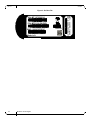
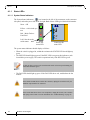
On the connector side panel under the system LEDs is a reset button. This reset button requires a
tool to be pressed, a paper clip will do.
DO NOT use a sharp pointed object such as needle or push pin for pressing the Reset
button. Sharp objects can cause damage, use a flat object such as a paper clip.
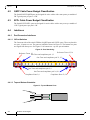
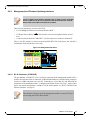
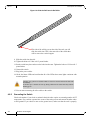
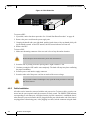
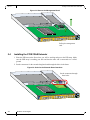
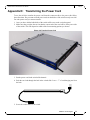
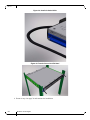
Figure 11: Reset Button
Use an opened paper clip to press the reset
button for 15 seconds to reset the main and
management CPUs and to delete the existing
password.
1
2 3
4
PS1
UID
RST
This button resets both the CPU of the switch device and the CPU of the management module. It
thereby resets all of the ports by bringing them down and powering them up when the button is
pushed. A quick push of this button performs this reset. When the button is held down for 15 seconds the switch is reset and the password is deleted. You will then be able to enter without a password and make a new password for the user admin.
If the PCIE/1GbE Extender is installed the reset button resets the CPU of the switch device only.
Mellanox Technologies
21