1
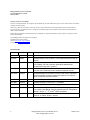
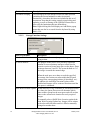
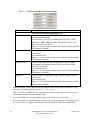
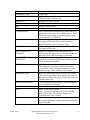
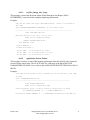
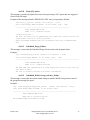
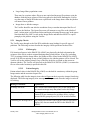
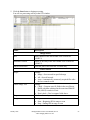
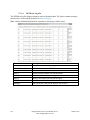
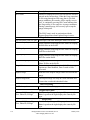
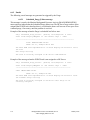
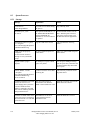
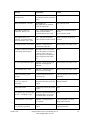
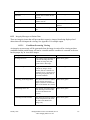
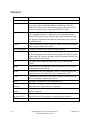
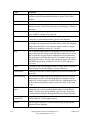
Message
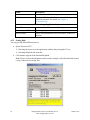
Verifier client software is
version nnn. VistA Imaging Host
software is version mmm. Please
update to compatible client and
host software. Shutting down
Verifier...
VistA shares are not setup
8.3.2
Explanation
The version of the KIDS file
installed on VistA does not
match the executable version on
the workstation.
Action
Install the latest KIDS and client
software.
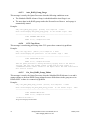
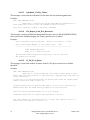
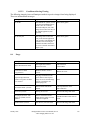
The image share(s) are offline or
don’t exist in the NETWORK
LOCATION file (#2005.2).
Create/Edit the shares in the
Network Location Manager on the
Queue Processor.
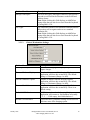
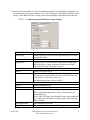
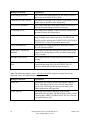
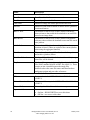
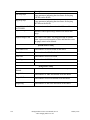
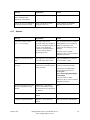
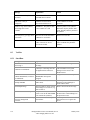
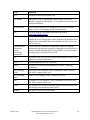
Message
Explanation
Action
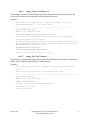
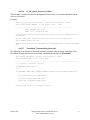
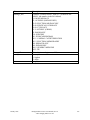
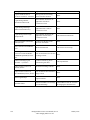
Aggregate JB Copy Error:
Could not copy from alternate
jukebox to current jukebox
Abstract has been created and
copied to the jukebox
Software is enabled to copy files
from secondary jukebox, if
necessary
Could not copy BIG file from
secondary jukebox
Could not create process on
VistA for Verifier
"FBIG" node has no pointers set
in 2005 record.
Check permissions
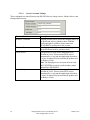
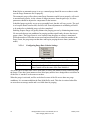
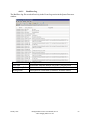
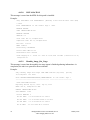
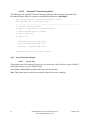
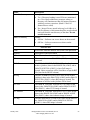
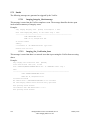
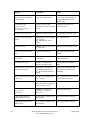
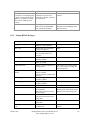
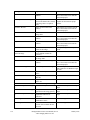
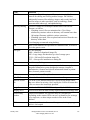
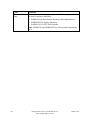
Output HTML Messages
Abs to JB:
Aggregate Function - Enabled
BIG Aggregate Failed
Create Process failed
Empty FBIG node
File of size zero created then
deleted
FULL Aggregate Failed
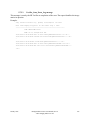
FULL Aggregate Failed
Images JB share is OFF-LINE:
Make AbstractError
New Abs to CWL
No ABS file VC Ptr Cleared
No ABS file VC Share OFFLine
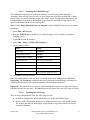
January 2012
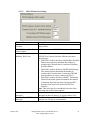
Abstract file created of size zero.
Then it is deleted.
(Likely corruption of BIG and/or
TGA file)
Could not copy FULL file from
secondary jukebox
Could not copy FULL file from
secondary jukebox
jukebox is offline
Abstract file could not be created
from TGA/BIG
(BIG/TGA not found or image
file corruption).
An abstract file has been created
and copied to the current write
image share
Abstract file not found on the
Image share
Image share is offline at location
of abstract file
None
None
Check file existence/permissions
Check Error Trap
Check shares for existence of BIG
file. If not found, restore BIG file
from backup tapes.
None
Check file existence/permissions
Check file existence/permissions
Set jukebox back ONLINE
Check shares for existence of
BIG/TGA file. If not found, restore
BIG/TGA file from backup tapes.
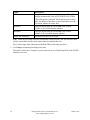
None
None
Set share back online and re-run
Verifier
Background Processor User Manual, Rev 10
VistA Imaging MAG*3.0*121
135