1
Adjusting NVP Values
1. Power the unit ON.
2. Select the memory storage location you would like to adjust (M1 or
M2) through short presses of the MEM button.
3. Press the UP and DOWN buttons to increment or decrement the NVP
value. Press and hold the UP or DOWN buttons to quickly increase or
decrease the NVP value.
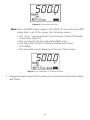
Note: If the NVP value is unknown, you can determine the NVP value
for the cable you are testing in the following ways:
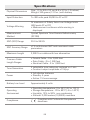
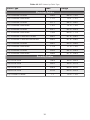
▪▪View the listing of common NVPs by cable type on the backside of the Snap Shot™.
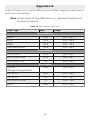
▪▪Refer to Appendix A for an extended listing of NVP values.
▪▪Use Calibration Mode to set the NVP value if the length of
the cable is known. Refer to the Using Calibration Mode
section for instructions on calculating NVP.
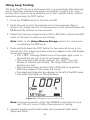
4. Press and hold down the MEM button for two seconds to save the
adjusted NVP value. The adjusted NVP value will be stored in the unit’s
memory for the specified storage location.
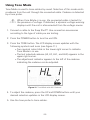
Note: A short press of the MEM button or selection of any other
buttons during editing will discard the adjusted value.
If the unit is turned OFF prior to saving the edited NVP value,
the Snap Shot™ will recall the adjusted NVP value. However,
the adjusted value will not be saved in either of the two
storage locations.
18