1
Actions with templates
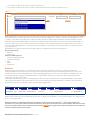
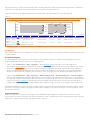
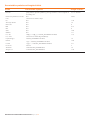
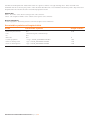
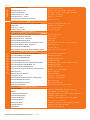
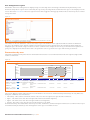
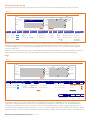
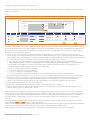
Existing templates can be accessed through Transactions → Type of payment → the button Templates in the top right corner
of the application. The following screen shows the templates list:
Figure 12.
Templates
Filters
Search for:
Search in:
Beneficiary
SHOW
CREATE NEW
Name
v
Choose
Edit
View
Template 1
Template 2
Delete
□
□
DELETE
Beneficiary
Bank Code
Beneficiary Account
Details
Beneficiary 1
INGBPLPW
123456789
Details 1
Beneficiary 2
INGBBGSF
987654321
Details 2
SELECT ALL
BACK
The templates may be sorted by the name of the template, chosen for use, edited, viewed and deleted by clicking on the
appropriate icons in the different table columns. The filters area above the template table provides for an opportunity to search
for specific templates as well. ING Online users may search for templates by beneficiary names, beneficiary account numbers
and template names.
Templates quick search
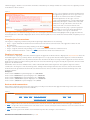
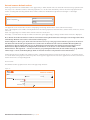
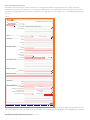
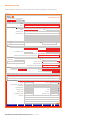
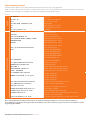
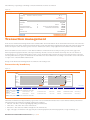
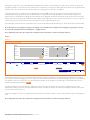
As previously said, ING Online users may search for a specific template in their templates list. Users may search for matches in
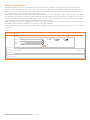
the beneficiary names and accounts in a template and in template names. The quick search function allows users to search for a
template directly from the top right corner of the payment screen:
Figure 13.
Templates
Print
Help
Print
Help
Search in: Beneficiary
Quick Template/Beneficiary Search:
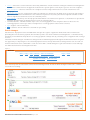
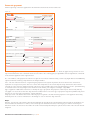
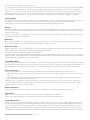
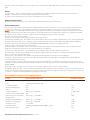
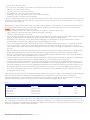
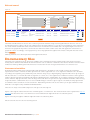
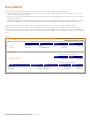
Upon finding a match, the template details are shown below the search form:
Figure 14.
Templates
Quick Template/Beneficiary Search:
Name
Template 1
Choose
Choose Beneficiary
iv
Search in:
Beneficiary
Beneficiary
Bank Code
Beneficiary's Account
Details
Ivan Ivanov
INGB9145
BG78INGB91451000071835
Transport payment
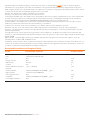
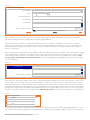
ING Online users have two possibilities to use the desired template - either choose the whole template when they click the
icon in the «Choose» column or use only the beneficiary data from the template when they click the icon in the «Choose
beneficiary» column. When «Choose beneficiary» is selected the template contains only data about the beneficiary. When the
whole template is selected it will contain all template data entered previously by the user.
ING Online User Manual Russian Federation May 2013 11