1
Media Storage Selection
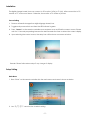
When you insert SD memory card, CF memory card or USB pendrive, the Storage Media Icon will be
shown on screen.
Above screen is showing all storage medias in the device.
” to select which storage media which you want to play, CF memory card selected for
1. Press “
example.
2. Press “Enter” to activate Movie, Music or Photo.
3. Press “
” to select movie, Music or Photo and press “Enter” to Movie, Music or Photo
Playing mode. Or press “ Exit” back to previously menu setting.
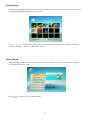
Movie Playing
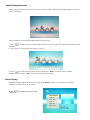
After selecting storage media, you can also press “Movie” directly on the remote controller.
All MP4 or Avi files will show on screen.
Press “
to play.
” to select movie you want
-7-