1
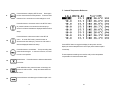
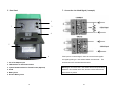
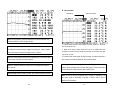
B. Data and Curve in the LCD
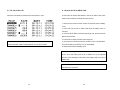
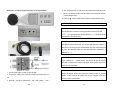
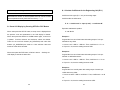
W. Format the SD or SDHC Card with a PC
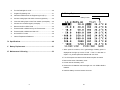
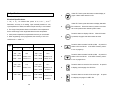
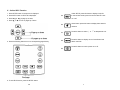
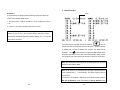
When the GRAPH button is pressed, the following figure is shown:
1
2
3
4
5
6
7
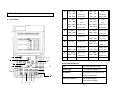
1. Insert the SD or SDHC card into the slot for SD card in a PC.
2. Select the device of SD card, and click on the right button of mouse.
3. The following table is shown, please enter parameters as shown.
8
9
10
11
12
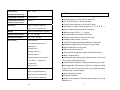
1. Minimum and Maximum Temperature Values during the time interval
at the Current Cursor Position
2. Time Interval at the Current Cursor Position
3. Current Operating Status (FILE, REC, and NONE)
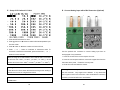
Warning: All data files are deleted after re-format. So before re-format
4. Label of Each Input (can be programmed). Label of Selected Input is
the SD or SDHC card, users should store needed files in a PC.
Reverse Video.
5. Minimum and Maximum Values of Selected Input
Note: To restore HELP files and DEMO files, copy the directory of
6. Current Date and Time
METER in the software CD-ROM to the SD card after re-format.
7. Type of Thermocouple, mV or Engineering Unit
8
45