1
User manual
Note:
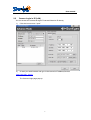
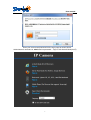
1. at the first time to login ,you need to download the ActiveX and after
installation then fresh the page will be ok
2. If failed to install it,you can try to install it manually from disc,you can find it
in disc or download from our webpage
3. Some time your firewall or anti-virus software will stop the installatoin of
ActiveX,then you can try to close them first,
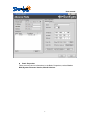
4. if still failed to install it,you can try to set the IE tool as below:IE
browser--Tool--internet Proper--Security--Custom Level--ActiveX control
and Plug-ins-all of the ActiveX control should be set as "enable".
8