1
At a glance
Top topics
At a glance
First look
Top topics
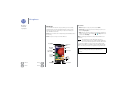
Check out what your phone can do.
• Personalize your home screen: see “Redecorate your
home”.
• Make a quick change: see “Quick settings”.
• Go online: see “Browse”.
• Explore: see “Google Play™”.
• Find apps: see “Download apps”.
• Be social: see “Socialize”.
• Find it yourself: see “Locate & navigate”.
• Take a photo: see “Take photos”.
• Connect to Wi-Fi: see “Wi-Fi Networks”.
• Watch a movie: see “Play Movies & TV”.
• Protect your phone: see “Screen lock”.
• Watch interactive guided tutorials: see “Help & more”.
• Get all the help you need: see “Get help”.
Menu
Help
Back
Next
Tips & tricks
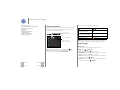
• Interactive: To get started quickly, touch Apps
>
Help for interactive tutorials.
• Google™ help: In every Google Mobile app, you can
touch Menu > Help. You can also view the Google Help
Centers online at www.google.com/support.