1
OPERATION
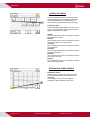
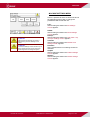
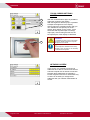
RECIPE MENU
In a certain recipe all the settings for a
particular tray type are stored. Via this menu
the user of the system is able to select, copy or
change a recipe using submenus.
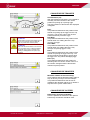
Choose recipe:
After touching this button the choose recipe
screen appears where it is possible to select a
recipe.
Copy recipe:
After touching this button the copy recipe
screen appears where it is possible to copy the
parameter settings of a particular recipe to
another recipe. This screen is not available for
the operator.
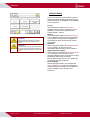
Change actual recipe:
After touching this button the change recipe
menu appears. Via this menu it is possible to
change the parameter settings of the current
recipe. This screen is not available for the
operator.
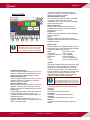
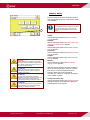
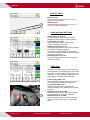
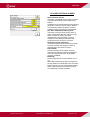
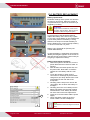
CHOOSE RECIPE SCREEN
Here it is possible to select a different recipe.
After touching a particular recipe the parameter
settings of this recipe are used to control the
system.
After touching a recipe name, a keypad pops
up after which it is possible to change the
recipe name.
Ten recipes are available. Use the arrow
button to scroll to the next 5 recipes.
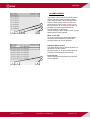
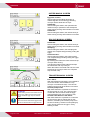
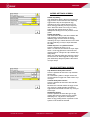
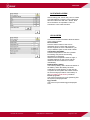
COPY RECIPE SCREEN
Here it is possible to copy the settings of a
particular recipe to another recipe. This way it
is possible to make a new recipe. First copy an
existing recipe to a new recipe and after that
start to change the new recipe settings via the
change recipe menu.
To copy a recipe follow the below procedure:
1. Select the source recipe.
2. Select the destination recipe.
3. Touch the copy recipe button.
Now the settings of the source recipe are
copied to the destination recipe. Change the
name of the new recipe in the choose recipe
screen.
UM-SMP-04-E/10-2013
USER MANUAL SMARTPACK
Page 69 of 126