Download Laureate Faculty Development Portal User Manual

Transcript
Laureate Faculty
Development
Portal
User
Manual
Index
3
How to Create an Account
7
How to Log In
11
How to Reset your Password
15
How to Change your Language
16
How to Edit your Profile
18
How to Change your University
21
How to Register for a Course
26
How to Go to your Course
How to Create an Account
Laureate Faculty Development Portal | User Manual
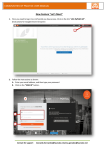
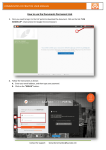
1. Go to the following link: http://global.laureate.net/faculty 2. Click on the orange button I Am a Teacher/A Student/A Collaborator. 3. Select your university, if it isn't on the list, click on the blue button that says My University is not Listed Here. Laureate Support ([email protected]) 3 How to Create an Account
Laureate Faculty Development Portal | User Manual
4. You can find your university by: A-­‐ Writing the name of your university in the search bar and hitting Enter. B-­‐ Searching by region where it's located. C-­‐ Selecting your country. D-­‐ Clicking on the university’s logo. Laureate Support ([email protected]) 4 How to Create an Account
Laureate Faculty Development Portal | User Manual
5. Your university logo will appear. 6. Click on the Log In/ Sign Up button. 7. To create an account you must click on the link ¡Let’s Create One Now! Laureate Support ([email protected]) 5 How to Create an Account
Laureate Faculty Development Portal | User Manual
8. Please fill out the following form to create your account. The fields marked with (*) an asterisk must be completed. Once you have completed the previous fields click on the Create Your Account Button. 9. A message will appear confirming your registration. Laureate Support ([email protected]) 6 How to Log In
Laureate Faculty Development Portal | User Manual
1. Go to the following link: http://global.laureate.net/faculty 2. Click on the orange button I Am a Teacher/A Student/A Collaborator. 3. Select your University, if it isn't on the list, click on the blue button that says My University is not Listed Here. Laureate Support ([email protected]) 7 How to Log In
Laureate Faculty Development Portal | User Manual
4. You can find your University by: A-­‐ Writing the name of your University in the search bar and hitting Enter. B-­‐ Searching by region where it's located. C-­‐ Selecting your country and finally. D-­‐ Clicking on the university’s logo. Laureate Support ([email protected]) 8 How to Log In
Laureate Faculty Development Portal | User Manual
5. Your university’s logo will appear. 6. Click on the Log In/ Sign Up button. 7. Follow these steps: A) Enter your username. B) Enter your password. C) Click on the Sign In button. Laureate Support ([email protected]) 9 How to Log In
Laureate Faculty Development Portal | User Manual
Note: If you don’t have an account in the portal, click on Let’s create one now! located in the bottom of the page. Complete the following information to create your account. The fields marked with an asterisk (*) are required. Once you have completed the form, click on the Create your Account button. 8. Please make sure that your name appears on the upper right side of your screen. Laureate Support ([email protected]) 10 How to Reset your Password
Laureate Faculty Development Portal | User Manual
1. Go to: http://global.laureate.net/faculty 2. Click on the orange button I Am a Teacher/A Student/A Collaborator. 3. Select your university, if it isn't on the list, click on the blue button that says My University is not Listed Here. Soporte Laureate ([email protected]) 11 How to Reset your Password
Laureate Faculty Development Portal | User Manual
4. You can find your university by: A-­‐ Writing the name of your university in the search bar and hitting Enter. B-­‐ Searching by region where it's located. C-­‐ Selecting your country. D-­‐ Clicking on the university’s logo. Soporte Laureate ([email protected]) 12 How to Reset your Password
Laureate Faculty Development Portal | User Manual
5. Your university’s logo will appear. 6. Click on the Log In/ Sign Up button. 7. Click on the link I’ve Forgotten My Password. Soporte Laureate ([email protected]) 13 How to Reset your Password
Laureate Faculty Development Portal | User Manual
8. Follow these steps: A. Write your e-­‐mail. B. Write the numbers that show up. C. Click on the Send button. 9. Check your e-­‐mail inbox and complete the password reset process. Soporte Laureate ([email protected]) 14 How to Change your Language
Laureate Faculty Development Portal | User Manual
1. To change the language click on the Flag Icon. 2. Click on the language in which you desire to navigate on the Portal. 3. Make sure that the language has been changed and that the content has been change to the language you chose. Laureate Support ([email protected]) 15 How to Edit your Profile
Laureate Faculty Development Portal | User Manual
1. Click on your name, it will appear on the upper right side of your screen. 2. Select the option Edit your Profile. Laureate Support ([email protected]) 16 How to Edit your Profile
Laureate Faculty Development Portal | User Manual
3. Your profile will be displayed. In this section you will be able to update your personal information. Once done save the changes by clicking the Update Information button. Laureate Support ([email protected]) 17 How to Change your University
Laureate Faculty Development Portal | User Manual
1. Click on the orange button I Am a Teacher/A Student/A Collaborator. 2. Select your university, if it isn't on the list, click on the blue button that says My University is not Listed Here. Laureate Support ([email protected]) 18 How to Change your University
Laureate Faculty Development Portal | User Manual
3. You can find your university by: A-­‐ Writing the name of your university in the search bar and hitting Enter. B-­‐ Searching by region where it's located. C-­‐ Selecting your country. D-­‐ Clicking on the university’s logo. Laureate Support ([email protected]) 19 How to Change your University
Laureate Faculty Development Portal | User Manual
4. Your university’s logo will appear. Laureate Support ([email protected]) 20 How to Register for a Course
Laureate Faculty Development Portal | User Manual
To have a better experience in the new Laureate Languages Portal we recommend you use Google Chrome as your browser. 1. Go to http://global.laureate.net/faculty 2. Click on the button Log In / Sign Up button. 3. Follow these steps: A) Enter your username. B) Enter your password. C) Click on the Sign In button. Note: If you don’t have an account in this portal, click the link “Let’s create one now!” located in the bottom of the page. Laureate Support ([email protected]) 21 How to Register for a Course
Laureate Faculty Development Portal | User Manual
6. Please make sure that your name appears on the upper right side of your screen. 7. To see the available courses you need do to the following: A) Click on the Recommended for You section. B) Click on Explore All Courses. Laureate Support ([email protected]) 22 How to Register for a Course
Laureate Faculty Development Portal | User Manual
8. You can see specific course available by: A) Using the portal’s search bar. B) Clicking on the name of the course you want to enroll in. Note: For the certificates you will only have to register on Module 1, the inscriptions for the rest of the modules are automatic, for the self-­‐paced courses you will have to request your inscription. 9. Select the course that you want to be enrolled in. Laureate Support ([email protected]) 23 How to Register for a Course
Laureate Faculty Development Portal | User Manual
10. To register click on the Enroll button. 11. Verify that your information is correct, if it's not correct, please proceed to update your information and click on the Register Now button. Laureate Support ([email protected]) 24 How to Register for a Course
Laureate Faculty Development Portal | User Manual
12. The following message will show up, confirming your request. Please note that the notifications from our portal will be sent from the following email address No-­‐[email protected]. Please add this address to your contact list to receive messages and avoid having them go to your junk email. Should you encounter any technical difficulties, click on the support icon to chat with an agent or to submit a ticket. You can also send an email to [email protected]. Laureate Support ([email protected]) 25 How to Go to your Course
Laureate Faculty Development Portal | User Manual
1. Make sure to have logged in into the Laureate Faculty Development Portal. 2. Click on the Go to Class button located on the main tile, under the Your Programs & Courses tab. Laureate Support([email protected]) 26