1
AIM Application v. 2.4 User Manual
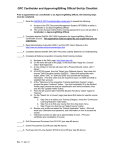
Click Perform Maintenance.
Select Update Financial Information from the drop-down box and click Continue.
The Reason field is automatically populated by the maintenance action that you chose to
perform in step 4. Enter any comments or justifications that you may have for making the change
in the Comments box.
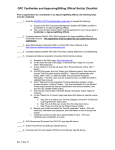
EDI Payment and Routing Information − You have the option to change the EDI
Payment and Routing Information. Click the radio button next to EDI payment or Non-EDI
payment.
Note: Navy customers, continue to step 8. Follow instructions according to the agency or
service for which you are performing this action.
Army, Air Force, and Defense Agency customers, if you select EDI payment, you are also
required to enter the following information:
a. Invoice – This is a mandatory field – choose from a drop-down menu
b. Obligation – This is a mandatory field – choose from a drop-down menu
c. Cost Transfer – This is not a mandatory field – choose from a drop-down menu
LOA (Army, Air Force, and Defense Agency customers) − You have the option to
change the following information:
a. Reallocation Method
Document version 2.5, October 2011
50