1
6.4
Each stimulation
set-up procedure
6.4.1
4-Pole
Interferential
Stimulation
Set-up
Procedure
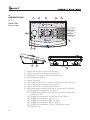
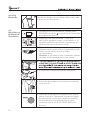
1. In order to turn on the device, please press
ON/OFF switch to [ ] icon which is located on
the side of the device.
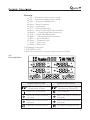
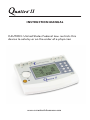
2. When you turn the Quattro II , the
device will get down to self- check about 6~8
seconds, and then the default parameters are
displayed the last treatment mode.
TM
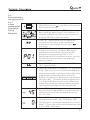
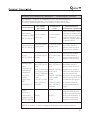
3. Press “B1” Waveform button to toggle the
therapeutic waveform, then rotating the
parameters control knob (③) to select “ ”
waveform.
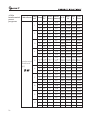
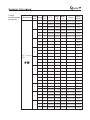
4. Press “B2” Program button to toggle the
therapeutic program, and then rotating the
parameters control knob (③) to select the
therapeutic programs from P01 to P10.
Each program has 3 treatment phases, you can
set and save the parameters according to
patient ’s need.
5. Press “B2” Program button to select “CC ” or
“CV ” control mode.
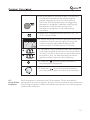
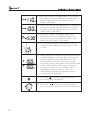
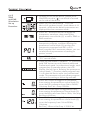
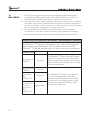
6. There are two modes in Quattro II , press and
hold “”B8” button to switch Normal mode and
Professional mode. In professional mode, each
program has 3 treatment phase, the LCD
display like left figure. Rotating the parameters
control knob (③) to select phase program from
1 to 3 when the device enter into professional
mode. The parameters of each phase program
can be set according to following methods.
TM
7. Press “B3” button to toggle Vector parameter,
then rotating the parameters control knob (③) to
set the vector (manual) parameter from 0°to
90°,15°/step.
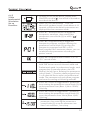
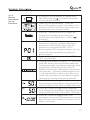
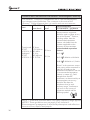
8. Press “B3”button again, the vector parameter
change to auto mode, the LCD display “0%”
like left figure. rotating the parameters control
knob (③) to set the vector (auto) parameter from
0 % to 100%, 20%/step.
21