1
E nv ir itech - Ene rg y fo r Li fe
Heat Pump Control Panel
The heat pump control panel over rides the time clock. Pressing the on/off button while the heat pump is
switched off will turn the heat pump on regardless of what the time clock is commanding it to do. The
on/off button SHOULD NOT be used to control the heat pump. When the heat pump is being operated
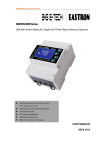
under command of the time clock a NET signal is indicated on the top right-hand corner of the display as
shown in figure 4. If the heat pump is operating and the NET signal is not present, it is operating in
manual mode. The pink on/off button should be pressed once to switch the heat pump off and the heating
commands should then be given from the time clock.
There is a timer function on the control panel but this is not used as the heating programme is controlled
from the time clock.
The set temperature and the return temperature are displayed on the control panel as indicated in figure 4.
The set temperature is set on commissioning and as such there is no need for the user to change it on the
control panel. (Its optimum setting is 60°C- (the difference in flow and return temperature when heating
hot water only +1°C)). Other parameters can be seen while the heat pump is operating by pressing the set
button.
Number of times set button pressed Parameter displayed
1
Outlet secondary water temperature
2
Ambient air temperature
3
Inlet primary water temperature
4
Outlet primary water temperature
Further instructions on the operation of this control panel are available in the heat pump user manual.
Set Temp
Time
NET Signal
Return Temp
Figure 4: Heat Pumps control panel
Kilnantogue, Rathangan, Co. Kildare
Phone: 045 524831
Mobile: 087 2408339
www.etech.ie
E-mail: [email protected]
Registered in Ireland. Company limited by shares. Company Registration No. 295486
IMPORTANT: All business undertaken is transacted subject to the company’s terms and conditions. Copy of which will be supplied on request.