1
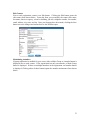
Edit Contact
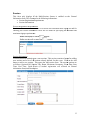
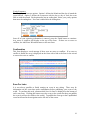
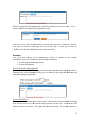
Next to each registration contact is an Edit button. Clicking the Edit button opens the
edit contact form shown below. From this form you can modify the contact first name,
last name, district or agency, school or building, job title, telephone number, fax number,
email, address, city, state, and zip. Once your changes have been made, clicking the Save
button saves the changes and returns back to the Waitlist report.
Maintaining Attendees
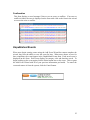
If group registration is enabled for your event, either a Make Group or Attendee button is
displayed next to each contact. If the registration has only one attendee, a Make Group
button is displayed. If there are multiple attendees in the registration, an Attendee button
is displayed. Clicking either of these buttons opens the attendee maintenance form shown
below.
33