1
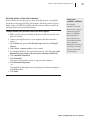
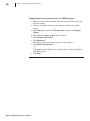
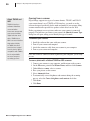
Chapter 3: Opening and Importing Pictures 19 Troubleshooting tips for opening pictures from a camera Your camera must be connected and turned on before you start the digital camera task, or it will not appear in the list of cameras and drives. If you’ve connected your digital camera to your computer, but can’t see your pictures, make sure the connections are secure, the camera is turned on, and the batteries are charged. The camera might not start downloading unless its batteries are fully charged. Some cameras are equipped with an A/C adapter that you can use instead of batteries. If your camera does not appear in the list of cameras and drives, or if you receive an error message when you click Download, start your camera software from the operating system Start menu. For more information about downloading photos using the software included with your camera, consult your camera’s manual. Microsoft Digital Image Pro User’s Manual