1
Table of Contents
Getting Started: iP-8417/8817/8447/8847 ................................................................. 1
Legal Liability ................................................................................................................................. 1
Trademark & Copyright Notice ..................................................................................................... 1
Technical Service ........................................................................................................................... 1
Table of Contents....................................................................................................... 2
Reference Guide ........................................................................................................ 5
I/O Modules Selection Guide ..................................................................................... 6
Specifications: iP-8417/8817/8447/8847 ................................................................... 7
Chapter 1
Typical Application .............................................................................. 1-1
1.1
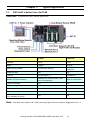
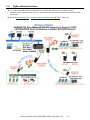
iPAC-8x47 is better than I-8x37-80 .................................................................................... 1-1
1.2
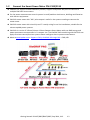
Connect the Smart Power Meter PM-2133/2134 ............................................................. 1-2
1.3
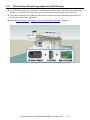
Constructions Monitoring Application (VW Sensor) ......................................................... 1-3
1.4
ZigBee Wireless Solution ................................................................................................... 1-4
1.5
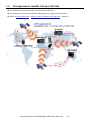
GPS Applications: ISaGRAF PAC plus I-87211W................................................................. 1-5
1.6
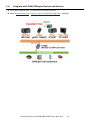
Integrate with CAN/CANopen Devices and Sensors .......................................................... 1-6
1.7
Send Email with One Attached File ................................................................................... 1-7
1.8
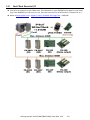
Fast FRnet Remote I/O....................................................................................................... 1-8
1.9
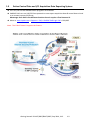
Active Control Data and I/O Acquisition Data Reporting System ..................................... 1-9
1.10
Modbus RTU/TCP Slave ................................................................................................... 1-10
1.11
Modbus RTU/ASCII Master .............................................................................................. 1-10
1.12
Multi-HMI & Local/Remote I/O ....................................................................................... 1-11
1.13
SMS: Short Message Service ............................................................................................ 1-11
1.14
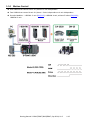
Motion Control ................................................................................................................ 1-12
1.15
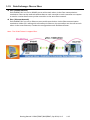
Data Exchange: Fbus or Ebus ........................................................................................... 1-13
1.16
Redundant Bus7000......................................................................................................... 1-14
1.17
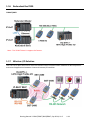
Wireless I/O Solution ....................................................................................................... 1-14
1.18
Modbus Converter of I-7000 & I-87K I/O ........................................................................ 1-15
1.19
Download & Monitoring Via Modem_Link ...................................................................... 1-15
Chapter 2
2.1
Software Programming ....................................................................... 2-1
Step 1 - Installing the ISaGRAF Software ........................................................................... 2-1
2.1.1
The Hardware Protection Device (Dongle & USB Key-Pro) ........................................... 2-2
2.1.2
Important Notice for Window 2000 Users .................................................................... 2-3
2.1.3
Important Notice for Window NT Users ........................................................................ 2-3
2.1.4
Important Notice for Windows Vista or Windows 7 (32-bit) Users .............................. 2-4
2.1.5
Important Notice for Windows (64-bit) Users............................................................... 2-5
2.1.6
Important Setting for Using Variable Arrays ................................................................. 2-6
2.2
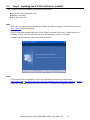
Step 2 - Installing the ICP DAS Utilities for ISaGRAF .......................................................... 2-7
2.3
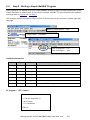
Step 3 - Writing a Simple ISaGRAF Program ...................................................................... 2-8
Getting Started: iP-8417/8817/8447/8847, Sep 2014, V1.3
2