1
nuSpin User’s Manual
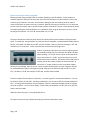
In “Sync to Beat”, the LFO is synced to the midi beat/bar position. The frequency controls the musical
note duration of one period of the waveform, providing steps from 2 measures, 1 measure, ½ measure,
¼ note, 1/8th note, 1/8th triplets, 1/16th , 1/16th triplets, 1/32nd , 1/32nd 9-tuple, 1/32nd triplets, and
1/64th. This mode makes it easy to create LFO’s that are always synced to the current tempo.
Additionally, if you modulate this parameter, transitions from one value to another are only allowed to
occur at the start of the waveform. This makes for a very musical way to control an LFO.
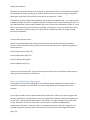
The “Frequency” and “Gain” menu items allow you to add/remove modulators or show the modulation
scale for the controls.
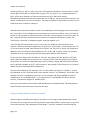
Global LFOs can be modulated by the performance controls, MIDI controls, or any global LFO with a
lower number.
Per-voice LFOs (LFO 5-8)
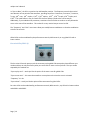
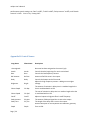
The Per-voice LFOs work pretty much the same way as the global LFOs except they have different sync
modes and they can only be used by other per-voice LFOs or items on the synth tab. The sync modes
exposed by this module are:
“Sync to play start” – works just like the option of the same name for global LFOs.
“Sync to note start” – this starts the waveform at zero phase at the time the note is activated.
“Frequency” is in Hz.
“Sync to beat” – works just lke the option of the same name for global LFOs.
Per-voice LFOs can be modulated by performance controls, MIDI controls , any LFO with a lower number
and ADSR 1 and ADSR 2.
Page | 14