1
TABLE OF CONTENTS
ATTENTION! Important safety information
4
System overview
5
Important notes on the function
of your navigation system
• GPS positioning
• GSM coverage
Familiarising yourself with your
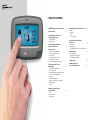
Smartnav Touch Screen
Getting from A - B
• To enter a new destination
• Favourite destination screen
• Control Centre
• Postcode destination screen
• Cancelling a route request
• Cancel/suspend/re-route functions
Use of Smartnav Touch Screen
whilst driving
• Instructions at roundabouts
• Visual instructions
• Information displayed on your Smartnav
Touch Screen during guidance
• Junctions
• Manoeuvre pictograms
• Graphics for junctions close together
• Going off route
• Arrival
Additional requests/functions
during navigation
• Clock
• Repeat function
• Mute function
2
5
6
7
10
Customising your Smartnav Touch Screen
• Volume
• Key tones
• Clock
• Screen settings
15
Other functions of your Smartnav
Touch Screen
16
• SOS facility
• Receiving a call
• The Smartnav website – www.smartnav.com
Smartnav options
• Safe Speed option
• RAC Trackstar Plus option
• Extended Warranty option
18
Troubleshooting
20
Summary of warranty
Terms and conditions of use
21
14
3