1
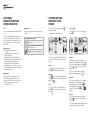
Imminent warning graphics
Lane changes – “Move into the left hand lane.”
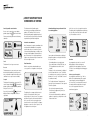
When the manoeuvre is imminent (e.g. 400 yards
in advance of junction) or in progress, the
numerical display of the distance is replaced by
a graphical indication of the distance to the
junction:
You will hear ”You are no longer on the planned
route. Smartnav is automatically calculating a
new route to your destination”.
The compass indicator will show the direction
and the distance (as the crow flies) to the nearest
point on your route.
If your Smartnav unit is requesting a re-route
to your destination, the phone icon will also be
displayed:
The junction pictogram is withdrawn when the
junction has been passed, or if you drive off route.
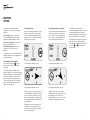
Graphics for junctions close together
Manoeuvre pictograms
The following are examples of the various kinds
of manoeuvre pictograms:
As you get very close to the junction (typically
100 yards), an exit indicator is displayed at the
bottom left of the screen*. These dynamic arrows
are intended to give you additional guidance at
complex junctions and large roundabouts by
indicating where your exit is relative to your
current direction of travel.
Some junctions along your route may be too
close together to be displayed individually.
On these occasions the screen will display the
manoeuvres together:
Junctions – “Turn left.”
Arrival
Upon arrival at your destination a chequered flag
will be shown:
Roundabouts – “Take the third exit of the
roundabout.”
“Take the second exit of the roundabout and then
immediately turn sharp left.”
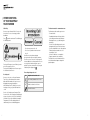
Going off route
If you go off the planned route, the following
screen will be displayed:
When negotiating roundabouts, the exit indicator
will remain on the screen while you drive round
the roundabout. The exit indicator will point you
towards the correct exit.
You will hear “You are arriving at your destination.”
* The feature has to be enabled via the Smartnav website
Edit Options page.
12
13