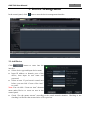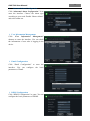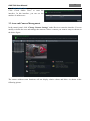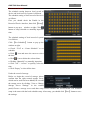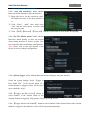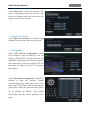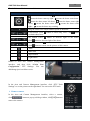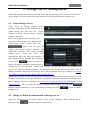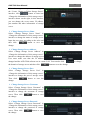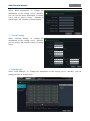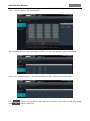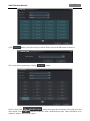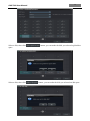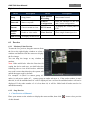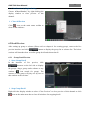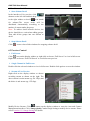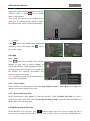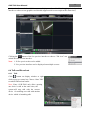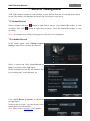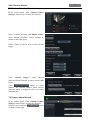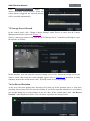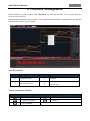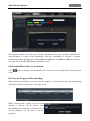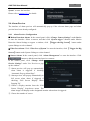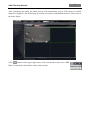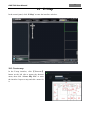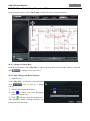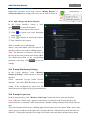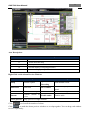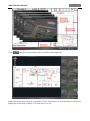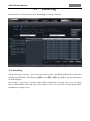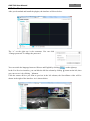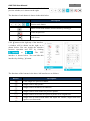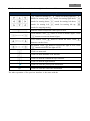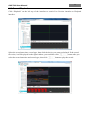
1
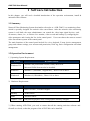
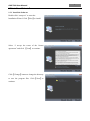
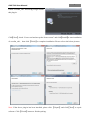
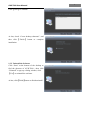
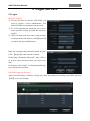
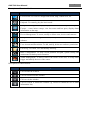
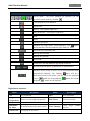
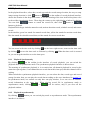
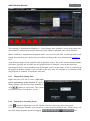
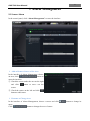
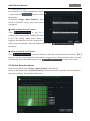
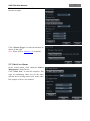
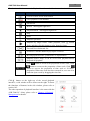
HD-TVI 1080P/720P/960H DVR T900 Series User Manual Contents 1 2 3 4 5 6 7 8 Software Introduction ...........................................................................................................................1 1.1 Summary ................................................................................................................................................ 1 1.2 Operation Environment ......................................................................................................................... 1 1.3 Install and Uninstall ............................................................................................................................... 2 1.3.1 Install the Software .................................................................................................................... 2 1.3.2 Uninstall the Software ............................................................................................................... 4 Login Software......................................................................................................................................5 2.1 Login ...................................................................................................................................................... 5 2.2 Control Panel Instruction ....................................................................................................................... 6 Device Management ..............................................................................................................................8 3.1 Add Device ............................................................................................................................................ 8 3.2 View, Change or Delete Device ............................................................................................................. 9 3.3 Area and Camera Management............................................................................................................ 14 3.3.1 Area Management .................................................................................................................... 15 3.3.2 Camera Management ............................................................................................................... 15 Storage Server Management ............................................................................................................... 21 4.1 Create Storage Server .......................................................................................................................... 21 4.2 Change or Delete the Information of Storage Server ........................................................................... 21 Group and Scheme Setting .................................................................................................................. 29 5.1 Camera Dwell Group ........................................................................................................................... 29 5.1.1 Create, Change or Delete the Camera Group ........................................................................... 29 5.1.2 Add or Remove the Camera Group ......................................................................................... 29 5.2 Group Dwell Scheme ........................................................................................................................... 30 5.2.1 Create Scheme ......................................................................................................................... 30 5.2.2 Change and Delete Group Dwell Scheme................................................................................ 30 Live Preview ....................................................................................................................................... 31 6.1 Preview ................................................................................................................................................ 32 6.1.1 Monitory Point Preview ........................................................................................................... 32 6.1.2 Stop Preview ............................................................................................................................ 32 6.2 Dwell Preview ..................................................................................................................................... 33 6.2.1 Group Dwell Preview .............................................................................................................. 33 6.2.2 Scheme Dwell Preview ............................................................................................................ 34 6.3 Preview Control ................................................................................................................................... 34 6.4 Snap ..................................................................................................................................................... 35 6.4.1 Snap ......................................................................................................................................... 35 6.4.2 Snap Number ........................................................................................................................... 35 6.4.3 Record and Snap Path .............................................................................................................. 35 6.5 Multi-screen to Preview ....................................................................................................................... 35 6.6 Talk and Broadcast............................................................................................................................... 36 6.6.1 Talk .......................................................................................................................................... 36 6.6.2 Broadcast ................................................................................................................................. 37 6.7 PTZ Control ......................................................................................................................................... 37 6.7.1 Parameter Configuration of PTZ ............................................................................................. 37 6.7.2 PTZ control .............................................................................................................................. 37 Record Management ........................................................................................................................... 38 7.1 Manual Record..................................................................................................................................... 38 7.2 Schedule Record .................................................................................................................................. 38 7.3 Motion Detection Record..................................................................................................................... 39 7.4 Sensor Alarm Record ........................................................................................................................... 39 7.5 Storage Server Record ......................................................................................................................... 40 7.6 Set Record Partition ............................................................................................................................. 40 Playback Management ........................................................................................................................ 41 8.1 Playback............................................................................................................................................... 43 8.1.1 Playback Synchronously .......................................................................................................... 43 8.1.2 Playback Asynchronously ........................................................................................................ 43 8.1.3 Playback by Setting Time ........................................................................................................ 44 8.1.4 Playback by Searching Event................................................................................................... 44 8.1.5 Playback by Record Player ...................................................................................................... 45 Snap When Playback ........................................................................................................................... 45 Clip and Backup Record ...................................................................................................................... 45 8.3.1 Clip and Backup Record .......................................................................................................... 45 8.3.2 Backup Path Configuration ...................................................................................................... 45 8.4 Download Record By Time Search ..................................................................................................... 45 8.5 Download Record by Event Search ..................................................................................................... 46 8.6 View the Progress of Downloading ..................................................................................................... 46 Alarm Management ............................................................................................................................ 47 9.1 Sensor Alarm ....................................................................................................................................... 47 9.2 Motion Detection Alarm ...................................................................................................................... 48 9.3 Video Loss Alarm ................................................................................................................................ 49 9.4 Alarm Preview ..................................................................................................................................... 50 9.4.1 Alarm Preview Configuration .................................................................................................. 50 9.4.2 Alarm Preview ......................................................................................................................... 51 E-Map................................................................................................................................................. 52 10.1 Create map ........................................................................................................................................... 52 10.2 Modify or Delete Map, Hotspot and Hotzone ..................................................................................... 53 10.2.1 Change or Delete Map ............................................................................................................. 53 10.2.2 Add, Change and Delete Hotzone ............................................................................................ 53 10.2.3 Add, Change and Delete Hotspot............................................................................................. 54 10.3 E-map Monitoring Settings.................................................................................................................. 54 10.4 E-map live preview .............................................................................................................................. 54 Local Log ............................................................................................................................................ 57 11.1 Search log ............................................................................................................................................ 57 11.2 Log Maintenance ................................................................................................................................. 58 11.3 Export .................................................................................................................................................. 58 User Management ............................................................................................................................... 59 12.1 Create a Resource with the Default Permission ................................................................................... 59 12.2 Create, Change and Delete Users ........................................................................................................ 59 12.3 Account Right Configuration............................................................................................................... 60 Basic ................................................................................................................................................... 62 13.1 System Startup and Maintenance ......................................................................................................... 62 13.2 Backup and Restore ............................................................................................................................. 62 13.2.1 Backup System Configuration Data......................................................................................... 63 13.2.2 Restore System Configuration Data......................................................................................... 63 13.3 Manually Trigger the Alarm Output .................................................................................................... 63 13.4 Video Display Settings ........................................................................................................................ 63 13.5 Batch Timing For Devices ................................................................................................................... 63 Web Client Login ................................................................................................................................ 64 14.1 Login .................................................................................................................................................... 64 14.1.1 Change the Port of Web Client ................................................................................................ 64 14.1.2 LAN Login............................................................................................................................... 64 14.1.3 WAN Login .............................................................................................................................. 64 14.1.4 The Download and Installation of Plugins............................................................................... 65 14.2 Live Preview ........................................................................................................................................ 66 14.3 Record Playback .................................................................................................................................. 69 8.2 8.3 9 10 11 12 13 14 1 AVR-T900 User Manual 1 Software Introduction In this chapter, you will read a detailed introduction of the operation environment, install & uninstall of this software. 1.1 Summary Network Video Monitoring System (hereinafter referred to as ―AVR-T900‖) is a monitoring client which is specially designed for network video surveillance. After the network video monitoring system is well built, the super administrator can control the video input signal devices, such as cameras, domes, etc., to achieve live monitor, video record and backup by configuring the video parameters and viewing the live in the control panel. Users can choose the menu to control video surveillance system in the control panel. The main functions of the control panel include live view, playback, E-map, device management, group and scheme settings, user account and permission, local log, basic configuration and alarm management. 1.2 Operation Environment 1)Operating System Requirement: System Windows XP Recommendation Windows XP professional version (32bit), direct 9.0c. Microsoft YaHei front need to be installed. Windows 7 Windows 7 (2bit/64bit,support SP1),Direct 11.0 or above Windows8 Windows 8 (32bit/64bit),Direct 11.0 or above 2)Hardware Requirement: Item Recommendation CPU Intel Core Dou,2.6GHz or higher Memory 2GB or above HDD 250GB or above Graphics Card Independent graphics card; 512M graphics memory or higher 3)When running AVR-T900, you need to ensure that all the running antivirus software and firewall are closed, so that the program of the AVR-T900 can be installed. AVR-T900 User Manual 1.3 Install and Uninstall 1.3.1 Install the Software Double click ―setup.exe‖ to enter the Installation Wizard. Click【Next】to install. Select ―I accept the terms of the license agreement‖ and click 【Next】to continue. Click 【Change】 button to change the directory to save the program files. Click【Next】to continue. 2 AVR-T900 User Manual 3 Check ―vcredist_x86‖ and click【Next】to install this plug-in. Click【Next】; check ―I have read and accept the license terms‖ and click【Install】to start installation of vcredist_x86; then click【Finish】to complete installation. Please refer to the below pictures. Note: If the above plug-in has been installed, please click 【Repair】and click【Next】to repair software. Click【Finish】button to finish repairing. AVR-T900 User Manual Click【Next】to continue. At last, check ―Create desktop shortcuts‖, and then click 【 Finish 】 button to complete installation. 1.3.2 Uninstall the Software Click ―Start‖ at the bottom of the desktop to find the shortcut of AVR-T900 ; then click ―Uninstall‖ to pop up a dialog window; click 【Yes】to uninstall the software. At last, click【Finish】button to finish uninstall . 4 5 AVR-T900 User Manual 2 Login Software 2.1 Login First time to login: ① For the first time to run the AVR-T900, you need to register a super administrator. You shall self-define the username and password. ② To avoid forgetting the password, you can set some questions to help you find the password quickly. ③ After you input your user name, password and set the questions and answers, click【Register】 to register the super administrator. Input the username and password created by you. Click 【Login】to enter into the software. If checking ―Remember Password‖, there will be no need to input password when you log in next time. If checking ―Auto Login‖, it will automatically log in as current user next time. Successful login for first time: After successful login, a window will pop up. Check the partition for storing record files and click 【OK】to save the settings. 6 AVR-T900 User Manual 2.2 Control Panel Instruction The control panel of AVR-T900 is shown as below: There are five areas in the main interface of this software. The descriptions of each area are as follows: Area 1 3 5 Description Function Area Menu Bar Status information list Area Description 2 4 Tab Bar—to display the operated functions Alarm Information List. Description of Menu Bar Menu Description Start Export the control panel, live preview, playback tab and lock or exit the client. Export the live preview, control panel, local log, E-map, alarm preview, playback, user account and permission, basic configuration and device management and organize the live view. View System Help Including lock client , broadcast to device, switch user, import or export configuration, etc. View user manual and software version. 7 AVR-T900 User Manual Descriptions of Function Module Menu Description Live Preview: To view live images and record, snap, control PTZ, etc. Playback: To remotely play the local record. E-map: To manage and display maps, hot zones and hot spots. To operate E-maps – zoom in/out e-maps, view hot zones and hot spots, display alarm information on the map. Device Management: To create, modify or delete areas, devices and cameras. Group and Scheme Settings: To create, modify or delete camera groups and schemes. User Account and Permission: To add, modify, delete user and user permission. Local Log: To search, view and backup local log. Basic Configuration: To setup record partition and path, system startup and maintenance & backup and restoration. Alarm Management: To add or remove the sensor of the area; To setup alarm trigger and modify the area of the sensor. Descriptions of Other Buttons Button Description Click to hide the window. Click to zoom in/out the window. Click to exit the window. Click to extend or shrink the window (eg. Extend or shrink the list of alarm information list). 8 AVR-T900 User Manual 3 Device Management In the control panel, click icon to enter the device management interface. 3.1 Add Device Click button to enter into the interface. Select device type and input device name; Input IP address or domain, port of the device, then input its user name and password; Select an area. If you haven’t created area before, you can click ―Create a New Area‖ to create; Note: You can click ―Create an Area‖ shortcut menu under Device to create an area in the control panel. Check ―Use the master stream‖ according to the actual network situation. Checking or not checking it will affect the stream choice of live preview. AVR-T900 User Manual 9 You can also check ―Auto report‖ to add device. The setting steps are as follows: Choose the device type and check ―Auto report(Port 2009)‖. Input device name. If you want to add DVR, please enter NetworkSever tab from device. Check ―Enable‖, input IP address and port(2009) of AVR-T900 & device ID. If you want to add IP camera, please enter Network Configuration Server Configuration. Check ―Do you want IP camera to connect server‖ and input AVR-T900 Address, Port and Device ID. Input the Device ID according to the device ID of DVR or IP camera device. Click【OK】button to save the settings and add the device. Add Online Devices button to automatically Click search online devices in the local network. Click a device to display its basic information. Double click it to add it. If the device is added, this device will be hidden in the search device interface. 3.2 View, Change or Delete Device Select the added device and click button to delete the device from the list. Select the added device and click to pop up a window. In this interface, you can change the device name, address, port, etc, or change basic configuration, time configuration, DDNS configuration and Email configuration, etc, you can also query the inline users. AVR-T900 User Manual Change the Device Name Click “Change Device Name” to change the name of selected device. Change Device Address Click “Change Device Address” to change the IP address of selected device. Change Device Port Number Click “Change Device Port Number” to change the port of selected device. Change Device User Name Click “Change Device User Name” to change the device account name. Change Device Password Click “Change Device Password” to change device password. Change Connection Bandwidth Check “Use the master stream” according to the actual situation. Note: Checking or not checking it will affect the stream choice of live preview. 10 AVR-T900 User Manual Change Basic Configuration Click “Change Basic Configuration” to pop up a dialog box. You can change the basic configuration of device and check ―Permission Check‖ or ―Record Coverage‖ according to the actual situation. Change Time Configuration Click “Change Time Configuration” to enter the interface. Change the time and date if you need. Check ―Sync Time with NTP Server‖ to synchronize with NTP server. View Device Log Click “View Device Log” to enter the interface. Choose the type of system logs; enter start time and enter time to search the log information of the device. View Disk Information Click “View Disk Information” to check the detail information of disk from the list. 11 AVR-T900 User Manual Change Network Configuration Click “Change Network Configuration” to enter the interface. You can change HTTP port, Server port; network address, etc. Note: If changing the port and IP address there, the network will disconnect. Then you need to accordingly change the port and IP address of the device connecting the AVR-T900. Alarm Input Trigger and Schedule Configuration Click “Alarm Input Trigger and Schedule Configuration” to enter the interface. Select a sensor corresponding to the alarm input; choose a type and holding time for it. You also can set trigger alarm or other configurations. Alarm Output Configuration Click “Alarm Output Configuration” to enter the interface. Select an alarm output and holding time; then edit a name for it. You can enable buzzer alarm and set a time for it. 12 AVR-T900 User Manual Abnormal Alarm Configuration Click “Abnormal Alarm Configuration” in to enter the interface. Choose the alarm type according to your need. Enable ―Buzzer Alarm‖ and select alarm out. User Information Management Click “User Information Management” shortcut to enter the interface. You can check the information of user who is logging in the device. Email Configuration Click ―Email Configuration‖ to enter the interface. You can configure the basic parameters of Email. DDNS Configuration Click ―DDNS Configuration‖ to enter. You can configure the basic parameters of DDNS. 13 AVR-T900 User Manual 14 Check Online Users Click ―Check Online Users‖ to enter the interface. In this interface, you can see the number of online users. 3.3 Area and Camera Management In the control panel, click ―Change Camera Settings‖ under Device to enter the interface. You can modify or delete the area and manage the cameras. Select a camera you want to setup as shown on the below figure. The camera without some functions will not display relative sheets and links. As shown in the following picture. 15 AVR-T900 User Manual 3.3.1 Area Management Click button to create area. Select an area and click change its name. button to Select an area and click delete it. button to Select an area and click pop up a window. to ① Check the camera on the left column and click area. button to add the camera to the ② Check the camera on the right column and click button to remove the camera from the area. Select a camera and click button to modify the area of this camera. 3.3.2 Camera Management The real-time image will be displayed after selecting a camera. You can setup the parameters of this camera. AVR-T900 User Manual Image Settings Image settings include image video parameter, image quality and image display. Click “Image video parameters” to enter the interface. ① Adjust the brightness, contrast, saturation and chroma of the image. ② Clicking 【Restore Default】 button will restore the above parameters to factory default settings. Click “Image Quality” under Image Settings to enter the interface. Choose the device stream, resolution, quality, etc. according to practical situation. Click “Image Display” to enter the interface. ① Create the camera’s name and set up its display position on the OSD including the time stamp. ② Click【Copy to】button to apply the settings to the selected channel. Record Settings Click “Record Settings”, users can set the record of device, the record of system and the record of storage. Under the record of device ① Choose pre-recording time, duration and record save time. ② Click 【Copy to】 button to save the settings to the selected channel. Under the record of system You can set schedule and record stream. 16 AVR-T900 User Manual 17 How to set schedule? The schedule setting between local record of device and local record of system is different. The schedule setting of local record of device is as follows: First, you should check the Enable in the Record of Device interface, then click【Setup】 button to pop up a window at right. Click button to setup schedule or manually input the time. The schedule setting of local record of system is as follows: Click 【Set Schedule】 button to pop up the window at right. Check ―7x24‖ or ―Create Schedule‖ to set schedule. Click the time. icon and move the cursor to select icon to delete the selected time. Click Clicking ―Manually‖ to manually input time Click ―All‖ / ―reverse‖ to quickly select the time. Click ―Empty‖ to clear all the time. Under the record of storage Before we begin the record of storage, please confirm that the right normal storage server which can be used has been added(You can add the storage server by clicking ―View or Change Storage Server Settings‖ in the control panel).Choose a storage server and then setup record schedule and record stream. The schedule setup is the same with the local schedule setup. After setup, you should click【Save】button to save the settings. AVR-T900 User Manual 18 Motion Detection Alarm Settings Click “Area and Sensitivity” under Motion Detection Alarm Setting to enter the interface. ① Drag slide bar to set the sensitivity value. The higher the value is, the more sensitive it is. ② Click ―Erase‖/ ―Add‖, then hold press ―Ctrl‖ and left click mouse to delete /add the area you want. ③ Click 【All】/【Reverse】/【Clear All】 button to select area or clear all the area quickly. Click “Set The Motion Alarm” under Motion Detection Alarm Setting to enter the motion alarm setting interface as shown at right. User can set motion alarm and linkage configuration. Note: Please refer to the user manual of the device for device linkage configuration. Click “System Trigger” under Motion Detection Alarm Setting to enter the interface. Under the system linkage, check ―Trigger to Play Audio File‖. If the motion alarm of a certain channel is triggered, there will be given out a sound like ―beep‖. Click 【Trigger the Big Screen】 button to select channel. If the motion alarm of the selected channel is triggered, a big picture will pop up on the screen. Click 【Trigger the Record Channel】 button to select channel. If the motion alarm of the selected channel is triggered, the channel’s record will be opened automatically. AVR-T900 User Manual Video Loss Alarm Settings Click “Video Loss” to enter the interface. The steps of configuring video loss are same with the device settings; please refer to the video loss chapter of device user manual. Video Loss of System Click ―Video Loss of System‖ to enter the right window. You can set the video loss of system. PTZ Settings Click “PTZ Protocol Configuration” under PTZ Settings to enter the interface. You can enable or disable PTZ. From the Protocol and Baud Rate drop-down menu, choose a protocol and a baud rate to associate with the PTZ, and then input the address of the PTZ connecting the software. Click “Preset Point Configuration” under PTZ Settings to enter the interface. Enable corresponding preset points and create a new name in the ―New Name‖ field by selecting the preset point. Adjust the dome direction, speed, etc by clicking the buttons. Click 【 Save Position】to save the current position of the dome. 19 20 AVR-T900 User Manual The definitions of the buttons are below: Buttons Description means the dome rotate up; means the dome rotate up right; means the dome rotate up left; means the dome rotate down. means the dome rotate left down; means the dome rotate right down; means the dome rotate left; means the dome rotate right; means the dome stop rotating Drag the slider bar to adjust rotation speed of the dome Focus button. Click to obtain short focus Iris button. Click button to obtain long focus. Click button button to increase light of the dome. Click button to decrease light of the dome Zoom button. Click button to zoom in the picture of this camera. click button to zoom out the picture of this camera Track Auto Scan Wiper button Light button Return to Area and Camera Management interface, and then click “Cruise Line Configuration” PTZ Settings. You can add/change/preview/delete curies. In the Area and Camera Management interface, click ―PTZ Track Settings‖ to see the picture on the right hand. You can set the PTZ track. Remove camera In the Area and Camera Management interface, select a camera, click remove the camera. button to pop up a dialog window, click【OK】button to 21 AVR-T900 User Manual 4 Storage Server Management AVR-T900 supports the function of storage server. By using storage server, you can store the IPC device image; it does not matter on record storage even if you shut down the storage server. 4.1 Create Storage Server Click ―View or Change Storage Server Settings‖ under Record and Playback in the control panel, you will enter the ―Create, Change or Delete Storage Server‖ interface shown on the right. Before you begin to create a storage server, you must set the storage server and the AVRT900 software under a same LAN. By clicking button, you can enter the ―Create New Storage Server‖ interface. The AVR-T900 software will search available storage server under the same LAN automatically after you enter this interface. If none storage server is searched after a long time, you can click button to refresh. The default IP address, username and password of storage server is ―192.168.1.200‖, ―admin‖ and ―123456‖. The first time you use the storage server, only if you input the default username and password, you can add this storage server. The IP address, username and password of storage server can be changed, the way to change is in section 4.2 ―Change or Delete the Information of this Storage Server‖. Select any storage server device in the list, the IP address and port number of this storage server will be shown below. The server name, IP address, port number and other information of storage server can be changed, the way to change is in section 4.2 ―Change or Delete the Information of this Storage Server‖. After you input the default username and password, you can click button to test the connection. If it is connected successfully, then click storage server. button to add this 4.2 Change or Delete the Information of Storage Server Select the storage server you want to delete in the ―Create, Change or Delete Storage Server‖ interface, click button to remove it from the list. 22 AVR-T900 User Manual Select the storage server you want to change in the ―Create, Change or Delete Storage Server‖ interface, click button to enter into ―Change the information of this storage server‖ interface shown on the right, in this interface, you can change the server name, IP address, port number and other information of storage server. Change Storage Server Name Select ―Change Storage Server Name‖ in ―Change the information of this storage server‖ interface to change the name of storage server. Input the new name according to the rules and then click change. button to save the Change Storage Server Address Select ―Change Storage Server Address‖ in ―Change the information of this storage server‖ interface to change the address of storage server. User must make sure that the IP address changed and the AVR-T900 software are in a same LAN. You can also click the domain of storage server and then click Change Storage Server Port Select ―Change Storage Server Port‖ in ―Change the information of this storage server‖ interface to change the port of storage server. Then click change. button to save the Change Storage Server Username Select ―Change Storage Server Username‖ in ―Change the information of this storage server‖ interface to change the username of storage server. Then click the change. button to save Change Storage Server Password Select ―Change Storage Server Password‖ in ―Change the information of this storage server‖ interface to change the password of storage server. Then click the change. button to save button to save the change. to change AVR-T900 User Manual 23 Basic Information Select ―Basic Information‖ in ―Change the information of this storage server‖ interface, you can view the basic information of storage server such as ―Device Name‖, ‖Number of Alarm Input‖ and ―Number of Alarm Output‖. Network Setting Select ―Network Setting‖ in ―Change the information of this storage server‖ interface, you can change the network setting of storage server. Disk Manager Select ―Disk Manager‖ in ―Change the information of this storage server‖ interface, you can manage the disk of storage server. AVR-T900 User Manual 24 Select a disk in the disk table, the relative properties of the disk will be shown on the right, such as ―Slot‖, ‖Serial Number‖ and ―Disk Model‖. Tab ―Disk information‖ on the left of the interface, you can view all disks’ status information. Click ―View raid information‖, the raid information of disks will be shown on the right. Click button, you can add new raid. Input the raid name, select raid level and stripe depth, click button to add raid. 25 AVR-T900 User Manual Click button, select the raid you want to delete, then click OK button to delete it. You can do disk expansion by clicking Select a disk, click button. button, then input the raid name, select raid level and stripe depth, click button to make this disk a dedicated hot spare. Disk of RAID-0 level cannot be made a dedicated hot spare. AVR-T900 User Manual Select a disk, then click spare. Select a disk, then click 26 button, you can make the disk you selected a global hot button, you can make the disk you selected an idle spare. AVR-T900 User Manual 27 User Manager Select ―User Manager‖ in ―Change the information of this storage server‖ interface, you can change the user information of storage server. Click button in ―Manager the userinfo of the storage server X‖ interface, you can modify the username and password. Time Setting Select ―Time Setting‖ in ―Change the information of this storage server‖ interface, you can change ―Date and Time‖ and ―DST‖ of storage server. Alarm Record Setting Select ―Alarm Record Setting‖ in ―Change the information of this storage server‖ interface, you can change the motion detection record setting of storage server. If the camera is not online, the interface below will show: AVR-T900 User Manual If the camera is online, the interface below will show: Schedule Record Setting Select ―Schedule Record Setting‖ in ―Change the information of this storage server‖ interface, you can change the schedule record information of the storage server. Maintain System Select ―Maintain System‖ in ―Change the information of this storage server‖ interface, you can maintain the storage server. 28 29 AVR-T900 User Manual 5 Group and Scheme Setting 5.1 Camera Dwell Group In the interface of control panel, click “Group and Scheme Setting” to enter the interface. Please refer to the below picture: 5.1.1 Create, Change or Delete the Camera Group In the above interface, click button to create a group. Select a group in the group list, click button to delete it. Select a group and click button to enter the interface as shown on the right. You can change the group name and dwell time interval in this interface. 5.1.2 Add or Remove the Camera Group ① Select a group and click button to enter the interface. Then click “Add or Remove the Camera Group” to pop up the window as shown on the right. ② Check cameras on the left and click button to add the selected cameras to the group on the right. ③ Check cameras on the right, then click button to remove them from the group. AVR-T900 User Manual 30 5.2 Group Dwell Scheme Scheme is used for dwelling group by group. Therefore, at least one group should be created. Click “Change or Delete the Group Dwell Scheme” on the left side of the menu to enter the interface as below. 5.2.1 Create Scheme Click button to create a scheme. You should input the scheme name, select the dwell time interval and group. The added scheme will be displayed in the scheme list. 5.2.2 Change and Delete Group Dwell Scheme Select a scheme in the scheme list, click button to delete it. Select a scheme and click button to enter the interface. You can change the name of scheme and the dwell time interval. Select a scheme and click button. Then click “Add or Remove Group of the Scheme” to enter the interface. Check group on the left and click button to add the selected group to the scheme on the right. Check group under scheme on the right and click button to remove the group. 31 AVR-T900 User Manual 6 Live Preview In the interface of control panel, click “Live Preview” to enter the interface: Buttons description of live preview: Toolbar on the display window: Icon Description Close image Start/stop manual record Icon Description Snap PTZ control. Clicking the icon will display the control panel of PTZ. Start/stop talk Camera configuration Open/close audio Zoon in Fit to window 32 AVR-T900 User Manual Right button functions: Menu Description Snap Snap picture Start talk Start or stop talk Stream Choose stream to view. Enable Enable or close audio Audio Full Screen To display in full screen Menu Open Manual Recording Camera Configuration PTZ Control Close Preview Description Start manual record Enter the interface of the area and Camera configuration To display the control panel of PTZ Close single channel preview 6.1 Preview 6.1.1 Monitory Point Preview To start the live preview, drag the cameras from the list to the right display window or select a window and double-click the camera to display the live image. You can drag the image to any window at random. Note: Node unfold rule: After the first time for setting the device and area, you shall obey the following rule to view all tree nodes: when the tree node is more than 64 nodes, the system will unfold the upper node by default. For example: A (There is camera group AC under A; sub-area a under AC; camera group ac under sub-area a). If the nodes number is more than 64, A will be unfolded and AC will be displayed, but a will not be unfolded and ac will not be displayed. If the node number of A is less than 64, A will be folded and all nodes need to be unfolded manually. 6.1.2 Stop Preview Close Preview of Channel Place your mouse on the window to display the menu toolbar, then click of this channel. icon to close preview 33 AVR-T900 User Manual Close Preview by Right-clicking Choose “Close Preview” by right-clicking the display window to close preview of this channel. Close All Preview Click icon on the main menu toolbar to close all the windows. 6.2 Dwell Preview After setting up group or scheme (Please refer to chapter 4 for creating group), enter to the live button to display the group list or scheme list. The below preview interface and click sections will introduce how to realize group dwell and scheme dwell. 6.2.1 Group Dwell Preview Start Group Dwell In the interface of live preview, click shortcut on the left side to display the groups, drag a group under scheme to any window ( icon stands for group). The cameras of this group will play one by one on this window at the set time. Stop Group Dwell Right click the display window to select ―Close Preview‖ to close preview of this channel or click icon on the main menu bar to close all windows for stopping dwell. AVR-T900 User Manual 34 6.2.2 Scheme Dwell Preview Start Scheme Dwell In the interface of live preview, click shortcut on the left side and then drag a scheme to the right window to dwell ( icon stands for scheme).The screen mode will be distributed automatically according to the number of camera under the group. Note:To achieve dwell between devices, the device should be as a unit when adding groups. Then add all the groups into one scheme to dwell. Stop Scheme Dwell Click icon to close all the windows for stopping scheme dwell. 6.3 Preview Control Full Screen icon on the display window or right-click to choose ―Full Screen‖ to view in full screen. Click Right click to choose ―Exit Full Screen‖ to exit full screen preview. Single Channel in Full Screen Double click the selected window to view in full screen. Double click again to recover the window. Stream of Live Preview Right click on the display window to choose recording stream as shown on the right. The above stream is main stream (eg: D1 25fps) and the below is sub stream (eg: CIF 6fps). Modify Device Stream: Click button on the display window to enter the Area and Camera Management interface. Click “Image Quality” under Image Setting to modify device stream. Please refer to section 3.3.2 Image Settings for details. 35 AVR-T900 User Manual Audio Right click on the displaying window to choose icon to enable ―Enable Audio‖ or click audio of this channel. Note: Only one audio can be enabled at the same time. If enabling another channel’s audio, the enabled audio will be closed automatically. Zoom In Click icon on the toolbar in the displaying window to zoom in the image; click recover the image. icon to 6.4 Snap 6.4.1 Snap Click button on the toolbar of the selected channel or right click to choose “Snap” to capture the pictures. After snapping pictures, a message prompt box will pop up to remind you the pictures are captured successfully and where the pictures are stored. Note: Capturing pictures can be realized only in live preview or playback. 6.4.2 Snap Number In the interface of control panel, click “Set Snap Default Number” under Basic to configure the number you want to capture every time. 6.4.3 Record and Snap Path In the control panel, click “Basic” to enter the interface. Click “Partition and Path” to select a folder to save the record files. Click “Set the Default Path of Snap” under Partition and Path to set up the path to save the snap files. 6.5 Multi-screen to Preview In the interface of live preview, click button to plus a tab of live preview. Drag any tab of live preview or right click the tab of live preview to select ―Float‖ to pop up a independent live AVR-T900 User Manual 36 preview interface as below. Multi-screen to display can be realized by dragging the independent interface to other screen (graphics card should support multi-screen output at the same time). Clicking the button of the live preview interface to choose ―Tab view‖ can embed this tab in main interface. Note:1. 20 live preview tabs can be added. 2. Live preview interface can be displayed on multiple screens. 6.6 Talk and Broadcast 6.6.1 Talk Click button on display window or right click to pop up a menu bar. Choose ―Start Talk‖ to enable bidirectional audio. Note: Since AVR-T900 only allow opening one device’s talk at the same time, the system will stop talk with the current device for enabling new talk with another device which is launching talk. AVR-T900 User Manual 37 6.6.2 Broadcast ① Click “System” on the menu bar of software at the upper right; choose “Broadcast” to enter the interface. ② Click button to pop up a window; then check the devices you want to broadcast, click 【OK】 button to save the setting. ③ Click button to stop broadcast. 6.7 PTZ Control 6.7.1 Parameter Configuration of PTZ Please confirm the parameter of PTZ has been configured correctly before operating PTZ. Click icon in display window or “Change Camera Setting” under “Device” to enter the interface. Click “PTZ Setting” to enable PTZ and setup protocol, baud rate and address of PTZ. Note: Here the protocol, baud rate and address of PTZ must be consistent with the PTZ decoder. 6.7.2 PTZ control Return to the live preview interface after configuring parameter of PTZ; select the channel and click icon or right click to choose “PTZ Control” to open the control panel of PTZ. Click the direction buttons to control its rotational direction; drag the slider to control its speed. Click and buttons to adjust focus, iris and zoom. Select a preset point and click to operate this preset point or double click the preset point to operate it. Click【Cruise】button to list the cruises. Select a cruise and click button to cruise; click button to stop cruising.PTZ can also support track, auto scan, wiper and light function. 38 AVR-T900 User Manual 7 Record Management AVR-T900 supports manual record, schedule record, motion detection record and sensor alarm record. This chapter will introduce the above four record types respectively. 7.1 Manual Record Select a channel and click recording. Then click recording. button or right click to choose ―Open Manual Recording‖ to start button or right click to choose ―Close the Manual Recording‖ to stop Note:If a channel is recording, closing preview will give rise to stopping it. 7.2 Schedule Record In the control panel, click “Change Camera Settings” under Device to enter the interface. Select a camera and click “Local Record of Device” as shown on the right figure. Enable Schedule Record and set schedule and pre-recording time, record duration, etc. Click “Local Record of System” as shown on the right figure. Under record of system , you can choose record stream and set record schedule. Note: Please refer to section 3.2.2 for details. AVR-T900 User Manual 7.3 Motion Detection Record In the control panel, click “Change Camera Settings” under Device to enter the interface. Select a camera and click “Set Motion Alarm” under Motion Detection Alarm Settings as shown on the right figure. Enable Alarm of device and set the relevant trigger. Click “System Trigger” under Motion Detection Alarm Settings as shown on the right figure. Click button to select channel. The selected channel whose motion detection alarm is triggered will be recorded automatically. 7.4 Sensor Alarm Record In the control panel, click “Change Camera Settings” under Device to enter the interface. Select a sensor and click button as shown on the right. 39 AVR-T900 User Manual 40 Click button to choose associated record cameras. When the sensor alarm is triggered, the selected cameras will be recorded automatically. 7.5 Storage Server Record In the control panel, click ―Change Camera Settings‖ under Device to enter Area & Camera Management interface, shown in Section 7.2. Select a camera you want to setup, lick ―Record of Storage Server‖ under Record Settings to enter the interface as follows: In this interface, user can setup the record of storage server. First, choose the storage server you want to record, then setup the record schedule, please refer to section 3.3.2 about how to setup schedule, then set the record stream, click 【Save】button to save the settings. 7.6 Set Record Partition As the new video data getting more and more till it takes up all the partition space, to write data circularly, the new data will overwrite the old data. If you do not want the old data to be overwritten, you should change the record partition of the new data. In the control panel, click “Set Record Partition” under Playback as below. You can choose a partition for storing record. 41 AVR-T900 User Manual 8 Playback Management In the interface of control panel, click “Playback” to enter the interface. You can play back the local stored record files. Record playback interface has two types, one is synchronous, the other is asynchronous, we take the synchronous interface as an example. Area Descriptions: Area Description Area Description 1 Playback Area 2 Toolbar 3 Record time Area 4 Resources Area, Time search or type search Area Toolbar on Playback Window: Icon Description Icon Description Close playback Snap Open/close audio Zoom in Fit to window 42 AVR-T900 User Manual Buttons Description of Area 2 Icon Description Screen mode. 1,4,9,16,25 channels are optional, you can get more screen mode by clicking . Close playback of all channels Full screen Retreat(Not support right now) Play backwards(Not support right now) Stop Pause Playback speed bar Playback by single frame. When playback, click button firstly and then click this button to play frame by frame. Forward 30s or backward 30s Backup the start time Backup the end time Download Event list. Click this button to pop up the event list Record playback model, synchronous or asynchronous Playback source setup, it can be set as local playback\remote playback\all playback 。 By clicking there will be a drop-down menu, in the menu, you can choose the playback source, playback, stands for local playback, stands for remote stands for all playback. Right button functions: Menu Description Menu Description 4:3 Original Proportions Snap Download By Time 4:3 proportion 16:9 16:9 proportion Recover to the original proportion Full Screen Full screen mode Snap picture Enable Audio To download record by time search Close Channel Enable or close audio Close single channel preview Full-Screen To display in full screen 43 AVR-T900 User Manual 8.1 Playback In the playback interface, select date, record type and the record storage location, the way to setup image storage location is: click button in on the toolbar of record playback interface, choose the location in the drop-down menu, to see the meaning of the icon in the menu please refer to the toolbar introduction above. Then drag the camera to the right display window for playing. You can click button to search the record file, then click button or button to playback. Playback Record type includes manual record, motion detection record, schedule record, and sensor record. In the timeline, green bar stands for manual record data; yellow bar stands for motion record data; blue bar stands for schedule record data; red bar stands for sensor record data. You can zoom in the time scale by clicking on the lower right corner; zoom out the time scale by clicking ;recover the time scale to 24 hours by clicking in, you can drag the timeline to see the time spots. . When the time scale is zoomed 8.1.1 Playback Synchronously on the toolbar in the interface of record playback, you can switch the By clicking playback mode to synchronous mode. The synchronous playback interface is shown above. The meaning of synchronous playback is: in a certain time, all channels playback its record at the same time spot together, if one channel has no record data at this time spot, then this channel will be waiting. When switched to synchronous playback interface, you can select the date, record type and record storage location, then you can play the record data according to the ways introduced in section 7.1. In synchronous mode, one camera can only have one play window, so we can view all cameras’ record information at the same time. When playing record file in synchronous mode or asynchronous mode, clicking playback window. or will be useless, only if you close all the 8.1.2 Playback Asynchronously By clicking button you can switch play mode to asynchronous mode. The asynchronous interface is as follows: AVR-T900 User Manual 44 The meaning of asynchronous playback is : when playing some channels’ record at the same time, each channel is independent from the others and each channel’s playback time can be different. When switched to asynchronous playback mode, you can select the date, record type and record storage location, then you can play the record data according to the ways introduced in section 8.1. Note: Asynchronous mode: remote playback and all playback source, due to the remote channel number restriction, generally one recorder can only playback up to 4 channels’ record at the same time. Synchronous mode: remote playback and all playback source, in this mode, it has no restriction in the playback channel number of one recorder at the same time, for example, a 16 channels’ DVR can playback 16 channels’ record at the same time. 8.1.3 Playback by Setting Time Right click the color bar to select “Play time precise positioning of the channel X”, then a dialog window pops up. Input time manually or click button to select time. The system will play the video from the time you set. 8.1.4 Playback by Searching Event Click button to display the event list. Double click an event to play this event record. Note: By clicking the timeline, you can choose a more accurate playback time. What’s more, you may also change playback speed by dragging bar. 45 AVR-T900 User Manual 8.1.5 Playback by Record Player If your system has installed the previous version of NVMS1000 and you need to install the latest version, a prompt which telling you that you need to backup the video data of the previous version will show if the previous version has not been uninstalled before you install the new version. After successfully backup, you should uninstall the previous version manually and then install the new version. After you successfully installed the previous version, the icon of NVMS1000 and Record Player will show on the PC desktop. The Record Player is used to play the record data of previous version. The Record Player is useful for v2.1.5 only. If you uninstall the previous version before you backup the record data, the Record Player will not show after you install the new version of NVMS1000 successfully. 8.2 Snap When Playback Click button on the playing window to capture pictures. A message prompt will pop up after snapping. 8.3 Clip and Backup Record 8.3.1 Clip and Backup Record When playing back record file, click button to set the start time; click button to set the button to download the video files within the configured time. end time. Then click Note: The default path is C:\\backup. 8.3.2 Backup Path Configuration In the control panel interface, click Basic to enter the interface. Then click “Backup Path Settings” to choose path to save. 8.4 Download Record By Time Search Right click the image in the playback interface to pop up a drop-down list as shown on the right. AVR-T900 User Manual 46 Click ―Download By Time‖ to pop up a window as follows: Select record channel, start time and end time, checkmark event type and then click【Record Search】button to search record information. After the information is searched, a backup information window will pop up by clicking【Download】button. Click【Browse】button to choose save path. Then click【OK】button to download record. 8.5 Download Record by Event Search Click event. button to display event information list. Choose a event and right click to download this 8.6 View the Progress of Downloading When starting downloading, you can view the progress of downloading and stop downloading manually by put the cursor on the lower right corner. When a backup task is going, if you exit the software, a pop-up will be shown: ―Has downloading task of backup, it will be clear of exit the program. Are you sure to exit the program?‖ 47 AVR-T900 User Manual 9 Alarm Management 9.1 Sensor Alarm In the control panel, click “Alarm Management” to enter the interface. Add or Remove Sensor of the Area In the interface of Alarm Management, choose an area, click enter the interface. button to ① Check the sensor under the area on the right and click sensor. button to move out the ② Check the sensor on the left and click button to add sensor. Rename or Change Area In the interface of Alarm Management, choose a sensor and click name; Click button to change the area of sensor. button to change its 48 AVR-T900 User Manual Alarm Link Setup In the interface of Alarm Management, choose a sensor and click button to enter the interface. If checking “Trigger Alarm Playback”, there will be a sound like ―beep‖ when sensor alarm is triggered. Add Associated Preview Camera Click to pop up a window; check cameras and click【OK】 button to save the setting. When sensor alarm is triggered, the alarm preview and e-map preview will pop up automatically. Select the added camera, click the camera. to remove Add Associated Record Camera Click to enter the interface; check the associated cameras and click 【OK】 button to save the setting. When the sensor alarm is triggered, the selected channels will be recorded automatically. Select the added camera, click to remove the camera 9.2 Motion Detection Alarm In the control panel, click “Change Camera Settings” under Device. Select a camera and click “Area and Sensitivity” to enter the interface as below. You can adjust the detection sensitivity and setup the motion area. AVR-T900 User Manual Click ―Set the Motion Alarm‖ to enter the interface as right. Click “System Trigger” to enter the interface as shown on the right. Note: Please refer to section 3.3.2 for details. 9.3 Video Loss Alarm In the control panel, click “Area & Camera Management” under Device. Click “Video Loss” to enter the interface. The steps of configuring video loss are the same with the device setting; please refer to the video loss chapter of device user manual. 49 AVR-T900 User Manual 50 Choose a camera and click ―Video Loss of System‖ to enter the interface. Please refer to section 3.3.2 for details. 9.4 Alarm Preview The interface of alarm preview will automatically pop up if the relevant alarm page and alarm preview have been already configured. 9.4.1 Alarm Preview Configuration Motion Detection Alarm: In the control panel, click “Change Camera Settings” under Device to enter the interface. Select a camera, and then click “System trigger” shortcut under Motion Detection Alarm Settings to appear a window; click 【Trigger the Big Screen】 button under system linkage to select channel. Video Loss Alarm: Click “Video Loss of System” to enter the interface; click 【Trigger the Big Screen】button under System Linkage to select channel. Sensor Alarm: In the control panel, click “Alarm Management” to enter the interface. Click button to add the associated preview cameras. In the control panel, click ―Change Alarm Preview Settings” under Live Preview to pop up the window. ① Alarm preview will pop up automatically when alarm is triggered if checking ―Automatic Pop-up Alarm Page‖. ② Alarm preview will pop up automatically in full screen when alarm if triggered if checking ―Full Screen Display When Popping Up‖. ③ Choose a display monitor from the ―Full Screen Display‖ drop-down menu. The alarm image will display on the designated monitor when alarm is triggered. ④ Choose the number of screen. AVR-T900 User Manual 51 9.4.2 Alarm Preview After configuring the alarm, the alarm preview will automatically pop up if the alarm of selected channels is triggered. The default pop-up window of system is independent interface. Please refer to the below figure. Click button on the upper right corner of the sub interface; then select “Tab View” to embed the sub interface in the main interface. 52 AVR-T900 User Manual 10 E-Map In the control panel, click ―E-Map‖ to enter the interface as below: 10.1 Create map In the E-map interface, click 【Shortcuts 】 button on the left side to appear the shortcut menu, then click “Create Map File” to enter the interface. Import a map and edit a name for it. AVR-T900 User Manual 53 10.2 Modify or Delete Map, Hotspot and Hotzone In the E-map interface, click “Edit E-map” on the left side to enter the interface. 10.2.1 Change or Delete Map In the above interface, click “Map File” to appear the map files on the left side. Choose a map and click to change a new name for it. 10.2.2 Add, Change and Delete Hotzone Add Hotzone Click “Map File” and choose a map and then click widow. icon to pop up a dialog ① Check a map related the hotzone ② Click to choose text color displaying under the hotzone icon. ③ Click to choose icons for the hotzones. After finishing, double clicking a hotzone will lead you to enter this map. 54 AVR-T900 User Manual Modify and Delete Hotzone Right click a hotzone on the map. Choose “Modify Hotzone” or “Delete the Hotzone to change font color, icon or name or delete it. 10.2.3 Add, Change and Delete Hotspot In the E-map interface, choose a map, click to enter the interface. ① Check associated cameras and sensors ② Click to choose text color displaying under hotspot. ③ Click to choose an icon for the hotspot ④ Edit a name for the hotspot. There is another way to add hotspot. Select a map and double click the camera, or drag the camera to the map for adding hotspot. Note: The hotzones or hotspots will focus on the map in the same position after being added. You should drag them to the corresponding positions on the map. Click settings. to save the 10.3 E-map Monitoring Settings In the E-map interface, click “Monitory Settings of E-map” on the left side to enter the interface. Check ―Automatic Pop-up Alarm Preview Window‖,then click 【OK】 button to save the setting. If the configured hot spots raise the alarm, the preview image will pop up automatically 10.4 E-map live preview In the E-map interface, click “Monitory with E-map” on the left side to enter the interface. Note: If the item ―Edit E-map‖ appears on the below of menu bar in the E-map interface, the current interface is monitory with E-map interface. Double clicking a hotspot will switch to the its map The icon of hotspot will become a flashing light if this hotspot raises the alarm. What’s more, there will be preview windows on the right side if you had checked ―Automatic Pop-up Alarm Preview Window‖. Clicking the alarm preview image will switch to the map whose hotspot issues alarm. 55 AVR-T900 User Manual Area Description: Area Description Menu bar Zoom in/out the map Alarm preview Overall display of map(suppressible) Alarm message prompts 1 2 3 4 5 Right Click on the Alarm Preview Window: Item Description Item Snap Picture capture Open Manual Recording Start Talk Start talk PTZ control Zoom in Zoom in the image Size of window Choose stream to Enable audio view Stop preview of single channel Stream Close preview Click Description Start manual record Click to display PTZ control panel Recover the image size Enable audio to clear all the number of alarm. Click to make the alarm preview windows to overlap together. You can drag each window to view respectively. AVR-T900 User Manual Click 56 button to tile the alarm preview windows on the right side. Right click on the map to pop up a menu bar. Choose ―Full Screen‖ to view the image in full screen. Right click on the map to choose ―Exit Full Screen‖ to exit. 57 AVR-T900 User Manual 11 Local Log In the interface of control panel, click “Local Log” to enter the interface. 11.1 Search log Choose main type, sub type , set the start time and end time, click【Inquire】button to search the relevant log information. click【First page】 【Previous】 【Next】 【Last page】to view the information on different pages. For example,you want to view the online/offline information of storage server, you can select Device online/offline under Sub Type in the interface above, then you can view the online/offline information of storage server. 58 AVR-T900 User Manual 11.2 Log Maintenance In the log interface, click button to pop up a dialog window. You can save the information of log for a certain time by configuration in this interface. 11.3 Export In the log interface, click information. button, then choose a storage path to export the log 59 AVR-T900 User Manual 12 User Management In the interface of control panel, click “User Management” to enter the interface. There is only one super user registered by you when firstly log in the system. You can add several users and set right for them through the function of ―Set Account Right‖. 12.1 Create a Resource with the Default Permission In the above interface, clicking “Create a Resource with the Default Permission” means that permission of new resources will be given to all the users if you are going to create new resources. 12.2 Create, Change and Delete Users Create Account In the interface of User Management, click to pop up a dialog window. Input account name and password. Choose account type and default right. You can bind account by e-mail or telephone and add description if you wish. Note: Two types of user: administrator and operator. Administrator enjoys all the system permissions AVR-T900 User Manual 60 except account and permission management. Operator only enjoy the permissions of broadcast, searching and exporting log If you have checked ―Default Permission‖ under initial permission when creating new account, all the resource permissions and system permissions will be added for the user Change Account In the interface of User Management, select a user and click button to enter the interface. You can change account name, password, e-mail address, etc. according to need. Delete Account In the interface of User management, select a user and click button to delete it. 12.3 Account Right Configuration In the interface of User Management, select a user, then click to enter the interface. 61 AVR-T900 User Manual Camera Permission In the interface of Camera Permission, click button to add resources, check camera permissions on the right. You can add different permissions for different users. Device Permission Click “Device Permission” to enter the interface. Select the right on the right hand you want to enjoy. E-map Permission Click “E-map Permission” to enter the interface. Add map permission for the selected user. System Permission Click “System Permission” to enter the interface, you can set the right of broadcast, searching log information and exporting it for the user you selected. Restore Default Permission In the interface of account right management, select a user and click default permission of this user. to restore Clear Permission In the interface of account right management, select a user and click user’s permission. to clear this 62 AVR-T900 User Manual 13 Basic In the interface of control panel, click “Basic” to enter the interface. System startup and maintenance, backup and restore will be introduced in this chapter. Partition and Path configuration have been introduced in the above chapter, there we do not repeat again. 13.1 System Startup and Maintenance In the interface of Basic Configuration, click ―System Startup and Maintenance” to enter the interface. Under the system startup settings, two ways to enable the software can be select. If checking ―Automatically Restart Your Computer‖, user name and password of the computer need to be input; time interval and restart time need to be selected. 13.2 Backup and Restore When upgrading the software to a new version, you should firstly export the data of the previous version and then import to the new version so that repeated addition and settings could be avoided. AVR-T900 User Manual 13.2.1 Backup System Configuration Data In the interface of Basic Configuration, click “Backup System Configuration Data” to export the configuration data. 13.2.2 Restore System Configuration Data In the interface of Basic Configuration, click “Restore System Configuration Data” to import the configuration data. 13.3 Manually Trigger the Alarm Output In the control panel, click “Manual Alarm Output” under Basic Configuration to enter the interface. Check ―Enable‖; select a corresponding device and alarm output; then edit a name for it . Then an icon will appear at the right bottom of the software. Clicking this icon will trigger the alarm of selected device. 13.4 Video Display Settings In control panel interface, click ―Video Display Settings‖ to set video title display and video resolution mode. 13.5 Batch Timing For Devices Click ―Batch timing for devices‖ under Basic in the control panel. You can batch timing for all the devices. 63 64 AVR-T900 User Manual 14 Web Client Login You can login AVR-T900 by web client, the default port number is 80. In web client, you can do live preview, record playback and so on. The browsers which the web client supports are as follows: IE7, IE8, IE9, IE10, IE11, firefox, google and opera. Here we take IE11 as example. 14.1 Login The web client login has two types, LAN login and WAN login. 14.1.1 Change the Port of Web Client The default port of web client is 80.A pop-up will be shown if you start AVR-T900 when port 80 is being used. The pop-up is shown at lower left, you can click ―Yes‖ button to change the web port. The change interface is shown at lower right. 14.1.2 LAN Login If you login AVR-T900 by LAN, you need to input the LAN IP address of your PC. If the web port is not 80,you need to add port number. Input the IP address in the browser, as is shown below: 14.1.3 WAN Login If you login AVR-T900 by WAN, you need to map the LAN IP address into WAN IP address so as to login AVR-T900 web client. Please follow the steps below to do the port mapping: Step 1: Obtain the LAN IP address of PC; Step 2: Log into the management interface of the route by browser. Take TP-LINK route as an example. You should map the IP address and port of PC in the ―virtual server‖ under ―Forwarding Rules‖ in the route (Different route has different configuration, user can view the user manual of route for details).The port of PC can be seen in the bottom of AVR-T900 software. As is shown below: Step 3: After finishing port mapping, you can view the mapped WAN IP address through ―Running State‖ in the route. User can login AVR-T900 web client directly by WAN IP address and HTTP web port (When doing port mapping via WAN, you need to do mapping of port 6063, 6063 is AVR-T900 User Manual 65 used when the connection is ocx via WAN. Please refer to the above steps to see the way of 6063 port mapping.). After port mapping is done successfully, you should input the mapped WAN IP address and port number in the browser to login. 14.1.4 The Download and Installation of Plugins After you input the LAN IP address or WAN IP address, click ―Enter‖ key to enter into the interface as below: After you input the username and password, you can login the web client. The username and password is the same with the username and password you register in the PC software. The first time you login by browser, you will need to download and install some relative plugins so as to use live preview and record playback normally. Please download and install the plugins according to the tips in the interface. AVR-T900 User Manual 66 14.2 Live Preview After you download and install the plugins, the interface will be as below: The ―x‖ on the right top is the username. You can click ―Change password‖ to change the password. You can switch the language between Chinese and English by clicking In the Live Preview interface, you can hide the left list column by clicking on the right top. button on the left, then you can recover it by clicking button. Click the camera device you want to preview in the left column, the Surveillance video will be shown in the right of the interface. As is shown below: 67 AVR-T900 User Manual There are some functional buttons under the live preview window, as is shown on the right: The function of each button is shown in the table below. Button Description Screen mode button More screen mode buttons will be shown by clicking it. Close all previews Full Screen Click button on the right top of the interface, a window will be shown on the right, as is shown below. You can switch the interface between operation and PTZ by clicking or .The PTZ interface is shown below. You can hide this interface by clicking button. The functions of the buttons in the above left interface are as follows: Button Description Close single live preview window Single click to snap picture Single click to switch to PTZ interface Single click to zoom in the live preview picture Single click to recover the live preview picture to its original size Single click to cancel silent mode and adjust the volume, single click once again to set silent mode 68 The functions of the buttons in the above right interface are as follows: Button Description stands for turning up; stands for turning right top; stands for turning right; stands for turning right down; stands for turning down; stands for turning left down; stands for turning left; stands for stopping turning. stands for turning left up; Slide the slider to adjust the rotate speed of PTZ Zoom button; Click button to zoom in channel figure; Click button to zoom out channel figure. Focus button; Click button to cut the focus. Iris button; Click button to stretch the focus; Click button to increase the light of PTZ; Click button to decrease the light of PTZ. Click it to start track Click it to start automatic scan function Click it to start the windshield wiper function Click it to start the light function Click it to view the preset point information Click it to view the cruise line information The other operation of live preview interface is the same with the 69 AVR-T900 User Manual 14.3 Record Playback Click ―Playback‖ on the left top of the interface to switch Live Preview interface to Playback interface. Select the record start time, record type, then click the device you want to playback. If the record file exists, it will be played on the right window; you could also click select the record start time and record type, then click button after you button to play the record. 70 AVR-T900 User Manual The function of the buttons in the Playback interface and video time section is as follows: Button Description Click it to show screen mode button Close playback of all channels Full Screen Retreat(Not support right now) Play backwards(Not support right now) Stop Pause Playback speed bar Playback by single frame. When playback, click firstly and then click this button to play frame by frame. button Forward 30s or backward 30s Event list. Click this button to pop up the event list Record playback model, synchronous or asynchronous Playback source setup, it can be set as local playback\remote playback\all playback. Click button to zoom in the proportion of time scale; Click button to zoom out the proportion of time scale; Click button to recover the proportion of time scale to 24 hours’ proportion; When time scale has been zoomed in, user can view each time spot record by dragging the time line. Click button on the right top of the record playback interface, a side window will be shown on the right. To know the functions of buttons in the side window, please refer to section 14.2. The other operation of playback interface is the same with the AVR-T900 PC client; please refer to Chapter 8 Playback Management for details.