1
Quick Setup
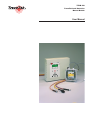
TTDM-128
User Manual
Common Setup Procedures
All modules, cables and sensors should be installed in accordance with their installation
instructions prior to performing the setup procedures.
BASIC TTDM-128 SETUP (FOR ALL CONFIGURATIONS)
► Power up the TraceTek system. Wait while the TTDM completes its self test and network
initialization process.
► With the TTDM on the Current Event/Status display, press the MENU key.
► Using the DOWN arrow key, scroll to General Setup and press ENTER.
▪ Set the Time and Date (adjust values as necessary using the arrow keys, then press
ENTER).
▪ Select the desired language.
► Press MENU to return to the Current Event/Status display.
SETTING TTSIM ADDRESSES ON NETWORK SYSTEMS
If your system includes TTSIM modules, their network addresses must be set to unique
values in the range from 2 to 127 (address 1 is the default address of the TTDM’s internal
Sensor Interface board). If TT-NRM network relay modules are installed, the TTSIM
addresses must be different than any TT-NRM addresses.
► With the TTDM on Current Event/Status display, press MENU.
► Use the DOWN arrow key to select SIM Network, then press ENTER.
► For each TTSIM (perform complete procedure before continuing to next TTSIM):
▪ Place the TTSIM configuration jumper in the CFG position (see TTSIM Installation
Instructions).
▪ With the TTDM in the SIM Network menu, use the UP and DOWN arrow keys to select Set
SIM Address, then press ENTER.
▪ Press ENTER again, use the arrow keys to input the new TTSIM address, then press ENTER.
▪ Return the TTSIM configuration jumper to the normal operating position (see TTSIM
Installation Instructions).
▪ Press ESC twice.
► Press MENU to return the TTDM to Current Event/Status Display mode.
CHANGING LEAK CHANNEL ID TAGS
Time saving hint
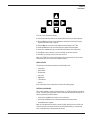
▪ If the space to the right is blank, press
the right arrow to duplicate the last
letter entered
▪ Use the RESET key to jump between
letters, numbers and blank
Each leak detection channel (TTDM or TTSIM) can be given a unique alpha-numeric
identification tag. To change the ID tag of a channel:
► With the TTDM in normal operating mode and displaying the status of the desired leak
detection channel, press the DOWN arrow key:
▪ Use the DOWN arrow key to scroll to select ID, then press ENTER.
▪ Using the LEFT and RIGHT arrow keys to select the character position, and the UP and DOWN
arrow keys to change the letters and numbers, enter the desired ID tag. Press ENTER when
finished.
▪ Press MENU to return to the Current Event/Status Display.
H56853 12/03
5