1
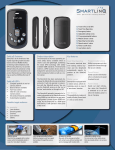
FEATURES 8 1. POWER switch – Turns power on or off. 7 2. INPUT jack – Plug your guitar cable into this ¼” jack. 3. DISPLAY – Shows note, calibration adjustments and tuning meter. 4. CALIB button – Adjusts tuner calibration up or down. 3 5. SOUND button – Turns reference tone on or off. 2 6 6. INTERNAL MIC – Picks up acoustic sound from instrument (for tuning). 7. SPEAKER – Produces the audible tuning pitch. 8. TUNING GUIDE LEDs – Provides visual tuning guidance for sharp, flat and “in tune.” 9. TILT STAND – Provides a tilt-up angle for easy display reading. 5 4 1 9 TUNING IN METER MODE 1. Press the power button to turn the CT-40 on. The CT-40 will automatically turn off when the tuner is not in use for 20 minutes. 2. If you are using an instrument with a pickup or contact mic, plug your instrument into the input jack. If you wish to tune your instrument using the built-in mic, do not connect a plug to the input jack. While tuning with the onboard mic, a quiet environment is recommended for precise tuning. Note: If a plug is connected to the input jack, the built-in mic is disabled. The input jack is for mono use only. Stereo plugs cannot be used. 3. W hen the power is turned on, the reference pitch defaults to A = 440 Hz . If you wish to change the reference pitch (calibration), press CALIB or. This can be adjusted in 1 Hz steps over a range of 410Hz -- 480 Hz. 4. P lay a single note on your instrument. The name of the nearest note will be displayed. 5. A djust the tuning of your instrument so that the meter moves to the 0 position (center) and the center (green) pitch guide LED is lit. The left indicator of the tuning guide will light if your instrument is flat, and the right indicator will light if your instrument is sharp. TUNING IN SOUND MODE SPECIFICATIONS 1. Press the power button to turn the CT-40 on. Input Impedance: 680k Ohms Indicator: LCD Display Connectors: 1/4” (6.3mm) Input Power Supply: 3 Volt (2 x AAA) Power Consumption: 8mA Expected Battery Life: 100 Hours Continuous Input (depending on use) Accessories: Owner’s Manual Dimensions: 4.01”(102mm) Wide x 2.44”(62mm) Deep x 0.55”(14mm) High Weight: 2.54 oz (72g) ) (Including the batteries) 2. Press the sound button. 3. The reference pitch will be heard through the speaker. 4. Press the sound button again to select the appropriate pitch. The note name will appear on the display. 5. Tune instrument to match the reference tone. old the sound button for 1 second to H alternate between A/Bb and 12 note (chromatic).