Transcript
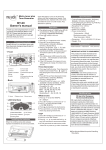
JH-5000A Metro-tuner User’s Manual
Dear Customer:
Thank you for choosing JH-5000A metro-tuner. Please carefully read
the user’s manual before using the product and operate the product according
to the manual. Please keep the manual for later reference.
Notices
1.The metro- tuner may have malfunction if using or keeping in the following
environment:
.Expose in the sun for long time.
.High temperature or humid environment.
.Dirty environment.
.Close to strong magnetic environment.
2.The tuner’s power supply is battery. The battery comes together with the
product. Please use two AAA size batteries (3V) for replacement. When the
battery-out mark 7 flashes in the LCD, please replace the battery.
3.Please don’t push the button or operate the battery cover with too much
force to avoid damaging the product.
4.Please use clean, soft and dry cloth to clean the product. Never use water or
other chemical liquid to clean. 电 池 安 装
Battery Installation
Panel and Functions
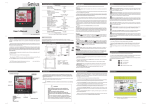
1. Button 1 : ON/OFF button.
2. Button 2 : It is for mode choosing between tuner, metronome and
tone generator.
3. Function selecting button 3 :
Under tuner mode: press this button to set A4frequence , flat tuning and
tuning key(nokey selecting under
mode )
Under metronome mode: press this button to set beat and rhythm .
Under tone generator mode : press this button to set A4 frequence.
The selected setting reference will flash in the LCD by pressing this
function button. Then turning the jog dial to set the desired reference
value. Press the button again to set up next reference.Press any other
button to finish the setting.
4. Button 4 : It is for tempo tap in. Under metronome mode , tap the button
with desired speed to get related tempo.
5. Button 5 :It is for mute setting, sound can be turned off or on under
metronome &tone generator mode. When sound is turned off, the mute
mark 8 will display in the LCD.
6. Jog dial 6 : Under tuner mode, choosing tunning mode among
;
Under metronome mode, it is for the tempo set up;Under tone generator
mode, it is for the changing of the note name. Through setting with the
function button 3 , this jog dial can be used to set up other reference.
7.Battery mark 7 :It will flash if the battery power is lower than 2.4V. Please
replace the battery at this time.
Please install the battery according to the following steps:
A. Press the battery cover lightly(on
the back cover), slide the battery
cover a little according to the
direction on the picture, then rotate to
open the battery cover according to
direction on the picture
B. Put in two AAA size batteries
according to indicated direction.
STRING
Speaker
TUNER
7
Battery cover
rotation direction
C. Close the battery cover.
METRONOME
Slide direction
2
1
3
5
4
Page 1 of 4
6
8
Page 2 of 4
Tuner Operation Instruction
1. Calibration: 410Hz-480Hz, with 1Hz step.
2. Flat tuning:
.
3. Key set up: under chromatic mode C, F, B , E
under Ukulele mode
C ,D.
4. Tuning mode set up: Chromatic mode , Guitar mode
, Bass mode ,
Violin mode
, Ukulele mode
.
5. Tuning result indication: LCD display note name and string number, LCD
needle display cents difference, LED and color changing backlight indicate
tuning result.
Tips for beginners-normally,the guitars and basses should be adjusted
in A4=440Hz,C key.
PHYSICAL SPECIFICATIONS
1.LED indicator.
2.LCD red/green color changing backlight.
3. Built-in Speaker: 27mm, dynamic speaker.
4.Switch to adjust the volume .
5. Battery: size AAA x 2 3V.
6. Earphone Jack: 3.5mm jack.
7. 6.3mm input and output jack .
8. Weight (g): 90 (including batteries).
9. Dimensions (mm): 110 X 62 X 14.
Remarks
Metronome Operation Instruction
1. Tempo: 30-250BPM,with 1beat step.
2. Rhythm :
.
3. Beat: 0,1,2,3,4,5,6,7,8,9.
4. Tones: Total of 3 tones for strong beat (Chime)、weak beat (Drum) and
rhythm (Wood block).
5.Tap in: 30~250 BPM.
Tone Generator Operation Instruction
1. Calibration: 430-449Hz, with 1 Hz step.
2. Number of notes: 88 notes, Chromatic scale, choose note name by turning
the dial.
1. Chromatic notes table:
C
7B
DIGITAL AUTO TUNER
1. Signal Input: built-in mic or 6.3mm input jack.
2. Tuning Range: C1 ~ B7.
3. Precision: +/- 1 cent.
4. Power off: The tuner will turn off automatically after about 3 minutes
without any sound input and operation.
DIGITAL METRONOME
1. Precision: +/- 0.1%.
2.Mute setting.
REFERENCE TONE GENERATOR
1. Accuracy: +/- 0.5 cents.
Page 3 of 4
D
D#
E
F
F#
G
G#
A
A#
B
6E
5A
4D
3G
2B
1E
3.Bass notes table:
LB
4E
3A
2D
1G
HC
4.Violin notes table:
4G
Specifications
C#
2.Guitar notes table:
3D
2A
1E
5.Ukulele notes table:
4G
4A
3C
3D
2E
2F#
1A
1B
KEY C
KEY D
J & H Technology Co., Ltd.
* Specifications and appearance are subject to change without any prior notice for product
improvement.
2012 J&H Technology Co.,Ltd.
Page 4 of 4