Download XPS/XPS-E
Transcript
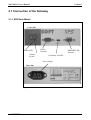
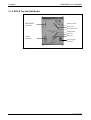
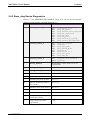
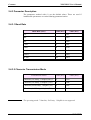
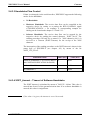
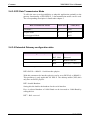
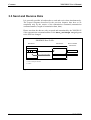
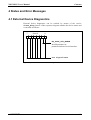
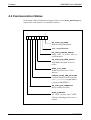
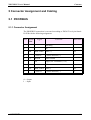
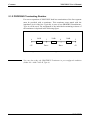
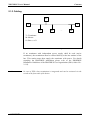
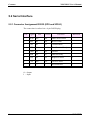
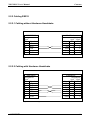
XPS/XPS-E User's Manual Contents Contents 1 Introduction.................................................................................................... 1 2 Setting into Operation ................................................................................... 2 2.1 Connection of the Gateway...................................................................... 3 2.1.1 XPS Desk Model .............................................................................. 3 2.1.2 XPS-E Top Hat Rail Model.............................................................. 4 2.1.3 Proceeding ........................................................................................ 5 2.2 Test of PROFIBUS Connection ............................................................... 5 2.3 Parameterisation....................................................................................... 6 2.4 set_prm Parameterisation ......................................................................... 7 2.4.1 GSD File........................................................................................... 8 2.4.2 Slave_diag Device Diagnostics ........................................................ 9 2.4.3 Parameter Description .................................................................... 10 2.4.3.1 Baud Rate................................................................................ 10 2.4.3.2 Character Transmission Mode................................................ 10 2.4.3.3 Handshake Flow Control ........................................................ 11 2.4.3.4 XOFF_timeout – Timeout of Software Handshake................ 11 2.4.3.5 DP-Data Transmission Mode ................................................. 12 2.4.3.6 Extended Gateway configuration data.................................... 12 2.4.3.7 Trigger character for Serial triggert mode .............................. 13 3 Data Exchange.............................................................................................. 14 3.1 Send Data ............................................................................................... 15 3.2 Receive Data .......................................................................................... 15 3.2.1 Poll Mode ....................................................................................... 16 3.2.2 Serial triggered Mode..................................................................... 18 3.2.3 Request Mode................................................................................. 19 3.3 Send and Receive Data........................................................................... 22 4 Status and Error Messages ......................................................................... 23 4.1 External Device Diagnostics .................................................................. 23 4.2 Communication Status ........................................................................... 24 5 Connector Assignment and Cabling........................................................... 25 5.1 PROFIBUS............................................................................................. 25 5.1.1 Connector Assignment ................................................................... 25 5.1.2 PROFIBUS Terminating Resistor .................................................. 26 5.1.3 Cabling ........................................................................................... 27 COMSOFT i