1
Configuring the PG 740
Menu Structure
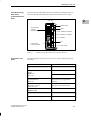
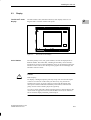
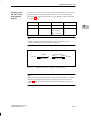
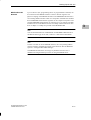
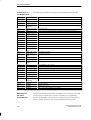
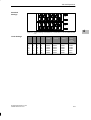
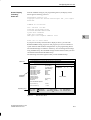
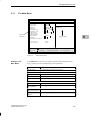
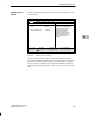
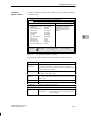
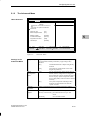
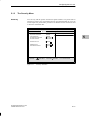
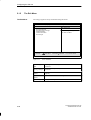
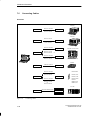
The screen is divided into four parts. In the top part, you can select the menu
forms [Main], [Advanced], [Security], [Power], [Exit]. In the left of the
center part you can select various settings or submenus. Brief help texts
appear on the right for the currently selected menu entry. The bottom part
contains information for operator inputs.
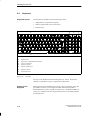
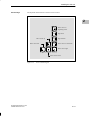
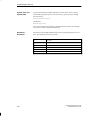
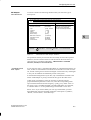
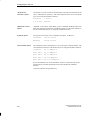
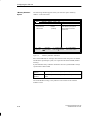
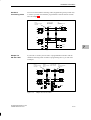
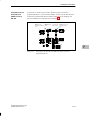
You can move between the menu forms using the cursor keys [←] and [→].
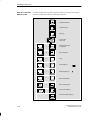
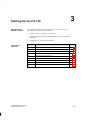
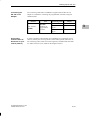
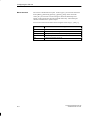
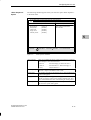
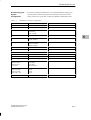
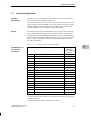
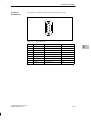
Menu
Main
Advanced
Security
5
Power
Exit
5-4
ÁÁÁÁÁÁÁÁÁÁÁÁÁÁÁÁÁ
ÁÁÁÁÁÁÁÁÁÁÁÁÁÁÁÁÁ
ÁÁÁÁÁÁÁÁÁÁÁÁÁÁÁÁÁ
ÁÁÁÁÁÁÁÁÁÁÁÁÁÁÁÁÁ
ÁÁÁÁÁÁÁÁÁÁÁÁÁÁÁÁÁ
ÁÁÁÁÁÁÁÁÁÁÁÁÁÁÁÁÁ
ÁÁÁÁÁÁÁÁÁÁÁÁÁÁÁÁÁ
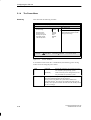
Meaning
System functions are set here
An extended system configuration can be set here
Security functions are set here, for example a password
Power saving functions can be selected here
Used for terminating and saving
Programming Device PG 740
C79000-G7076-C742-01