1
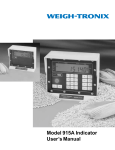
Model 815
User’s Manual
CAUTION
Risk of electrical shock. Do not remove cover. No user serviceable
parts inside. Refer servicing to qualified service personnel.
Weigh-Tronix reserves the right to change
specifications at any time.
08/02/00 815USER.P65 PN 29572-0015e1 Printed in USA
2
Table of Contents
Table of Contents ............................................................................................................................... 3
Specifications ........................................................................................................................................ 4
Introduction ......................................................................................................................................... 5
Operations Mode ............................................................................................................................... 5
Keyboard .............................................................................................................................................. 5
Key Functions ............................................................................................................................... 6
Entering Numbers with Arrow Keys...................................................................................... 6
Indicator Operation ........................................................................................................................... 7
Powering Up ................................................................................................................................. 7
Annunciators ................................................................................................................................ 7
Operations Menu ........................................................................................................................ 8
Gross/Tare/Net Weighing Operations .................................................................................. 8
Gross Weighing .................................................................................................................... 8
Net Weighing ....................................................................................................................... 9
Pushbutton Tare ........................................................................................................... 9
Entering a Scroll Tare .................................................................................................. 9
Clearing the Active Tare ............................................................................................ 9
Net Weighing Operation ......................................................................................... 10
Viewing and Setting Time (Option) ...................................................................................... 10
Viewing and Setting Date (Option) ...................................................................................... 11
Enabling or Disabling Display Backlight ................................................................................ 11
Transmitting Data ..................................................................................................................... 12
Communication Protocol ................................................................................................ 12
Indicator Diagnostics ....................................................................................................................... 13
Test Mode ................................................................................................................................... 13
Wiring Connections ......................................................................................................................... 14
RS-232 Serial Interface Connections .................................................................................... 15
Pages are numbered consecutively beginning with the cover page.
3
Specifications
Dimensions
9.37" W x 6.75" H x 3.75" D (without mounting bracket)
(23.8 cm x 17.1 cm x 9.5 cm)
Power
12 VDC @ 50 mA (One W/B load)
@ 120 mA (Four W/B load)
Display
8 digits, 7-segment LCD, 0.6 inch high with annunciators and backlighting
Display Averaging
Display Rate
1 to 10 display periods
One, two or five times per second
Accuracy
Span: ±5.0 ppm/C
Span: ±10 ppm/C
Linearity
±0.005% of capacity, maximum
Repeatability
±0.005% of capacity, maximum
Hysteresis
Weigh bar drive capacity
Environment
Internal Resolution
A to D conversion rate
Analog Range
Zero: ±.066 uV/C (-10 to 40°C)
Zero: ±0.13 uV/C (-30 to 60°C)
0.005% of capacity, maximum
Up to eight 350 ohm weigh bars
-29 to 60° C (-20 to 140° F)
10 to 90% relative humidity
810,000 at 3 mV/V. 1 mV/V = 270,000 counts
30 times per second
-0.14 to +3.5 mV/V
Capacity
.00001 to 999999, programmable to any number between these limits.
Divisions
.0001 to 20000, programmable to any division size between these limits.
Push Button Zero Range
0 to ±100% of capacity; programmable independent positive and negative limits; unit will not
allow zeroing beyond capacity.
Tare
The unit may be configured to have pushbutton tare which can function as a scroll tare
register. Pushbutton tare and scroll tare may tare only positive gross weights up to the
capacity of the unit. Scroll tare allows numeric entry of a tare value using two keys to enter
the value.
Motion Detection Window
Automatic Zero Tracking
Programmable from 0 to 999999 divisions, decimal entries are accepted.
Window:
Programmable from 0 to 999999 divisions, decimal entries are accepted.
Net Mode
Tracking:
Rate:
Starting Delay:
Linearity Adjustment
May be enabled or disabled
0.2 division per second
2 seconds
Second order correction provides smooth curve fit through three points--zero, linearity,
span.
VIBRATION COMPENSATION
4
Analog Low Pass Filter
Two section with .06 second time constant.
Software Low Pass Filter
One section with .05 second time constant.
Introduction
The Model 815 is a full-function weight indicator enclosed in a Lexan case. The
indicator is powered by a 12 VDC input voltage or by a 115 VAC to 12 VDC wallmount transformer. A toggle switch on the base of the unit turns the Model 815
on and off.
This set of instructions is divided into the following sections:
• Introduction
• Operations Mode
• Keyboard
• Indicator Operation
• Indicator Diagnostics
Operations Mode
Operations Mode contains all normal weighing operations. In this mode you can
view or set the following parameters if the unit is so configured:
• pushbutton tare
• identification number
• time
• date
• backlight
Time, date and backlight can be secured behind a security code. Parameters
secured by the code number can be viewed but not changed unless you enter the
security code.
Keyboard
The keyboard consists of 7 keys. Five keys, or buttons, provide all the basic
weighing functions:
• Tare
• Gross/Net
• Zero
• Print
• Units
The other keys are used to access the menus for purposes of accessing information, testing the indicator, and configuration. The keyboard is shown in Figure 1.
Figure 1
Model 815 Keyboard
5
Key Functions
TARE
T
G/N
ZERO
0
Enters a pushbutton tare in gross/net operation.
Accesses the gross weighing mode from any other function and
activates the net weighing mode if a tare is active.
Zeros the scale in gross or net weigh mode. This button also
clears scrolled digits on the display before they are accepted.
CLEAR
PRINT
Sends a print command and is used to select menu items.
SELECT
Used to access menus and move among choices in a menu.
UNITS
Changes the unit of measure during operations mode. This key
also moves one space to the left any digit that has been scrolled
in with the - key.
Lets you scroll numerical values.
Entering Numbers with
Arrow Keys
The arrow keys are used to enter numbers. Refer to this section when you need
to enter a number or numbers.
Example: To key in the number 63.2
Press the ↑ key repeatedly until the 6 appears on the display.
Press the ← key once to move the 6 one space to the left.
If at any time you enter an incorrect
number, press CLEAR to delete
the number, then re-key.
Press the ↑ key until 3 appears.
Press the ← key once to move the 63 one space to the left.
Press the ↑ key until the decimal point appears. (The decimal appears after the 9
as you scroll through the numbers with ↑ key.)
Press the ← key once to move the 63. one space to the left.
Press the ↑ key until 2 appears.
(Continue with instructions or press G/N to return to normal weigh mode.)
6
Indicator Operation
Powering Up
The unit will power up in gross or net weighing mode, depending on what mode
the unit was in when last turned off. All calibration, zero, gross, and tare values will
be maintained during power loss. To turn the unit on and off, use the toggle switch
on the base of the indicator.
The indicator display, Figure 2, tells you the status of the indicator through the
appearance of annunciators. The annunciators are small black arrows pointing to
the different labels around the display face.
No annunciators appear while
motion is detected.
Annunciators
Figure 2
Indicator Display
Annunciators
Gross -
Appears when indicator is in gross weighing mode.
Net -
Appears when a tare is in effect and the indicator is in net weighing
mode.
CZero -
Appears when the scale is within ±1/4 division of zero.
Print -
Appears when the print key is pressed and while data is transmitted.
lb, kg -
Points out the active unit of measure in weighing mode.
7
Operations Menu
Your unit is configured to display some or all of the following functions:
pushbutton tare, identification number, time, date and backlight. These parameters
can be viewed and changed if allowed by the security code. This manual assumes the unit is configured to allow full access to all functions. You can
disable unneeded options. Instructions are in the Service Manual. Below is a
flowchart and general instructions for moving around the Operations Menu.
Figure 3
Operations Menu Diagram
Press MENU to go right in the diagram
Press and hold MENU to go left in the diagram
Press SELECT to go up and down in the diagram
Press SELECT to select new choice and go up in the diagram
Press G/N at any time to save changes and return to gross/net weighing mode
Gross / Tare / Net
Weighing Operations
Gross Weighing
To perform gross/net weighing operations, follow these steps:
1.
Power up the indicator.
2.
If the unit is not in gross mode,
press the G/N key once to get to
gross mode.
3.
4.
5.
8
Verify the scale is empty and zero
the scale by pressing the ZERO
key.
Select unit of measure by pressing
the UNITS button.
Place weight on the scale.
Indicator powers up in gross or net
mode.
The annunciator illuminates next to
gross. See Figure 2.
No weight is displayed and the zero
annunciator illuminates. See Figure 2.
The units annunciator will point to the
chosen unit of measure.
Gross weight is displayed.
Net Weighing
Pushbutton Tare
For net weighing operations a tare needs to be entered. A tare can be entered by
two methods: pushbutton tare or entering a numerical value while in the operations menu.
1.
2.
3.
You may view the current or active
tare value at any time during a
weighing process. From gross or net
weighing mode, press MENU then
SELECT. If a tare value is in use, it
will be displayed. Press G/N to
return to gross/net weighing mode.
Refer to Operations Menu on
previous page.
Press the TARE key on the
indicator.
Add more weight to the scale.
5.
View the gross weight by pressing
the G/N button.
1.
Press the G/N key again to see net
weight.
From gross/net weighing mode,
press the MENU key.
2.
Briefly press the SELECT key.
3.
With the current tare value
displayed, enter a numerical value
for your tare. Refer to the section
Entering Numbers with Arrow Keys.
Then press the SELECT key.
4.
Clearing the Active Tare
Place the weight to be tared on the
scale.
4.
6.
Entering a Scroll Tare
With the scale empty and the
indicator powered up in gross
mode, zero the scale by pressing
the ZERO key.
Press the G/N key to return to
gross/net weighing mode.
No weight is displayed and the zero
annunciator illuminates.
The weight of the object is displayed.
The weight is tared, the display reads
zero and the net annunciator illuminates.
Net weight is displayed.
Gross weight is displayed and the gross
annunciator illuminates.
Net weight is displayed and the net
annunciator illuminates.
tArE is displayed.
no tArE or the current tare value is
displayed. You can toggle between no
tArE and the current tare value by
pressing the MENU key. NOTE: A
tare value cannot be entered while no
tArE is displayed. You must press
MENU before entering a tare value.
New tare value is displayed, then tArE is
displayed.
Display returns to gross or net mode.
There are two ways to remove the current or active tare weight:
A. Remove all weight from the scale
and press TARE.
Tare register is cleared, scale returns
to gross mode and no weight is
displayed.
9
Clearing the Active Tare, cont.
B.
1.
2.
Net Weighing Operation
1.
2.
Viewing and Setting
Time (Option)
Press the G/N key.
After a tare is established, place the
indicator in net mode by pressing
the G/N key.
Place material to be weighed in the
tared container on the scale.
tArE is displayed, then no tArE is
displayed.
Gross weight is displayed and no tare is
active.
Net annunciator illuminates. Zero
weight will be displayed with the
container on the scale.
Net weight of material is displayed.
Your indicator must have the appropriate circuitry and be configured to allow the
following:
1.
If you enter an incorrect digit, press
CLEAR to clear the display one
digit at a time.
With the gross or net
annuciator illuminated, press
MENU, then press CLEAR.
From gross/net weighing mode,
press MENU repeatedly until . . . .
2.
Press SELECT. . . .
3.
To set the 12 hour clock, press the
↑ key to delete the old time value.
Hour is displayed.
In the 12 hour clock configuration you
will see time displayed as hours,
minutes and A for A.M. or P for P.M.
(09.40 A). In the 24 hour clock you will
see hours, minutes and seconds
(09.40.38).
0 A or 0 P is displayed. The A is for
A.M., P for P.M.
Key in the time as hh mm ss.
Refer to the section Entering
Numbers with Arrow Keys. Press the
TARE key to toggle between AM
& PM after entering at least one
digit and before pressing SELECT.
To set the 24 hour clock, key in
time as hh mm ss.
After the clock is set, press
SELECT to start the clock and
return to operations mode menu,
or
press G/N to return to gross/net
weighing mode.
10
Hour is displayed and the clock begins
at the new time setting.
Display returns to gross/net mode and
the clock begins at the new time
setting.
Viewing and Setting the
Date (Option)
Your indicator must have the appropriate circuitry and be configured to allow the
following:
1.
From gross/net weighing mode,
press MENU repeatedly until. . .
2.
Press SELECT. . .
3.
To change the date, key in the
new data. Refer to the section
Entering Numbers with Arrow Keys.
If you enter an incorrect digit, press
the ZERO/CLEAR key to clear
the display one digit at a time.
4.
Press SELECT to return to the
operations mode menu
or
press G/N to return to gross/net
weighing mode.
Enabling or Disabling
Display Backlight
1.
dAY is displayed.
Depending on the configuration of your
indicator you will see the date displayed
in one of three ways:
• month-day-year, or
• day-month-year,
• year-month-day.
The old date is replaced with the new
date.
The date is accepted and dAY is
displayed.
The date is accepted and the display
returns to gross/net mode.
From gross/net weighing mode,
press MENU repeatedly until. . .
Light is displayed.
2.
Press SELECT.
ENABLED or diSAbLEd is displayed
3.
Press MENU to toggle between
enabled or disabled.
4.
Press SELECT to return to the
operations mode menu
Configuration choices made during
setup of this unit will determine if the
backlight is on constantly or if it varies
according to ambient light levels. Refer
to the Service Manual.
The light selection is accepted and Light
is displayed.
or
press G/N to return to gross/net
weighing mode.
The light selection is accepted and the
display returns to gross/net mode.
11
Transmitting Data
RS-232 output is available for data transmission to a peripheral device.
If your indicator has a peripheral
device connected, from the gross/net
weighing mode press the PRINT key
to transmit the selected output(s).
Communication Protocol
The PRINT annunciator (See Figure 2)
will illuminate while data is transmitted
and the data configured to be printed
will be output to the printer. See Figure
4 for a sample printout.
Figure 4 shows what a Model 815 indicator programmed with factory default
selections and attached to a compatible printer will print:
Figure 4
Sample Model 815 Printout
An enquire code can be sent to the Model 815. This will prompt the indicator to
send a standard printout. The default enquire code number is an ASCII decimal
005. This number can be changed in configuration.
The default settings for serial output are:
Busy
Baud
Parity
Stops
12
Disabled
9600
Clear
1
Indicator Diagnostics
Test Mode
The test mode is used to test various functions of the Model 815. The test menu
is shown in Figure 5. Instructions for using the test menu are found below.
Figure 5
Test Menu
1.
Enter the test mode from gross/net operation by pressing and holding the
MENU key until tESt is displayed. SEALEd or unSEALEd is displayed briefly
while you hold the key. If you release the MENU key too soon, press G/N to
return to normal weigh mode and begin again.
2.
Move to the right through the menu selections by pressing MENU briefly.
Move to the left through the menu selections by pressing MENU for 1
second or hold down for continuous scrolling.
3.
To move down a level in the hierarchy, press SELECT. Anytime you wish to
get to the next higher level in the hierarchy, press and hold SELECT for
approximately 1.5 seconds or press SELECT whenever End is displayed.
4.
Press MENU to toggle between choices.
5.
Press G/N to return to gross weighing operation at any time.
13
Below are the specific directions and explanations for the items you see in the
test menu.
Wiring Connections
VERSION —
Under version are the Weigh-Tronix part number and revision
number for the software found in your machine. Weigh-Tronix
part numbers are divided into two parts: the prefix and the dash
number.
DISPLAY —
With diSPLAY displayed, press SELECT and the bottom row of
annunciators turns on. Press SELECT again and a dynamic test
is run. Press MENU to stop the dynamic test or consecutively
press MENU to step through the display test routine. Press
SELECT when the dynamic test is active to return the unit to
diSPLAY.
BUTTONS —
With buttonS displayed, press SELECT and an underscore will
appear on the screen. Press any key except MENU to check for
proper key functioning. After testing the buttons, press MENU
to return to the display.
A to D —
Displays the analog to digital counts. The span is normally 20000
counts per millivolt per volt. With a calibrator at zero millivolts
per volt, the displayed value should be between -200 and +200.
SERIAL —
Tells you if the serial output is ready or busy. A jumper connecting pins 4 and 8 of the serial port will cause rEAdY to be displayed. Pressing the MENU key puts LOOP or no LOOP on the
display. With pins 2 and 3 connected, LOOP is displayed. With
them disconnected, no LOOP is displayed.
Following are instructions for connecting the RS-232 cable to the terminal board.
To access the terminal board:
1.
Remove power from the scale.
2.
Remove display enclosure from the mounting bracket by removing the four 1/
2" 10-32 capscrews securing the display case to the mounting bracket.
3.
Remove the two 3/8" 10-32 capscrews securing the enclosure brackets and
carefully pull the enclosure halves apart.
You may now access the terminal block (TB1) which is located in the back half of
the enclosure on the left hand side. See Figure 6 on the next page.
To reassemble the Model 815, reverse the steps listed above, making sure to
reinsert the shorter capscrews in the middle position of the enclosure bracket.
14
Figure 6
Model 815 with 7-Pin Weight Sensor Connector
RS-232/RD-125* Interface Connections
Terminal
Board
Description
Weigh-Tronix
Wire Color
*TB1-1
Logic Ground
Black
*TB1-2
Transmit Data to Printer
Red
TB1-3
Receive Data from Printer
Green
TB1-4
Data Terminal Reaty to
Printer
-------
TB1-5
Clear to Send from Printer
White
TB1-6
Shield/Chassis Ground
White/Orange
*TB1-7
+12VDC
White
*TB1-8
Power Return
Green
RS-232/RD-125* Serial Interface Connections
(Cable P/N 46300-0026)
15
Figure 7
Model 815 with (2) 5-Pin
Weight Sensor Connectors
16
This page left intentionally blank.
17
Weigh-Tronix
1000 Armstrong Dr.
Fairmont, MN 56031 USA
Telephone: 507-238-4461
Facsimile: 507-238-8283
e-mail: [email protected]
www.agscales.com
Weigh Bar® is a registered trademark of Weigh-Tronix Inc.
Weighing Products & Systems