1
Thecus NVR System 3.4 Server Administration
4 Licensing
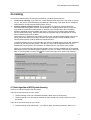
You have two different ways of managing licenses for your NVR System servers:
1.
Local server licensing: If you have only 1 NVR System server, then this is the option to choose
for you. The server is licensed directly by obtaining a license key. This option also is suitable for
small networks of interconnected NVR System servers.
Floating network camera licensing: This is the option to choose for a larger network of
interconnected NVR System servers. The advantage of a floating network license is that one
only needs to license the overall number of cameras in the network and is then completely
flexible to distribute cameras between the servers. Cameras can be shifted easily between
servers without relicensing. Also the initial setup and the later license management of such a
server network becomes a lot easier.
The license key is obtained for the master license server, typically the NVR System user server
(NUS), which then offers its camera licenses to the slave servers, usually the NVR System
camera servers (NCS). Further details are described below.
2.
License registration occurs on the first start of a client on the NVR System server and enables all
functions of your NVR System system. The data you enter and the derived license key are
handled with utmost privacy. No information is transferred from your server to the outside.
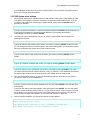
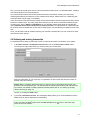
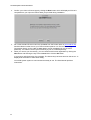
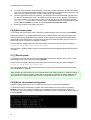
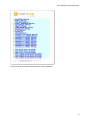
When you connect and login with the NVR System client to a newly installed and yet unlicensed
NVR System server, the following dialog appears (you also can obtain a similar license dialog by
menu in the lower right corner of the main window):
later on choosing New License in the
4.1 Basic algorithm of NVR System licensing
Here is how the NVR System licensing works:
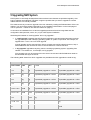
There is a local license key on your server:
•
remote licensing is off: both camera# and user# is taken from the license key
•
remote licensing is on: camera# is checked out from remote host, user# is used from local
license key
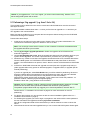
There is no local license key on your server:
•
remote licensing is off: license-less – you have to obtain a license (permanent, demo, etc.)
17