1
K7TA english manual ver 1.3
第 21 頁,共 30 頁
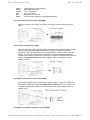
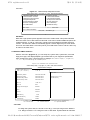
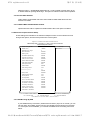
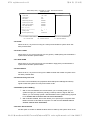
3.5.4 Primary & Secondary Master/Slave UDMA
When set to "Auto" mode, the system will detect if the hard drive supports Ultra DMA
mode.
3.5.5 Init Display First
Select "AGP" or "PCI Slot" for system to detect first when boot-up.
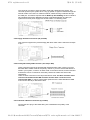
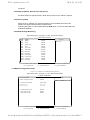
3.5.6 IDE HDD Block Mode
This feature enhances disk performance by allowing multi-sector data transfers and
eliminates the interrupt handling time for each sector.
3.5.7 Onboard FDD Controller
Select "Enabled" to activate the on-board FDD
Select "Disabled" to activate an add-on FDD
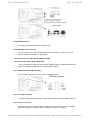
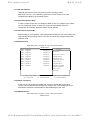
3.5.8 Onboard Serial Port 1 & 2
Select an address and corresponding interrupt for the first/second serial port. The default
value for the first serial port is "3F8/IRQ4" and the second serial port is "2F8/IRQ3".
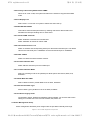
3.5.9 UART 2 Mode
Select to activate the Infrared transfer function.
3.5.10 Onboard Parallel Port
Select address and interrupt for the Parallel port.
3.5.11 Onboard Parallel Mode
Select an operating mode for the parallel port. Mode options are Normal, EPP, ECP,
ECP/EPP.
3.5.12 ECP Mode Use DMA
Select a DMA channel if parallel Mode is set as ECP, ECP/EPP.
3.5.13 Parallel Port EPP Type
Select a EPP Type if parallel Port is set as EPP, ECP/EPP.
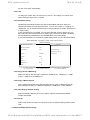
3.5.14 Onboard Legacy Audio
Configuration options: Enabled and Disabled. When Enabled, you can also select some
setting for on board sound. Such as I/O Address, IRQ, DMA...etc
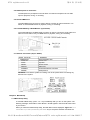
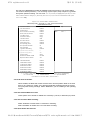
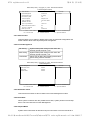
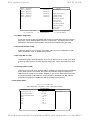
3.6 Power Management Setup
Power management decreases power usage under the pre-defined standby time range.
Figure 3-6. Power Management Setup Screen
file://H:\Manual\manual-MB\K7-manual\k7ta\manual\K7TA series english manual ver 1.3.htm 2003/1/7