1
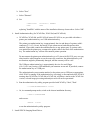
XCAP requires Linux Kernel Version 2.4.8 or later. You must have super user privileges to complete
the installation procedure.
1. Install Files:
a. If XCAP is provided on a compact disk (CD):
i. Assuming the CD has already been mounted, execute:
/mnt/cdrom/XCAP/xcaplnx.bin
ii. Follow the installation program's directions, such as to select an installation directory.
The default installation directory is /usr/local/xcap.
b. If XCAP is provided via the internet:
i. Download:
ftp.epixinc.com/software/xcap_v22/xcaplnx.bin
from the EPIX, Inc. ftp site.
ii. Execute the downloaded program[4] from a shell prompt.
iii. Follow the installation program's directions, such as to select an installation directory.
The default installation directory is /usr/local/xcap.
iv. Delete the downloaded .bin file from your PC's hard drive.
c. The installation procedure creates a ''stub'' to start XCAP in one of
the /usr/local/bin, /usr/bin, or /bin directories, which should already be in the
user's execution ''PATH''. Several .txt files are installed under help in the installation
directory containing these installation instructions, a list of distributed files, corrections or
additions to this manual, or other up-to-date information. The pcitips.txt file provides
the PC Configuration Tips, with tips for resolving hardware and software conflicts.
2. Create Shortcut - Manual (optional):
a. The procedure to create a shortcut on the desktop depends upon which of many rapidly
evolving versions and distributions of Linux is used - most of which provide several choices
for desktop managers. Consult your Linux documentation for specific procedures.
b. The shortcut should execute xcaplnx in the XCAP installation directory, such as:
/usr/local/xcap/xcaplnx
if using the default installation directory.
c. For shared, common XCAP settings and configuration, and shared default storage of