1
5.4. PIXCI® CL3SD Video Configuration
5.5. PIXCI® CL3SD Video Configuration
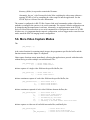
{ 5.6. More Video Capture Modes
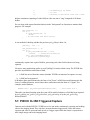
{ 5.7. PIXCI® CL3SD Triggered Capture
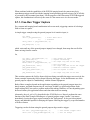
{ 5.7.1. Free-Run Trigger Capture
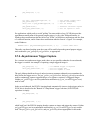
{ 5.7.2. Asynchronous Trigger Capture
{ 5.8. PIXCI® CL3SD Triggered Sequence Capture
{ 5.9. Additional XCLIB Documentation
6. XCAP Software Guide
{ 6.1. The Main Window
{ 6.1.1. Main Window - File
{ 6.1.2. Main Window - Images
{ 6.1.3. Main Window - Scripts
{ 6.1.4. Main Window - Utility
{ 6.1.5. Main Window - PIXCI®
{ 6.2. The Image Viewer Window
{ 6.2.1. Image Viewer - File
{ 6.2.2. Image Viewer - View
{ 6.2.3. Image Viewer - Examine
{ 6.2.4. Image Viewer - Modify
{ 6.2.5. Image Viewer - Measure
{ 6.2.6. Image Viewer - Draw
{ 6.2.7. Image Viewer - AOI
{ 6.2.8. Image Viewer - View - Shortcuts
{ 6.2.9. Image Viewer - View - Status Bar
{ 6.2.10. PIXCI® Image Viewer - Capture
{ 6.2.11. PIXCI® Image Viewer - Capture - Shortcuts
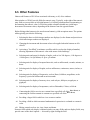
{ 6.3. Other Features
{ 6.4. Road Map - Main Window
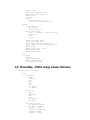
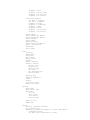
{ 6.5. Road Map - PIXCI Image Viewer Window
{ 6.6. XCAP Software Feature Comparison
7. Specifications
{ 7.1. Signal Input and Output:
{ 7.1.1. EIA RS-644 Low Voltage Differential Signaling Devices (LVDS)
{ 7.1.2. Resolution:
{ 7.1.3. Frame Rate
{ 7.1.4. Bus Requirements
{ 7.1.5. Operating Systems
{ 7.1.6. Display - Windows
{ 7.1.7. Connections
8. Trigger and Camera Integration Control Registers
{ 8.1. PRIN and EXSYNC Bit Definitions
{ 8.2. Camera Timing Formula and Examples
{ 8.2.1. PRIN and EXSYNC Calculations Example 1
{ 8.2.2. PRIN and EXSYNC Calculations Example 2
{ 8.3. XCLIB Trigger and Camera Integration Register Programming
9. In Case of Trouble
{ 9.1. XCAP Error Messages
{ 9.2. Hardware Problems
{ 9.2.1. Power Supply Problems
{ 9.2.2. Touching Boards
{
{
{
{
{
{