1
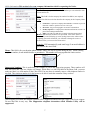
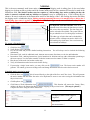
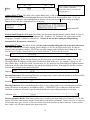
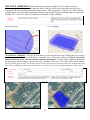
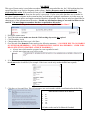
Work Type: This field is where you select the type of work that is taking place on the job site **Note your company
is only covered for the digging work specified on the locate notice**
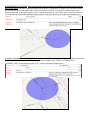
The drop down list is in alphabetical order. When there are
several types of work taking place on the locate notice you
are processing or the type of work taking place is not listed
to select, you need to go to the Instructions section and
provide every type(s) of digging work that will be taking
place. See page 9 for an example of multiple contractors
doing different types of work.
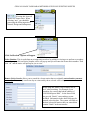
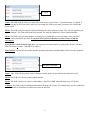
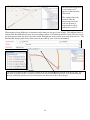
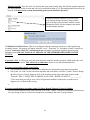
Below is an example of selecting “See Instructions”
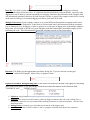
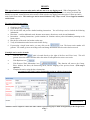
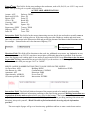
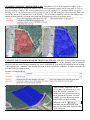
Work Date & Time: : This field will reflect the work date and time the members have to respond to the notice.
It excludes the day the notice is entered, weekends and holidays. These fields cannot be adjusted to set a
date/time prior to the 3 full working days notice. Making notation of requesting the area to be marked asap or
before the 3 full working days notice is against SC811 guidelines.
State: This field is defaulted to SC since SC811 only processes locate notices for South Carolina.
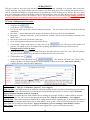
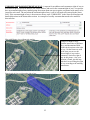
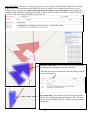
County: : This field is for the County the work is taking place in. You may type in the first couple letters of the
county name or use the drop down list for a selection to choose from. When a location is in two counties or if the site
marker buffer of any of the draw tools (Point, Line, or Polygon) crosses a county line, you will need to process a
notice for each county.
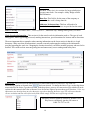
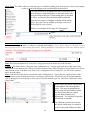
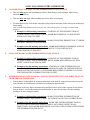
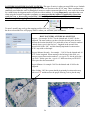
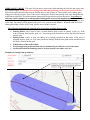
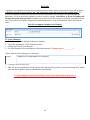
Place: This field is for the closest city/town the work is taking place in. Type in the first couple of letters of the
city/town name or use the drop down list for a selection to choose from. If you do not see the city/town that the
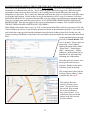
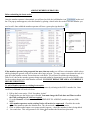
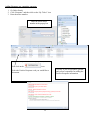
work is taking place in as an option to select, you will need to manually type it in. See below: Charleston County,
Johns Island
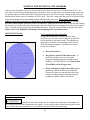
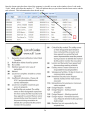
Notice in the drop down selection that
“Johns Island” and not an option to
select. This does not mean that the
SC811 map will not find the location
nor does it mean that you cannot
provide Johns Island as your
information. You will need to type the
information in manually.
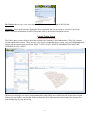
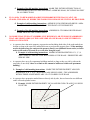
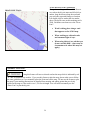
Tip: When the system tries to locate
the dig site on the map, it is zoned in
on the County and Address provided.
14