1
Chapter 1:
Introduction
Overview
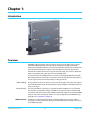
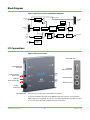
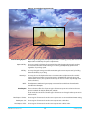
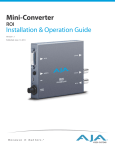
AJA’s ROI (region of interest) scaling converter can be used out-of-the-box to convert
either DVI or HDMI input signals to SDI output. In default mode, ROI automatically
detects the input DVI format and converts it to the SDI video format. In this startup Auto
mode, the full-size DVI input is output to the SDI output. The picture’s aspect ratio is
maintained and if the SDI monitor is larger than the DVI input, unused area is filled with
matte color. Default audio setup passes 8-channel HDMI audio.
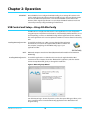
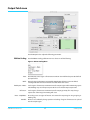
To realize the full power of ROI, however, you will use the supplied USB cable and AJA’s
MiniConfig application (included on your CD) to select SDI output format and perform a
host of region-of-interest and output display scaling operations.
Audio Handling:
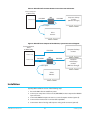
Analog audio from the host can be input via a standard 3.5mm audio cable and mapped
to the embedded SDI stream. Alternatively, if the input is HDMI, the embedded audio can
be the audio input.
Control Interface:
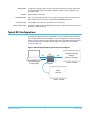
For control, the ROI is connected to a computer via USB. The ROI has no local, physical
user-interface (no dipswitch settings). The ROI can operate stand-alone without a USB
connection to the host. In this mode, the ROI automatically adapts to the input DVI/HDMI
signal, and operates according to defaults or as last configured via the AJA MiniConfig
application (see “Operation” on page 10).
HDCP Protection
The ROI honors HDCP, and will not allow an HDCP link. If the input content is HDCP
protected, no source video will be displayed on the ROI’s DVI pass-through connector, or
on the ROI’s SDI output.
AJA ROI Converter v2.1
4
www.aja.com