1
688 User’s Guide
MP3 Bit Rate
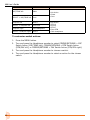
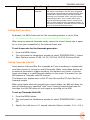
The 688 records MP3 files at a default bit rate of 320kbs, but that bit rate may
be changed. A high bit rate MP3 file preserves more audio information with an
increased file size. A low bit rate MP3 file preserves less audio information with
a decreased file size.
To change the MP3 bit rate:
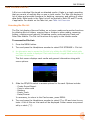
1. Press the MENU button.
2. Turn and press the Headphone encoder to select RECORDER > MP3 Bit
Rate.
3. Turn and press the Headphone encoder to select a bit rate. Options include:
128, 192, and 320 kbs.
Sample Rate
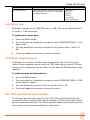
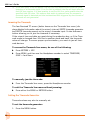
The 688 records WAV files at 48 kHz sample rate by default.
To set sample rate:
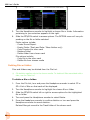
1. Press the MENU button.
2. Turn and press the Headphone encoder to select RECORDER > Sample Rate.
3. Turn and press the Headphone encoder to select a sample rate. Options include: 44.1k, 47.952k, 47.952kF, 48k, 48.048k, 48.048kF, 88.2k, 96k, and
192k.
The sample rate value is stored in file metadata. Those options with “F” are
F mode rates. The F stands for “faux” or “Fostex”.
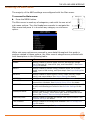
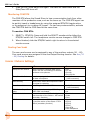
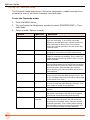
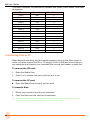
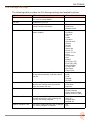
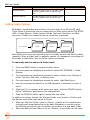
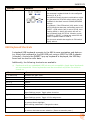
Certain restrictions apply when using sample rates at or greater than 88.2 kHz:
Maximum record tracks
88.2 - 96 kHz
192 kHz
8
6
WAV mono recording
Maximum pre-roll time
3 seconds
1
MixAssist
Disabled
ISO 7-12 recording
Disabled
RTN loopback
62
Disabled
Available
Disabled
High-pass filters
Unchanged
Off or 50 Hz
X3 - X6 outputs
Available
Disabled
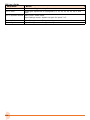
AES outputs
Available
Disabled
Limiters
Available
Disabled
Input delay
Available
Disabled
Output delay
Available
Disabled