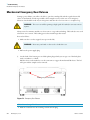
1
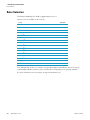
7 Trouble Shooting
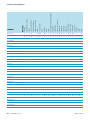
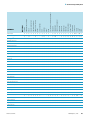
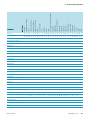
When to contact Customer Service
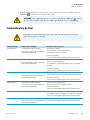
Failure message
Problem with centrifuge
Possible causes and cures
E-28
The centrifuge cannot be operated.
Error during the self-test of the centrifuge program and the
electronics.
The run does not start or the centrifuge runs
down without being braked.
Restart the centrifuge.
If an error message appears again, inform Customer Service.
E-29
The centrifuge cannot be operated.
The run does not start.
Check wether you selected the right bucket.
Is it easy to turn the rotor when the lid is open?
Does the rotor rub against the device?
Restart the centrifuge.
If an error message appears again, inform Customer Service.
E-30
E-33
The centrifuge cannot be operated.
Restart the centrifuge.
The run does not start or the centrifuge runs
down without being braked.
If an error message appears again, inform Customer Service.
The centrifuge cannot be operated.
Overpressure in the refrigeration unit.
The run does not start or the centrifuge runs
down without being braked.
Clean the air inlet for the condenser.
Restart the centrifuge.
If an error message appears again, inform Customer Service.
E-34-E-36
The centrifuge cannot be operated.
The run does not start or the centrifuge runs
down without being braked.
Error during the self-test of the centrifuge program and the
electronics.
Restart the centrifuge.
If an error message appears again, inform Customer Service.
E-40
The centrifuge cannot be operated.
The centrifuge accelerates too slowly.
The run does not start or the centrifuge runs
down without being braked.
Is the rotor properly installed?
Check wether you selected the right bucket.
Is it easy to turn the rotor when the lid is open?
Does the rotor rub against the device?
Restart the centrifuge.
If an error message appears again, inform Customer Service.
E-41-E-74
The centrifuge cannot be operated.
The run does not start or the centrifuge runs
down without being braked.
Error during the self-test of the centrifuge program and the
electronics.
Restart the centrifuge.
If an error message appears again, inform Customer Service.
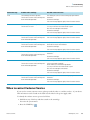
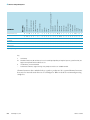
When to contact Customer Service
If you need to contact customer service, please provide the order no. and the serial no. of your device.
This information can be found on the back near the inlet for the power supply cable.
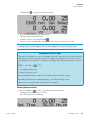
To identify the software version, proceed as follows:
1. Hold down any of the keys and then switch on the centrifuge.
You enter the system menu.
2. Press the START key
Thermo Scientific
.
Multifuge X3 / X3 R
7-5