1
Installing the PV1400 Terminal
9-7
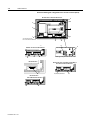
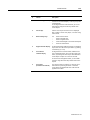
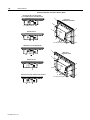
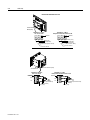
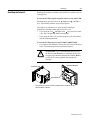
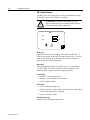
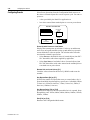
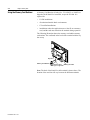
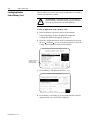
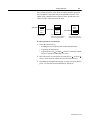
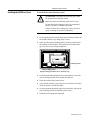
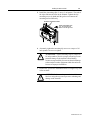
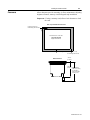
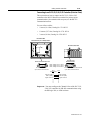
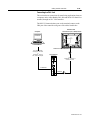
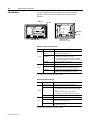
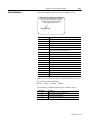
To install the PV1400 terminal in a panel using mounting studs:
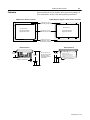
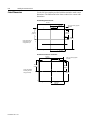
1. Cut an opening in the panel using the panel cutout shipped with
the terminal. Carefully drill 5.56 mm (7/32 inch) holes for studs
as indicated.
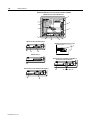
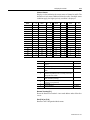
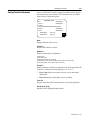
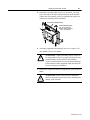
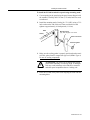
2. Install the mounting studs (Catalog No. 2711-NP3) using a 7/32inch socket on the end of the stud. Turn stud clockwise and
tighten to approximately 10-inch pounds (1.1 N•m).
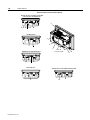
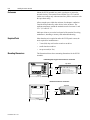
Bezel
Mounting Studs
(Qty 18 for Keypad, 12 for Touch
Gasket
Panel or Enclosure
Self-locking Nuts
Spacer
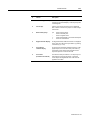
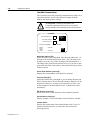
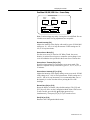
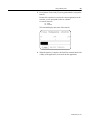
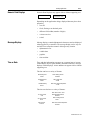
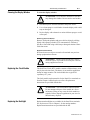
3. Make sure the sealing gasket is properly positioned on the terminal. This gasket forms a compression type seal (NEMA Type 4).
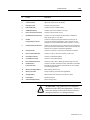
Do not use sealing compounds
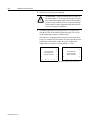
!
ATTENTION: Be careful not to damage the sealing
gasket when installing or removing studs. A damaged
seal may result in damage to the PanelView terminal
and other panel components due to a leaking seal.
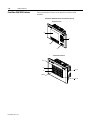
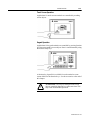
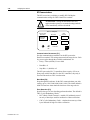
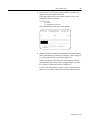
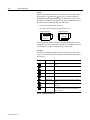
4. Place the PV1400 in the panel cutout aligning the studs with the
mounting holes.
Publication 2711-6.1