1
4
ALS
380
OPERATION
4.3 PRODUCT DATABANKS
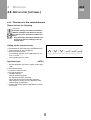
Activating product databanks at switch-on
– The menu Product databanks is only available if at
least one product databank is created.
➔ While switching on the machine, press and hold the
PRIOR key.
– The product databank menu is activated.
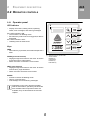
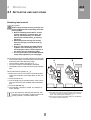
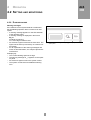
– The indicator with the last activated product
databank [52] blinks.
➔ Repeatedly press the NEXT or PRIOR key until the
desired product databank is shown on the display.
➔ Activate the product databank by pressing the
ENTER key.
– Once the label dispensing is started, the settings of
the activated product databank are adopted.
[52] Example: Product databank PD01
The product databank menu is automatically
started when the machine is switched on, if it
was active before the last shut-down of the machine. If the machine is operated by personnel
who are not authorised to work in the product
databank menu :
➔ Switch off the machine at the main switch.
➔ Press and hold the NEXT key and switch the
machine on again at the main switch.
– The standard menu is activated.
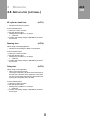
Activating product databanks after
switch-on
In the extended menu:
➔ Call up the LOAD function.
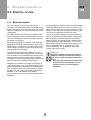
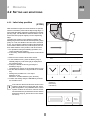
– The indicator with the last activated product databank [53] blinks.
➔ Repeatedly press the NEXT or PRIOR key until the
desired product databank is shown on the display.
➔ Activate the desired product databank by pressing
the ENTER key.
– Once the label dispensing is started, the settings of
the activated product databank are adopted.
[53] Example: Product databank PD01
➔ Exit the extended menu using QUIT.
49