1
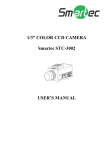
1/3” B/W Varifocal CCD Dome Camera
Smartec STC-1501
USER’S MANUAL
www.smartec-secyrity.eu
FEATURES
1. Long life and high reliability are achieved by the use of a
CCD image device. This makes the camera 100% solid state. An
image tube is no longer needed.
2. Built-in aspherical lens.
3. Lower power consumption.
4. No focus shift in the nighttime.
5. Relatively no interference from magnetic or electrostatic
field.
6. Ease of use in any application is achieved through the small
shape.
7. The Minimum Illuminations: [email protected]
8. Resolutions: 580TVL
CAUTIONS
1. Never point the camera toward the sun
Do not expose the lens directly to the sun or to strong light as
this may damage the pick-up device.
2. Handle this camera with care
Avoid any shock or bumping of the camera. Improper handling
could damage the camera.
3. Requires a proper operating environment
This camera is designed for indoor use. The allowable
temperature range for operation of this camera is between 10˚~50˚and the allowable humidity is 85%RH maximum.
4. Clean the front face to the pick-up device
It is recommended that the pick-up device surface be cleaned
before lens installation or whenever the lens is changed.
Cleaning should be done by using a chamois a very fine soft
cloth lens tissue or cotton tipped applicator and ethanol to
carefully remove any fingerprint or dust.
5. Check the power source voltage
The power source voltage should be within the specified range.
(Camera must meet the specifications).
6. Objects and liquid entry
Never push objects of any kind into this camera as this may
touch dangerous voltage points of short out parts that could
result in a fire or electric shock. Never spill any kind of liquid
on the video product.
7.Servicing
Do not attempt to service this video product by yourself as
opening or removing covers may expose you to dangerous
voltage or other hazards. Refer all service to qualified servicing
personnel.
8. Damage requiring service
Unplug this video product from the wall outlet and refer
service to qualified servicing personnel under the following
conditions:
· When the power supply cord or plug is damaged.
· If liquid has been spilled, or objects have fallen into the
video product.
· If the video product has been exposed to rain or water.
· If the video product has been dropped or the cabinet has
been damaged.
· When the video product exhibits a distinct change in
performance.
SPECIFICATIONS
TV system
Image Sensor
Total Pixels
Video Output
Resolution
Minimum
Illumination
S/N Ratio
Synchronizing
System
A.E.S.
B.L.C
A.G.C
Flickerless
Gamma Correction
Lens/Angle of view
Power Supply
Power Consumption
Operation
Temperature
Storage
Temperature
Storage Humidity
Weight
Dimensions
CCIR
EIA
1/3” Sony CCD
795(H)×596(V)
811(H)×508(V)
1.0Vp-p composite/75Ω(BNC connector)
580TVL
0.05Lux/F1.2
48dB or More
Internal
ON/OFF
0.45
Standard : f2.9mm-10mm/F1.2 Aspherical
Auto Iris Lens /94.6°~28.8°
°
12Vdc
1.6W
-10°C ~ +50°C
-20°C ~ +60°C
Maximum:85%RH
300g
118(DIA) × 88(H) mm
DIMENSION
NOMENCLATURES AND FUNCTIONS
1. FAR/NEAR
2. WIDE/TELE
3. DC LEVEL
·
The VR for adjusting the IRIS level of Auto Iris Lens.
4. SWITCHES
(1). AES/OFF
AES : Automatic Electronic Shutter. The range of shutter
speed from 1/60sec.(1/50sec.) to 1/100,000sec.. This mode is
employed for using a manual iris lens.
OFF : AES OFF. The shutter speed is 1/60sec. (1/50sec.).
When an auto iris lens is applied, AES should be off.
(2). BLC/OFF
BLC : Backlight Compensation. When the object is dark by
strong light (sunlight etc….) as (Fig.2-1), please turn on BLC.
OFF : BLC OFF.
(3). AGC/OFF
AGC : Automatic Gain Control. The level of gain Varies from
0 to 26dB.
OFF : AGC OFF. The level of gain is fixed at 0dB.
(4). FL/NOM
FL : Flickerless. In FL mode, the shutter speed is 1/100sec.
(NTSC system) / 1/120sec. (PAL).
If choose FL mode, [AES] switch should be off.
NOM : Normal position.
CAMERA MOUNTING
Drill 20mm(3/4") hole on the ceiling as installation template.
(see Fig.1).
Fix the mounting plate onto the ceiling as installation template
shown holes position. (see Fig.2).
Fix the dome camera body onto the mounting
Plate. (see Fig.3).
The
on bottom of dome camera body should be put in
the same way on mounting plate then turn right to make sure it
is fixed properly.
Adjust PAN/TILT position and FAR/NEAR & WIDE/TELE bar
to get the mounting picture. (see Fig.4).
Put the cover on to finish the installation. (see Fig.5).