1
Page 3
Production Overview
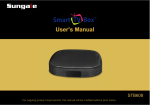
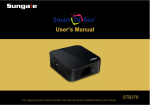
Cloud TV Box is not a smart TV, it is a Cloud TV.
Functions of Button and Port
1
Watch high quality TV programs absolutely free! No contract, no
subscription, no fee.
2
3
4
The Six Key Points of Cloud TV Box:
Free Content: Cloud TV box has preloaded hundreds of TV
contents, and you can watch the content you like and latest videos
from CNN, ABC, CBS, FOX, PBS, etc. absolutely for free. No
contract, no subscription fee.
User Interface: IR RC, Keyboard, Motion Sensor Remote Control,
and Mouse input available, operation is super easy
6
Social Network: Facebook, Twitter, MSN, Skype available
5
Internet Browser: Surf the Internet freely
Education: You can download educations apps to learn with
your kids
Game: You can download games to have fun with your family
members
12
11
10
9
8
7
1. Remote control signal sensor.
2. Upgrade: Press Upgrade button for upgrade the firmware.
3. Indicator light
4. Power: turn on /off the Cloud TV Box
5. SD/SDHC card slot
6/7. USB port: connect USB mouse, USB keyboard,
USB device etc.
8. HDMI port: Connect your Cloud TV Box to an HDTV with
an HDMI cable
9. YPbPr port: Connect your Cloud TV Box to a non-HDTV
10. AV out port: Connect your Cloud TV Box to a non-HDTV
11. Ethernet port: connect your Cloud TV Box to a wired network
with an Ethernet cable (not included).
12. DC IN: Connect your Cloud TV Box to a AC adaptor