1
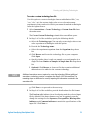
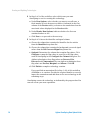
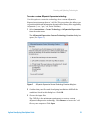
Creating and Updating Technologies To create a technology from Custom Agilent miRNA Use this option to create miRNA technologies for custom Agilent miRNA arrays for which you have a GEML file. NOTE If you have an Agilent eArray account and created the custom miRNA in the eArray portal, you can also create the technology using the steps described in “To create a technology from Agilent eArray” on page 9. 1 Select Annotations > Create Technology > From Custom Agilent miRNA from the main menu. The Create miRNA Technology from GEML file dialog box opens. 2 Click Browse and locate the GEML file on your computer. Click Open. 3 Select the experiment organism from the Organism drop-down list. 4 Click OK. GeneSpring extracts all the required information to create the technology from the GEML file. When the process is complete, a Technology Inspector opens. 5 Review the details for the technology, for example the number of entities it contains, the vendor, and organism. Click OK. The technology has been created and you can proceed with creating your new experiment in GeneSpring. 10 Agilent GeneSpring Data Update Guide