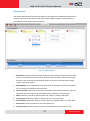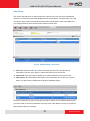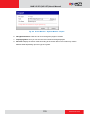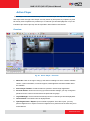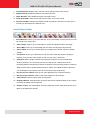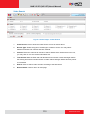
1
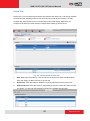
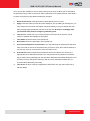
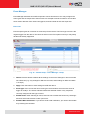
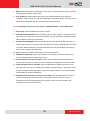
ACTi NVR User’s Manual
Version 2.2.57
2010/6/21
NVR 2.2 SP3 (V2.2.57) User’s Manual
Table of Contents
1 Overview
9
ACTi NVR Architecture ...................................................................... 9
ACTi NVR Server ........................................................................... 9
ACTi NVR Workstation ................................................................. 10
NVR Web Client ........................................................................... 10
System Requirements ..................................................................... 11
Operating System and Browsers Supported ................................. 12
Editions Explained........................................................................... 12
Keyboard Shortcuts ........................................................................ 13
2 Installing
14
Backup ............................................................................................. 16
SQL ................................................................................................... 16
IIS Server .......................................................................................... 16
Ports and Firewalls .......................................................................... 17
Disabling UAC in Windows Vista and Windows 7 ........................ 20
NVR Main Program .......................................................................... 20
Restore old setting to NVR Database ............................................ 21
License ............................................................................................. 21
How does registration work .......................................................... 22
Online Registration....................................................................... 22
Offline Registration (Through ACTi website) ............................ 23
Verify your license ........................................................................ 24
3 NVR Quick Start
25
Logging In ........................................................................................ 25
Finding Cameras on the Network .................................................. 27
Find cameras with IP Utility .......................................................... 27
Adding cameras to NVR System ..................................................... 28
Adding cameras Automatically via Active Setup .......................... 28
Adding cameras Manually ............................................................ 29
Add or configure cameras via Copy setting .................................. 31
2
www.acti.com
NVR 2.2 SP3 (V2.2.57) User’s Manual
Configuring Access Rights .............................................................. 32
Defining Camera Groups ............................................................. 32
Setup Camera Group Basic Info
32
Setup which groups does each camera belong
33
Defining User Roles ..................................................................... 33
Defining Users ............................................................................. 34
View Live Video .............................................................................. 35
Display selected Camera ............................................................. 35
Recording and snapshots................................................................ 36
View recorded video ....................................................................... 37
Export Video as Evidence ............................................................... 37
4 NVR Operation Explained
38
Camera Setup .................................................................................. 38
Camera ........................................................................................ 38
Add New Camera
38
Auto Scan
39
Manual
40
Detail Description Setting
43
Frame Rate Setting
44
Advanced Setting
45
Delete Camera
48
Copy Settings
50
Record Path ................................................................................. 51
Schedule ...................................................................................... 52
Special Day
54
Motion .......................................................................................... 56
PTZ .............................................................................................. 59
PTZ Preset ................................................................................... 61
Preset Tour ................................................................................... 63
Event Manager ............................................................................. 65
Event List
65
Mail Notification Setup
69
System Setup ................................................................................... 70
Camera Groups ........................................................................... 70
User Roles ................................................................................... 71
Users............................................................................................ 72
3
www.acti.com
NVR 2.2 SP3 (V2.2.57) User’s Manual
Storage ........................................................................................ 73
Joystick ........................................................................................ 75
View Layouts ................................................................................ 77
View Tours .................................................................................... 79
Language ..................................................................................... 81
Services ....................................................................................... 83
License......................................................................................... 84
How does registration work
84
Online Registration
84
Offline Registration (Through ACTi Website)
85
Verify Your License
87
System ......................................................................................... 88
Map Setup ....................................................................................... 91
E-Map Setup ................................................................................ 91
Add Map
92
Edit Map
92
Add Cameras ............................................................................... 93
Add Map Link
95
Map Tour
96
Active Monitor ................................................................................ 97
Overview ...................................................................................... 97
Active Monitor Toolbar .................................................................. 99
Camera Panel ............................................................................ 100
Event Panel ................................................................................ 101
PTZ Panel .................................................................................. 104
Adding cameras into preview windows....................................... 106
Personal profile .......................................................................... 107
Layout Manager ......................................................................... 107
System Monitor .......................................................................... 109
Active Player .................................................................................. 111
Overview .................................................................................... 111
Active Player Toolbar .................................................................. 112
Video Search ............................................................................. 113
Video Search Result .................................................................. 114
Play Archive from Search Page.................................................. 115
Snapshot Search ....................................................................... 116
Snapshot Preview ...................................................................... 117
Playback Control Panel .............................................................. 118
4
www.acti.com
NVR 2.2 SP3 (V2.2.57) User’s Manual
Export ........................................................................................ 119
Active Player - Export................................................................. 119
Time Based Search Bar ............................................................. 120
Channel Layout .......................................................................... 121
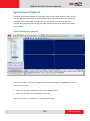
Synchronous Playback............................................................ 122
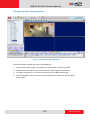
Open file/Drag-drop channel ................................................... 122
Finding your time and Synchronize ............................................ 123
Sync Main and Sync Follower .................................................... 124
Sync Playback............................................................................ 125
Active Map..................................................................................... 126
Map Overview ........................................................................... 126
Mini Preview ............................................................................... 127
Web Client ..................................................................................... 128
Introduction ................................................................................ 128
Connecting to NVR as a Web Client .......................................... 128
Web Client Restrictions .............................................................. 131
ACTi Utility Suite ........................................................................... 132
IP Utility ...................................................................................... 132
Media converter ......................................................................... 132
Backup Wizard ........................................................................... 132
Streaming Explorer .................................................................... 132
Archive Player ............................................................................ 132
5
www.acti.com
NVR 2.2 SP3 (V2.2.57) User’s Manual
Figure List
Fig. 1
Fig. 2
Fig. 3
Fig. 4
Fig. 5
Fig. 6
Fig. 7
Fig. 8
System Requirements............................................................... 11
List of Supported Operating Systems ..................................... 12
Keyboard Shortcut List ............................................................. 13
License Requirements for each version ................................... 22
Online Registration .................................................................. 22
Offline Registration .................................................................. 23
Verifying License Registration Info ......................................... 24
Login Screen (NVR Workstation) ............................................. 25
Fig. 9
Fig. 10
Fig. 11
IP Utility..................................................................................... 27
Add New Cameras - Auto ........................................................ 28
Auto Search Camera List .......................................................... 28
Fig. 12
Fig. 13
Fig. 14
Fig. 15
Fig. 16
Fig. 17
Fig. 18
Fig. 19
Add New Cameras – Manual ................................................... 29
Camera Setup - Add New Camera ........................................... 38
Camera Setup – Auto Scan - Auto Search Result List ............. 39
Camera Setup - Manual............................................................ 40
Camera Setup – Manual - Basic Settings ................................. 40
Camera Setup – Manual - Get Device Setting completed ...... 42
Camera Setup - Detail Description Setting Tab ...................... 43
Camera Setup - Frame Rate Setting ........................................ 44
Fig. 20
Fig. 21
Fig. 22
Fig. 23
Fig. 24
Fig. 25
Fig. 26
Fig. 27
Fig. 28
Fig. 29
Camera Setup –Advanced Setting - Video Quality ................. 45
Camera Setup – Advanced Setting – Video Adjustment ........ 46
Camera Setup – Advanced Setting – Connection Port ........... 47
Camera Setup - Delete Camera ................................................ 48
Camera Setup - Copy Setting ................................................... 50
Camera Setup - Record Path .................................................... 51
Camera Setup - Schedule – Weekly View ............................... 52
Camera Setup – Schedule – Copy Setting(Weekly) ................ 53
Camera Setup - Schedule - Special Day ................................... 54
Camera Setup - Schedule - Copy Setting (Special day) .......... 55
Fig. 30
Fig. 31
Fig. 32
Fig. 33
Fig. 34
Fig. 35
Camera Setup - Motion - Get motion setting ......................... 56
Camera Setup – Motion - Motion Setup ................................. 57
Camera Setup - PTZ setup ........................................................ 59
Camera Setup - PTZ preset ....................................................... 61
Camera Setup - Preset Tour ...................................................... 63
Camera Setup – Event Manager - Setup ................................. 65
6
www.acti.com
NVR 2.2 SP3 (V2.2.57) User’s Manual
Fig. 36
Camera Setup – Event Manager - PIR ...................................... 66
Fig. 37
Fig. 38
Fig. 39
Fig. 40
Fig. 41
Fig. 42
Fig. 43
Fig. 44
Fig. 45
Fig. 46
Event Manager Setup – Action Tab ......................................... 67
Event Manager Setup - Notification via Email ....................... 69
System Setup - Camera Groups ............................................... 70
System Setup - User Roles ....................................................... 71
System Setup - Users ................................................................ 72
System Setup - Storage Management .................................... 73
System Setup - Joystick ............................................................ 75
System Setup - Joystick - Dropdown features menu ............. 76
View Layouts ............................................................................ 77
System Setup - View Tours ...................................................... 79
Fig. 47
Fig. 48
Fig. 49
System Setup - Language ........................................................ 81
System Setup - Language - Language List to Insert ............... 81
System Setup - Language - Language List to Remove ........... 82
Fig. 50
Fig. 51
Fig. 52
Fig. 53
Fig. 54
Fig. 55
Fig. 56
Fig. 57
System Setup - License - License Requirements ..................... 84
System Setup - License - Online Registration ......................... 84
System Setup - License - Offline Registration ........................ 85
System Setup - License - Verifying Registration Info ............. 87
System Setup - System - System Property .............................. 88
System Setup - System - System E-Mail Setting ..................... 89
System Setup - System - System FTP Setting System............. 89
System Setup - System - License Information ........................ 89
Fig. 58
Fig. 59
Fig. 60
Fig. 61
Fig. 62
Fig. 63
Fig. 64
Fig. 65
Fig. 66
Fig. 67
System Setup - System - Available Disk Drive Capacity ......... 90
System Setup - System - Workstation Setting ........................ 90
System Setup - System - Camera Model Update .................... 90
Map Setup - Map Manager (Before adding any map) ........... 91
Map Setup - Adding Map Image File....................................... 92
Map Setup - Selecting Map ...................................................... 92
Map Setup - Adding Cameras to Map ..................................... 93
Map Setup - Arranging Cameras ............................................. 93
Map Setup - Selecting Map ...................................................... 95
Map Setup - Selecting Map to add into Map Tour ................. 96
Fig. 68
Fig. 69
Fig. 70
Fig. 71
Fig. 72
Fig. 73
Map Setup - Changing sequence in Map Tour ........................ 96
Active Monitor .......................................................................... 97
Active Monitor - Side panels ................................................... 98
Active Monitor - Active Monitor Toolbar ................................ 99
Active Monitor - Camera Panel .............................................. 100
Active Monitor - Camera Panel - Sorting the Camera Tree .. 100
7
www.acti.com
NVR 2.2 SP3 (V2.2.57) User’s Manual
Fig. 74
Active Monitor - Camera Panel - Popup Info Panel .............. 101
Fig. 75
Fig. 76
Fig. 77
Fig. 78
Fig. 79
Fig. 80
Fig. 81
Fig. 82
Fig. 83
Fig. 84
Active Monitor - Event Panel - Camera Panel ....................... 101
Active Monitor - Event Panel - Event Preview window ....... 102
Active Monitor - Event Panel -Event Playback window....... 102
Active Monitor - Event Panel - Event Popup Mini-Preview . 103
Active Monitor - PTZ Panel .................................................... 104
Active Monitor - PTZ Panel - Mouse PTZ ............................... 104
Active Monitor - Playback window ....................................... 106
Active Monitor - Personal Profile .......................................... 107
Active Monitor - Change Password ....................................... 107
Active Monitor - System Monitor .......................................... 109
Fig. 85
Fig. 86
Fig. 87
Active Monitor - System Monitor – Select Type of Log........ 109
Active Monitor - System Monitor - Export ........................... 110
Active Player - Overview........................................................ 111
Fig. 88
Fig. 89
Fig. 90
Fig. 91
Fig. 92
Fig. 93
Fig. 94
Fig. 95
Active Player - Video Search .................................................. 113
Active Player – Video Search result ....................................... 114
Active Player – Play Archive from Search Page .................... 115
Active Player – Snapshot Search............................................ 116
Snapshot Preview ................................................................... 117
Finding Sync Main start point ............................................... 123
Sync Main and Sync Follower ................................................ 124
Active Map - Active Map Overview ...................................... 126
Fig. 96
Fig. 97
Fig. 98
Fig. 99
Active Map - Mini Preview Window ..................................... 127
Web Client – Login Screen ..................................................... 129
Web Client – Basic Mode ........................................................ 130
Web Client – Advanced Mode ............................................... 130
8
www.acti.com
NVR 2.2 SP3 (V2.2.57) User’s Manual
Overview
ACTi NVR Architecture
ACTi NVR is a windows-based program that provides full functionality IP-based network video
surveillance. It consists of several modules, such as: ACTi NVR Server, ACTi NVR Workstation,
ACTi Web Client and ACTi Utility Suite.
ACTi NVR Server
NVR Server includes several Win32 services. These programs start automatically when the
computer boots up and operate in the background, without requiring login by Administrator.
The server configurations are done by NVR Workstation or NVR Web Clients. The services
are:
Active Event Manager
Event Manager handles events and responses, and executes all rule-based reactions.
Active Schedule Service
Schedule service provides recording and scheduling management.
Active Service Manager
This program monitors the other software service modules. If the other services are down, it
will automatically restart them.
Active Streaming Service
Streaming engine handles connection to ACTi IP devices and provides video stream to
multiple clients.
Active Message Engine
Message engine maintains proper background communication between the various win32
services.
9
www.acti.com
NVR 2.2 SP3 (V2.2.57) User’s Manual
ACTi NVR Workstation
NVR Workstation includes a set of programs that provide interface between users and the
NVR server. NVR Workstation may be installed on the same PC as the NVR server, or they
may be installed separately and connect to NVR Server via network. For NVR Professional,
workstation and server are bundled together and must be on the same PC. They are:
Active Setup
This module includes both Camera Setup and System Setup. Users can add and setup
cameras and devices, configure system parameters and e-maps here.
Active Monitor
In this module you can see live view from cameras and devices, perform PTZ operations with
mouse or Joystick, view system log, receive alert on the Event panel, setup view layouts or
survey with pre-defined multi-layout tour.
Active Player
You may find and playback existing recordings in this module. Up to 4 channels may be played
back synchronously. Snapshots or excerpted video segments can be taken from playback files.
Recorded files can also be exported to AVI format here.
Active Map
You can see camera deployment on maps here. Live video feed may also be displayed right on
the e-maps. Cycling map tour views are also defined here.
NVR Web Client
NVR Web Client is the web version of interface to access NVR. You do not have to install any
program to use Web Client, just Open IE 7 or IE 8 and type in the server web address/port to
login. Almost all of NVR workstation‟s functions can be accessed on Web Client, except a few
minor restrictions.
10
www.acti.com
NVR 2.2 SP3 (V2.2.57) User’s Manual
System Requirements
The performance of NVR is largely determined by the hardware PC capability. The table below
provides basic guideline for selecting proper hardware. The minimum required hardware will
provide acceptable performance for systems that use mostly MPEG4 streams. Surveillance
systems that use primarily H.264 streams should satisfy Recommended PC Spec for good
performance.
16 Channels
PC
Specifications
CPU
32/48/64 channels
Minimum
Recommended
Minimum
Recommended
Intel Core 2 Duo
Intel Core 2
Intel Core 2
Intel i5-670
2.4 GHz
Quad 2.66 GHz
Quad 2.66 GHz
3.46 GHz
Memory
4GB
4GB +
4GB +
4GB +
Network
Gigabit Ethernet
Gigabit Ethernet
Gigabit Ethernet
Gigabit Ethernet
Graphics Card
nVidia 9500 GT or nVidia 9800 GT
nVidia 9800 GT
nVidia GTS 250 or
better
or better
or better
better
512 MB or more
512 MB or more
512 MB or more
512 MB or more
Hard Drive
2 GB for NVR ,
2 GB for NVR,
2 GB for NVR,
2 GB for NVR,
Space
100 GB for Video 250 GB for Video 500 GB for Video 1TB for Video
Graphics Card
memory
Fig. 1
System Requirements
NOTE: Live view for multiple channels require good hardware for smooth performance. If your
live view performance is not satisfactory, please reduce the number of channels viewed at the
same time, and use Layout Tour to scan through all the channels instead.
NOTE: When CPU power is not enough to provide smooth live view, NVR will decode only one
frame per second to save computing power. This is done to ensure that recording is always
properly processed. In extreme cases, like when viewing 64 Megapixel H.264 video streams at
the same time, PC will be overloaded and NVR will stop operation. This is a common limitation
imposed upon all Windows based video management programs. Enhancement for this
limitation will be available in the next version of NVR.
NOTE: PC Spec requirements are the same for 32-bit and 64-bit systems.
11
www.acti.com
NVR 2.2 SP3 (V2.2.57) User’s Manual
Operating System and Browsers Supported
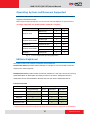
NVR works with windows-based PCs for both 32 bit and 64 bit systems. The versions
supported are listed as below.
NVR requires Internet Explorer 7 or 8 to work. Internet Explorer 6 and below are
no longer supported. For 64 bit systems, 32 bit IE is required.
OS
Version
Windows Vista
32 bit
64 bit
Ultimate sp1
Y
Y
Enterprise sp1
Y
Y
Business sp1
Y
Y
Standard sp2
Y
Y
Enterprise sp2
Y
Y
Professional sp3
Y
N/A
Standard
Y
Y
Enterprise
Y
Y
Professional
Y
Y
Windows Server 2003
Windows XP
Windows Server 2008
Windows 7
Fig. 2
List of Supported Operating Systems
Editions Explained
ACTi NVR comes in two versions, Enterprise and Professional.
Professional Version provides full functionality on a single PC. You record and access the
videos on the same computer.
Enterprise Version provides remote access from another PC. User may connect to Server by
either Workstation or Web Client. Recording is done on the server. Enterprise version is
divided into Server and Workstation. Remote users do not need to install NVR Server.
Function Overview
Version
NVR Professional
Single Package
NVR Enterprise
Server
Workstation
Web Client
Y
Y
Live View
Y
Record
Y
Playback
Y
Y
Y
Setup
Y
Y
Y*
Y
Y
Y
Remote Access
* Some functions cannot be setup through web client and must be configured via workstation.
12
www.acti.com
NVR 2.2 SP3 (V2.2.57) User’s Manual
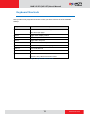
Keyboard Shortcuts
NVR provides many keyboard shortcuts to save your time. Here‟s a list of the available
hotkeys.
Keyboard Shortcut
F5
Description
Refresh.
This will restart the application session, and
starts from login page.
Ctrl+F6
Toggle Video display stretch
Ctrl+F7
Create snapshot
Ctrl+F8
Toggle start / stop tour.
Ctrl+F9
Show / hide camera tree panel
Ctrl+F10
Cancel auto-login mode during login
Ctrl+F11
Show / hide title bar
Ctrl+F12
Toggle full-screen mode
ESC
Cancel full-screen mode; return to normal mode. This
function is only valid in full-screen mode
Fig. 3
Keyboard Shortcut List
13
www.acti.com
NVR 2.2 SP3 (V2.2.57) User’s Manual
Installing
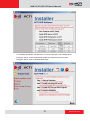
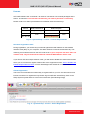
If you are using ACTi NVR CD-ROM, just follow the auto run sequence. If you downloaded
NVR from our website, please run the installer .exe file included. Users that start from auto run
will see the first three screens described below. Users that install directly from the installer files
will proceed directly to installation. If you are using the enterprise version, please first install
windows IIS server (Refer to the How to Setup IIS Server document. After you have IIS setup
then you should install NVR Server, and lastly workstation. For remote user you may only
install workstation as long as you can connect to the server.
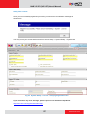
Before actual installation, you will be asked to register online. Registering provides many
benefits, including online customer help desk, e-Newsletter and free software downloads. You
may choose to Skip and proceed to NVR installation.
The next screen will show the Installer. Choose the software you wish to install on this PC.
Please refer to the previous section if you do not know what version to install. (If you
downloaded ACTi NVR from the website, you may have a single software package, without
multiple choices. In this case just click install.)
Note: Be sure to have at least one NVR Server in your system to record video. If you are
installing Enterprise Server, you must also install NVR workstation in the same machine
to access server settings.
14
www.acti.com
NVR 2.2 SP3 (V2.2.57) User’s Manual
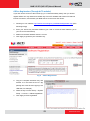
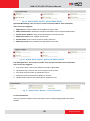
For installing Workstation, just follow the on screen instructions. For installing NVR
Enterprise Server or NVR Professional, please see sample screen from NVR
Enterprise Server setup, and follow below steps:
15
www.acti.com
NVR 2.2 SP3 (V2.2.57) User’s Manual
Backup
If you are doing a fresh install, you may ignore this section.
If you are upgrading from a previous version of NVR or otherwise doing a re-install, then it
would be best to backup existing settings before installing. Please note that NVR 2.2 SP3 has
a slightly change database structure. You must use the latest version of Backup Wizard that
comes with the NVR 2.2 SP3 for backup and restore. During NVR 2.2 SP3 installation, the
existing database will be converted to the new format, and your existing data will still be
accessible by the upgraded version.
Click “Step 1: Backup Database” to launch Backup Wizard. Select the version of NVR installed
on the current PC. Use the closest one if you do not find an exact match. Enter the correct
NVR IP address, NVR Admin account and password. Then choose the destination folder for
backup files (Default folder is C:\backup).
For detailed instructions, please see Backup Wizard User’s Manual.
SQL
NVR 2.2 requires SQL database engine to work. The NVR installer will automatically install
Microsoft SQL 2005 Express SP3 on your PC. Please follow all on-screen instructions.
If you have already installed Microsoft SQL 2005, please be sure to upgrade it to SP3.
During NVR installation, NVR will need to log in to Database Server. Please provide your own
password for Login ID “sa”, instead of the default password for fresh SQL installs.
IIS Server
NVR 2.2 SP3 requires Microsoft IIS server to operate. You need to install and configure IIS
before installing or upgrading your NVR. Please refer to the document “How to Setup IIS
Server” for detailed instructions. Please note that 64-bit systems are configured slightly
different from 32-bit systems.
16
www.acti.com
NVR 2.2 SP3 (V2.2.57) User’s Manual
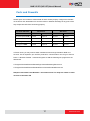
Ports and Firewalls
Several ports are needed to transmit data for NVR. Please properly configure the firewalls
on the Server PC, Workstation PC and the routers in between. Blockage in any point of the
way will prevent NVR from functioning properly.
Port Name & Number
Workstation
Local
Remote
Web Client
Local
Remote
HTTP Port (Default 80) No Need
Required
Required
Required
Control Port 6001
No Need
Required
Required
Required
Streaming Port 6002
No Need
Required
Required
Required
Message Port 8001
No Need
Required
Required
Required
In Some cases, you may need to allow unlimited access through firewall for NVR core
services. This is required if you use RTP protocol for communication. You can go to Control
Panel -> Windows Firewall -> Allowed Programs to add the following two programs to the
allowed list:
C:\Program Files\NVR\ActiveStreamEngine\ActiveStreamingService.exe
C:\Program Files\NVR\ActiveScheduleService\ActiveScheduleService.exe
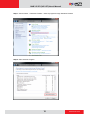
Sample screenshots from Windows 7 are shown below. The steps are similar in other
versions of windows OS
17
www.acti.com
NVR 2.2 SP3 (V2.2.57) User’s Manual
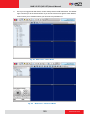
Step 1: Control Panel -> Windows Firewall -> Allow a program through Windows Firewall
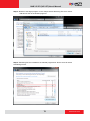
Step 2: Allow Another Program
18
www.acti.com
NVR 2.2 SP3 (V2.2.57) User’s Manual
Step 3: Browse to the target program. In this sample Active Streaming Service is shown.
Add this into the list of allowed programs.
Step 4: Streaming Service is added to the allowed programs list. Do the same for Active
Scheduling service.
19
www.acti.com
NVR 2.2 SP3 (V2.2.57) User’s Manual
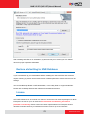
Disabling UAC in Windows Vista and Windows 7
UAC (User Access Control) is a security setting that restricts access in Microsoft Windows
Vista. You must disable UAC before installing NVR in Windows Vista and Windows 7.
You may disable UAC through Windows control panel, or through the TweakUAC tool that
comes with NVR.
TweakUAC will launch automatically during install if you still have UAC on. Choose Turn UAC
off now.”, then restart the computer before continuing installation. You may choose to turn UAC
back on with TweakUAC after NVR has been fully installed.
NVR Main Program
After you completed setting up SQL server, disabling UAC for Vista / Win7 and setting up IIS
server, you can proceed to install NVR. Please follow the on-screen instructions. For NVR
Server, the recommended path is C:\Program Files\NVR. You can change the destination
folder path if you really need to.
NVR will need to log into the SQL server during installation.
If you are doing a fresh install, just use the default account / password. If you have
your own “sa” password, use this instead of the default password. If you forgot the
password for “sa” account, please select Windows Authentication instead. When you
use Windows Authentication, just use your windows login account / password. Please
see following image.
20
www.acti.com
NVR 2.2 SP3 (V2.2.57) User’s Manual
After installing NVR Server or workstation, system will ask you to reboot your PC. Please
reboot for proper operation afterwards.
Restore old setting to NVR Database
If you have backed up your old database before installing the new NVR SP3 and somehow
require restoring it, please use the latest version of Backup Wizard to restore and recover old
settings.
You can find Backup Wizard in NVR Workstation, or the Utility folder in original install files.
Please refer to Backup Wizard User‟s Manual for detailed instructions.
License
ACTi NVR software has 16 channel / 32 channel / 48 channel / 64 channel packages. For NVR
Enterprise it is free for up to 16 channels. For more than 16 channels, you have to
purchase a license key. Please contact our sales representatives for Enterprise Version
32/48/64 channel license keys. Professional version is free for up to 64 Channels.
21
www.acti.com
NVR 2.2 SP3 (V2.2.57) User’s Manual
Version
NVR Professional
Channels
Single Package
NVR Enterprise
Server
16
Workstation
Free
Free
32 / 48 / 64
Free
License Required
Fig. 4
License Requirements for each version
How does registration work
During registration, your license key is matched against the MAC address on the Network
Interface Card (NIC) on your computer. This MAC address is used as the Machine Key. This
matching record will be stored on the ACTi web server. If your computer has more than one
network card, only the network card with the smallest MAC address will be used.
If your Server PC has multiple network cards, you will need to disable the extra network cards
which you do not intend to register. Please refer to the support document “How to Disable and
Enable Multiple Network Cards” on ACTi Knowledge base website for more information.
Online Registration
This is the recommended and easiest way to register NVR on your PC. You will need to have
internet connection to register this way. Please log into NVR with Active Setup, Click on the
Setup System symbol and then click on the license tab. (See following image)
Fig. 5
Online Registration
Click the Online Registration on the horizontal menu under the tabs. Make sure your computer
is connected to internet and enter the License Key. Click Apply to connect to Registration
Center. Your License Key and MAC address (NVR automatically reads the Network card with
the smallest MAC Address number on your PC) will be recorded.
22
www.acti.com
NVR 2.2 SP3 (V2.2.57) User’s Manual
Offline Registration (Through ACTi website)
If your PC cannot connect to the internet (e.g. in a restricted military base), then you should
register offline. You may obtain an activation key from ACTi website with another PC that has
internet connection, and activate your NVR license on the server PC off-line.
1. Please go to our website: http://www.acti.com/support_old/SoftwareRegistration.asp (See
following image)
2. Enter your license key and MAC address (you need to record the MAC address you‟re
your server PC beforehand)
3. Make sure the MAC address shown is correct.
4. Click Apply to generate your Activation Key.
Fig. 6
Offline Registration
5. Copy the complete Activation Key and
transfer it to the NVR server PC. (By
pasting into a text file and copying it via
USB disk, for example).
6. Paste the key in Active Setup -> System
Setup -> License -> Offline Registration
7. Click Apply to finish registration
23
www.acti.com
NVR 2.2 SP3 (V2.2.57) User’s Manual
Verify your license
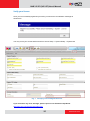
Once you‟ve successfully registered your NVR, you will receive a notification message as
shown here.
You may check your current NVR license from Active Setup -> System Setup -> System tab
Fig. 7
Verifying License Registration Info
If you encounter any error message, please report on our Customer Help Desk:
http://www.acti.com/support/case/index.asp
24
www.acti.com
NVR 2.2 SP3 (V2.2.57) User’s Manual
NVR Quick Start
This section will demonstrate the fundamentals of how to setup your security surveillance
system with ACTi NVR. We will guide you through the basic steps required to setup your
surveillance system. This section will only explain the necessary part of the User Interface, and
will not detail every function. For a complete list of functions please see the User Interface
Explained section.
Logging In
The default login User Account and Passwords are: Admin/123456
You can use either workstation or web client to access NVR. We will describe how to use
Workstation at this moment. Web client access will be covered in later sections.
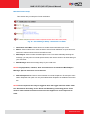
1. Click on one of the four NVR Workstation icons on your desktop, or go to Start -> Program
Files -> NVR Workstation and select one of them. We‟ll use Active Setup
for
now, as we‟re just starting to configure the system.
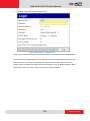
2. The login screen will be displayed as below
Fig. 8
Login Screen (NVR Workstation)
25
www.acti.com
NVR 2.2 SP3 (V2.2.57) User’s Manual
3. For the Server IP address, you need to add the port number after the IP address. If your
workstation and server are located on the same computer, you may either use 127.0.0.1 or
the actual network address of your Network card. The port to use is the HTTP port. If your
HTTP port used is the default port 80, you can just enter the IP address and omit the port
number. If you are logging in to NVR server from a workstation located on a separate PC,
please make sure the IP and the HTTP port are correct, and that the router or firewall
allows traffic at this port.
Workstation for NVR and CMS (Central management System) use the same client. The
workstation can choose the type of server to login to. You may also select the language to
use here.
4. Preview Mode: There are two different levels of complexities in the live preview available.
For NVR Workstation, you will always use the “Advanced” mode that comes with the full
features. For NVR Web Client, you may also choose to login with the basic preview mode.
5. You may choose to check the box “Auto login with this account”. NVR will then remember
the settings you used to login this time, and automatically login in future startups, saving
you valuable time. Please note that if your workstation will be accessed by more than one
individual, then you may not want everyone to be able to auto-login with the default
account. In this case you should use the Save as Default as described below.
If you decide to cancel auto-login in the future, you may press Ctrl-F10 during login
process. The NVR will still start automatically that time. But when you login again, it will
again require you to type in your information manually.
6. Selecting “Save as Default” will store the parameters you used this time for Language,
server IP, Port, User Name, application and Preview mode for future use. The next time you
login, everything except the password will be filled in automatically. This is useful if there is
a main user for this PC, but others may also gain access to this PC. In such cases you do
not want to breach security protocols by automatically logging in without verifying if the
user has permission to use this account. This method provides convenience with proper
security safeguard
26
www.acti.com
NVR 2.2 SP3 (V2.2.57) User’s Manual
Finding Cameras on the Network
There are two ways to find cameras on the network. One is via the separate IP utility, one is
through NVR itself. IP Utility is useful in that it allows you to perform multiple camera upgrading
and setting, but cameras are only added to NVR system via the workstation program Active
Setup.
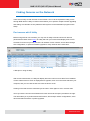
Find cameras with IP Utility
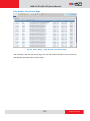
Before using NVR to view cameras, you may use IP Utility to find and access IP devices
(download the latest version here). IP Utility will scan your network and display a list of ACTi
Cameras. From the list you may check the IP address of each camera, access them through
web configurators, or perform firmware upgrade to many cameras at the same time.
Fig. 9
IP Utility
A few tips on using IP Utility:
After a short initial search, IP Utility will display devices it has found in a table. The IP address
of each will be shown. If the IP is displayed as a hyperlink, then it is in the same subnet as your
computer, and you can click the link to access the device via IE.
Clicking on the title sorts the whole list by that column. Click again to sort in reverse order.
You may enter the Account and Password for each camera at the space provided to the right.
This will enable you to perform advanced functions, like backup/ restore configurations, save /
reboot and batch firmware or profile upgrades.
27
www.acti.com
NVR 2.2 SP3 (V2.2.57) User’s Manual
Adding cameras to NVR System
Adding cameras Automatically via Active Setup
1. Login to Active Setup
2. As your system is currently empty and there are no cameras in the NVR camera tree, you
will see the Camera Setup section and “Add New Camera” displayed prominently. You may
add cameras manually or automatically. Assuming your cameras are in the Local Area
Network, and not over the internet, we will start with Auto. If your cameras are located over
the internet or in other LANs, please use manual. For now, select “Auto” and click
“Next
Step
Fig. 10 Add New Cameras - Auto
3. A message will appear when searching for devices. Once the search is complete a list of
available devices will be shown. You may click on the title header to sort by that column.
Click again to sort in the reverse order
Fig. 11 Auto Search Camera List
28
www.acti.com
NVR 2.2 SP3 (V2.2.57) User’s Manual
4. Click on the row of the camera you wish to add to the system. That row will be highlighted.
A drop-down list will appear in the Camera ID column of the current highlighted row. Click
on it to expand and select the available channel no. Repeat this step until you‟ve added all
devices you wish to include in the NVR system.
5. Click “Add New Camera” to add selected devices into NVR system. The devices will be
added to your camera tree according to the Camera ID. you‟ve assigned.
You may add further cameras by going to Active Setup -> Camera Setup -> Camera -> New.
Adding cameras Manually
If your camera is not within the same LAN segment (i.e. over the internet), it will not be
searchable by NVR. In this case you need to add it manually.
1. To add a camera manually, go to Active Setup -> Camera Setup -> Camera -> New ->
Manual
2. The camera setting page will appear as below. The most important settings are the
Protocol, Camera IP, HTTP Port, username and Password. These five fields are required
for NVR to communicate with the device. Click “Get Device Setting” and NVR will
automatically contact the device, to fill in the other fields.
NOTE: If any one of the five fields is incorrect, you will not be able to connect with the
device. When you have any device connection problem, please check these settings.
Fig. 12 Add New Cameras – Manual
29
www.acti.com
NVR 2.2 SP3 (V2.2.57) User’s Manual
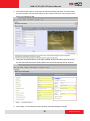
3. Once NVR finds the device, it will open the Advanced setting Tab. Click “live view” below
the view window to see real-time video from the camera so that you may verify this is the
device you intended to add.
4. Click open the expand arrows on the right of Media Source information tab, and you will
see that the Detail Description Setting fields have been automatically filled up by NVR.
5. Click “Apply” to save settings to NVR and finish manually adding this camera.
30
www.acti.com
NVR 2.2 SP3 (V2.2.57) User’s Manual
Add or configure cameras via Copy setting
A third way is to utilize the Copy Setting function to add device to the NVR.
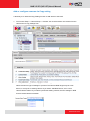
1. Go to Active Setup -> Camera Setup -> Camera. You must first select one camera from the
camera tree to copy settings from.
2. Click “Copy Settings”, and the copy setting screen will appear as below.
3. You may select the types of settings you wish to copy from the item list below. You need to
select at least one type of settings to proceed. The Camera Data Target may be a new
device, or it may be an existing camera. If you select “Add New Device”, then a new
camera will be created. If you select a particular existing camera, then the settings in NVR
for that camera will be overwritten.
31
www.acti.com
NVR 2.2 SP3 (V2.2.57) User’s Manual
Configuring Access Rights
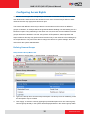
In NVR, the access rights are managed by a combination of Camera Groups and User Roles.
User Roles define what functions are allowed for each user. Camera Groups define to what
cameras the user may apply these functions upon.
This means that different users may be able to use the same set of functions on different
groups of cameras. An example will be the guards located at building one and building two of a
business complex. They will belong to the same user role, but have access to different camera
groups. Both will be allowed to see live view, perform PTZ operations, take snapshots and
export evidence. But they may perform these functions only to the cameras in the building they
are responsible for. They will not be able to change the camera or system settings, which are
reserved for the system administrators.
Defining Camera Groups
Setup Camera Group Basic Info
1. Please go to Active Setup -> System Setup -> Camera Groups
2. Type in the Group name and the Group Description. The Group name is mandatory, while
the description may be omitted.
3. Click “Apply” to save the currently typed group name/description as a new camera group.
Camera groups already in the system will be displayed below in the camera groups table.
32
www.acti.com
NVR 2.2 SP3 (V2.2.57) User’s Manual
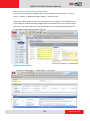
Setup which groups does each camera belong
Each Camera may belong to multiple groups. This is configured in Active Setup -> Camera
Setup -> Camera -> Detailed description setting -> Camera Groups.
Select the Camera Groups for each camera to belong to. Click “Apply” to save settings. Every
camera that has not been specially reassigned will automatically belong to the section named
“No Group”. This means that “No Group” will contain all devices unless the administrator has
unchecked the check box from specific cameras.
Defining User Roles
1. Please go to Active Setup -> System Setup -> User Roles
33
www.acti.com
NVR 2.2 SP3 (V2.2.57) User’s Manual
2. There are four pre-defined roles. There may be more than one user in a given user role.
Administrator is the role that controls the whole system. Setups are only allowed for the
administrator. Standard User can operate the view and see the playbacks. Supervisor can
do what Standard User can do, plus export evidence and take snapshots. Guest users can
only see the live view.
3. If you have other combinations of allowed functions in mind, then you may create a new
User Role by typing the Role Name, Role Description and selecting the intended functions
in the list below. You need to first check the boxes to the left to enable the module, then
select the detail operations allowed for this role. Then click Apply to add this role to the
User Role list.
Defining Users
You may add users to NVR system by going to Active Setup -> System Setup -> Users
You may configure the User Account, User name, password, email Address, User Role and
Descriptions here. The camera groups available to this user are also selected here.
34
www.acti.com
NVR 2.2 SP3 (V2.2.57) User’s Manual
View Live Video
Now that you‟ve added your devices to NVR, you should go to Active monitor to test the
connection.
Display selected Camera
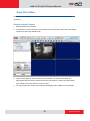
1. Start Active Monitor and login.
2. The interface is shown as below. To the top left is the camera tree. Above the video display
windows are the layout selection tab.
3. There are two ways to see live view from your camera. You may click and drag the
appropriate camera from the camera tree to the view window, or select the view window
then double click on the camera you wish to add.
4. You may arrange the channels by clicking and dragging them to different view windows.
35
www.acti.com
NVR 2.2 SP3 (V2.2.57) User’s Manual
Recording and snapshots
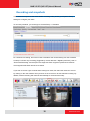
There are three ways to record video. Before recording video, please go to System Setup ->
Storage to configure your disks.
To record by schedule, you should go to Camera Setup -> Schedule
For continuous recording, first click on radio “Schedule” then click and drag over the scheduler
to setup. For Event only recording (Triggered by motion detection / Digital inputs/ PIR), click on
“Event with Streaming” and setup the time segments. Each segment represents 20 minutes.
Time segments left blank will not be recorded.
If you wish to record a give channel while viewing live video, first select the channel to record
by clicking on the view window. Then just click on the record icon to start manual recording. By
default, manual recording will continue automatically for 5 minutes then stop.
36
www.acti.com
NVR 2.2 SP3 (V2.2.57) User’s Manual
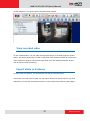
To take snapshots, you should click the snapshot button instead.
View recorded video
To view recorded video, you may either use the Active Player, or the Utility program “Archive
Player”. Use Active player when you wish to search for some specific event but do not know the
exact original recording file. Use archive player when you have already located the file and
wish to perform further processing.
Export Video as Evidence
To export video as evidence, you should first locate the file via Active Player.
If the format you need is AVI or RAW, you may export directly from Active Player. If you need
JPEG files, you may also use Media Converter to convert part of the video into JPG images.
37
www.acti.com
NVR 2.2 SP3 (V2.2.57) User’s Manual
NVR Operation Explained
Camera Setup
Camera
Cameras are the fundamental building blocks of surveillance systems. This section describes
how to:
1. Add or delete camera/ video server to NVR system
2. Sort through the various methods of connection to your camera/ video server.
3. Fine tune device through the Advanced Setting tab.
4. Configure camera groups, frame rates and other settings.
5. Save setup time by copying settings across cameras.
Each camera is configured separately. You should first select a camera to access its settings.
Add New Camera
There are two ways to add devices into the system, auto or manual. Use auto search if your
cameras are located in the same subnet as your NVR server. If your cameras / video servers
are located outside of local subnet or if you are unable to find it via auto search, then please
use connect to it by Manual Add. You need to know the IP address of the device to add it
manually.
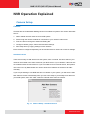
If you are just starting to use NVR and have no camera in your system, you will see the Add
New Camera screen automatically when you use active setup. If you already have devices in
your NVR system, then click “New” under the Camera tab to add new camera.
Fig. 13 Camera Setup - Add New Camera
38
www.acti.com
NVR 2.2 SP3 (V2.2.57) User’s Manual
Auto Scan
Select „Auto‟ and click „Next Step‟ to start auto scan. NVR will take a short while to look for
devices on your network. Only devices on the same subnet can be found. A list of available
cameras and video servers will be displayed once the search is complete.
Fig. 14 Camera Setup – Auto Scan - Auto Search Result List
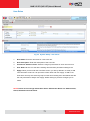
1. Add New Camera: After you‟ve selected all the devices you wish to add to NVR and which
channel ID should they be assigned to, click here to add the selected devices into NVR
database.
2. Cancel: Click this button to abort adding devices and return to the Add New Camera
screen.
3. List of Cameras/Video servers: Here is a list of devices found over the network. You may
click on the row of the device you wish to add, and User can see the list of all the IP
cameras / video servers found. You may click the column heading to sort by each column.
4. LAN/WAN IP Address: Most devices have a single IP address. Some devices provide two
IP addresses identified as LAN or WAN. Please click on the radio button to select the IP
address you want to connect to. In most cases this would be the WAN address.
5. Camera ID: When you select the row of the device you wish to add, a drop-down list will
appear to the right in the Camera ID section. Select an unused camera ID to refer to this
device in NVR.
The column “Channel No” is used for multiple channel Video Servers. One video server may
connect to many analog cameras, and they are identified by the Channel No. You may add
each Channel No. as a separate Channel in NVR.
39
www.acti.com
NVR 2.2 SP3 (V2.2.57) User’s Manual
Manual
Select „Manual‟ and click „Next Step‟ in the Add New Camera screen to proceed.
Fig. 15 Camera Setup - Manual
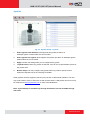
Please fill up the „Basic Setting‟ of the camera. Then Click ‟17. Get Device Setting‟ to read the
other settings from your device.
Fig. 16 Camera Setup – Manual - Basic Settings
1.
Web Configurator: Click this button to open web configurator of the camera/video server.
Some detailed settings are available only through the web configurator and not through
NVR.
40
www.acti.com
NVR 2.2 SP3 (V2.2.57) User’s Manual
2.
Apply: After finishing all the setting, click this button to add camera/video server to NVR
3.
Cancel: Click this button to cancel adding camera/video server
4.
Camera ID: Select the new camera ID to assign to the camera.
5.
Protocol: Select a streaming protocol to connect the camera with. You may choose
between TCP, RTP or HTTP.
6.
Camera IP: Enter the camera‟s IP address or host name
7.
Http Port: Enter the HTTP port for IP cameras/ video servers. Most cameras use the
default port number of 80.
8.
User Name: Enter the user name to login the camera.
9.
Password: Enter the password to login the camera.
10.
Connection Type: This is the method of connection between NVR and the camera /
video server.
I.
Get Video from Device: The video stream will be sent directly from the camera /
video server. If you use this method, each user will establish a separate connection
to the device. Please be careful not to overload the camera with too many viewers
at the same time.
II.
Get Video from NVR: When you use this method, options 11~15 will show up. This
allows you to get video stream by logging to another NVR system. Then user has to
fill up all these fields to access the assigned NVR. Please make sure you have the
proper access rights on the target NVR. You should also verify the port settings and
the firewall forwarding configurations on all the routers between your current NVR
PC and the target NVR PC.
III.
Get Video from Current NVR: The video stream will be sent from the current NVR
you are logged in. This is the recommended method unless your installation
requires many NVR servers.
11.
NVR IP: Enter NVR server IP address.
12.
NVR User Name: Enter the user name to login to the target NVR Server
13.
NVR Password: Enter the password to login to the target NVR Server
14.
NVR Streaming Port: Enter the streaming port for the target NVR Server
15.
NVR Control Port: Enter the control port for the target NVR Server
16.
Reset: Reset all the fields to default value
17.
Get Device Setting: Get Setting information from device
After you have filled in the basic setting and completed getting device settings, your screen will
be similar to the figure below. You can click
to open/close Media Source Information
section and the Advanced Setting section.
41
www.acti.com
NVR 2.2 SP3 (V2.2.57) User’s Manual
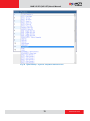
Fig. 17 Camera Setup – Manual - Get Device Setting completed
Click the apply button to add device to NVR system. We will explain the other sections below
42
www.acti.com
NVR 2.2 SP3 (V2.2.57) User’s Manual
Detail Description Setting
Fig. 18 Camera Setup - Detail Description Setting Tab
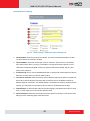
1. Camera Name: Enter the name of the camera. This name should be descriptive so that
you know where the camera is located.
2. Camera Model: Select the device type of the IP cameras / video servers. If the setting
here does not the device, you may not be able to use the full function properly. In most
cases this is automatically filled in when you perform Get Device Setting and you don‟t
need to worry about it.
3. Production ID: This is a more detailed parameter on what product series does the camera
belong to. In most cases you will not need to edit it.
4. Connection Timeout: Enter the amount of time without response for NVR to consider the
device to be disconnected (in seconds). We recommend you to set different values for
different types of connection. The default setting is 5 seconds. For devices located over the
internet, you may wish to increase this value to allow for occasional internet lags.
5. OSD Position: for devices with OSD (On Screen Display), this determines where to show
them. In most cases you do not need to edit this value.
6. Camera Groups: Select the camera groups for this device to belong to. One camera may
belong to many camera groups at the same time.
43
www.acti.com
NVR 2.2 SP3 (V2.2.57) User’s Manual
Frame Rate Setting
Fig. 19 Camera Setup - Frame Rate Setting
1. Frame Mode: Show the Frame mode Constant / Variable
2. Live View: Select the FPS (Frame per second) number to see in live view by workstation.
3. Remote Live View: Select the FPS number to see in live view by web client
4. Scheduled Record: Select the FPS number when you use schedule recording
5. Event Record: Select the FPS number when you use event recording
6. Dual Stream Settings: If the camera/video server provide dual stream, options 7 and 8
will show up.
7. Live View Stream: Show the stream used for Live View. NVR uses only media 1 for live
view.
8. Recording Stream: Select the stream (Media 1 or 2) to use for recording. By using
different streams for recording and live view, you may use different values so that the live
view stream is smaller in size with lesser frame rate to save decoding CPU power and
bandwidth. Meanwhile the recording stream can be larger and have more FPS so that if
you have clear images when you need to retrieve evidence.
IMPORTANT: It is highly recommended that users use Get Device Setting before making
configuration changes, and use “Apply” after the changes are made. This way the status of IP
Camera can be synchronized to the NVR Server.
44
www.acti.com
NVR 2.2 SP3 (V2.2.57) User’s Manual
Advanced Setting
Fig. 20 Camera Setup –Advanced Setting - Video Quality
There are several tabs available under advanced setting. Please always use “Get Device
Setting” before reviewing this section so that the information represented is up to date. Some
settings may not be edited through NVR and will need to be changed through the web
configurator.
Video quality tab:
1. Video Encoder: Show the codec of camera/video server
2. Stream Mode: Show whether the streaming mode is single or dual.
3. FPS: User can see the FPS (Frames Per Second) on this IP camera here. To modify it,
select the new one and click the Apply button.
4. Resolution: User can see the Resolution on this IP camera here. To modify it, enter
desired resolution and click the Apply button.
5. Bitrate Mode: Select Bitrate Mode of camera/video server
6. Maximum Bitrate: Select the maximum bitrate of camera/video server
7. Bit Rate: User can see the target Bit Rate on this IP camera. To modify it, enter the new
one and click the Apply button
45
www.acti.com
NVR 2.2 SP3 (V2.2.57) User’s Manual
Fig. 21 Camera Setup – Advanced Setting – Video Adjustment
Video Adjustment tab:
1. Brightness: Adjust the brightness value either by clicking on the bar or selecting from the
drop down list.
2. Saturation: Adjust the Saturation value either by clicking on the bar or selecting from the
drop down list.
3. Contrast: Adjust the Contrast value either by clicking on the bar or selecting from the drop
down list.
NOTE: Some devices do not allow setting for some of these values.
46
www.acti.com
NVR 2.2 SP3 (V2.2.57) User’s Manual
Fig. 22 Camera Setup – Advanced Setting – Connection Port
Connection Port tab:
Settings in this section are read-only. To modify them, please use the web configurator
to access camera firmware directly over Internet Explorer.
1. Register Port: User can see the current register port on this IP camera here.
2. Control Port: User can see the current control port on this IP camera here.
3. Streaming Port: User can see the current Streaming port on this IP camera here.
4. Multicast Port: User can see the current multicast port on this IP camera here.
47
www.acti.com
NVR 2.2 SP3 (V2.2.57) User’s Manual
Delete Camera
This section describes how to delete a camera. There are several options when deleting a
camera/video server. You may select a single camera first and click the „Delete‟ button to
decide what settings to delete. If user wants to delete all cameras and video servers, click the
„Delete All‟ button.
Fig. 23 Camera Setup - Delete Camera
1. Delete a single Camera/video server: Click this button to remove this device from NVR.
2. Delete All: Click this button to delete all of the cameras and video servers in the camera list
NOTE: Please be very careful when you select this option. This delete is irreversible. We
recommend you to backup your data with backup wizard before using the Delete All
option. Even if you have kept a backup with the backup wizard, it will only save your
camera settings, and will not retain your video recordings if they are also deleted.
After you clicked the „Delete‟ button, you will see three options with different settings to delete.
Please select one method to delete.
48
www.acti.com
NVR 2.2 SP3 (V2.2.57) User’s Manual
After user click „Delete All‟ button, the three options will also show up. Please select one
method to delete. Deleting cameras will also remove them from Layouts and View Tours, but
will not remove the maps or the camera groups they are involved in.
49
www.acti.com
NVR 2.2 SP3 (V2.2.57) User’s Manual
Copy Settings
When setting a large number of devices, many settings will be the same across cameras, and
it is sometimes tiresome to repeat everything again and again. You can use the Copy Setting
function to save the hassle of needless repetition.
Fig. 24 Camera Setup - Copy Setting
1. Apply: Click this button after you have selected the types of info to copy.
2. Cancel: Click this button to cancel copy settings
3. Camera Data Target: Select one camera/video server to copy data to. If you select Add
New Device, a new device will appear with the same settings as your current camera. You
may wish to modify the settings from there.
4. Items: Check the settings that you want to copy. Some detailed settings require you to first
select Camera model to be able to include them in copy settings.
50
www.acti.com
NVR 2.2 SP3 (V2.2.57) User’s Manual
Record Path
This section describes how to configure video recording for each camera.
Fig. 25 Camera Setup - Record Path
1. Apply: Click this button to save the settings after you‟ve done configuration.
2. Recording path: This is the path where all recordings for this channel are stored. This is
read-only and cannot be edited. This can only be modified in Setup System -> Storage
management.
3. File Type: This shows the file type for recordings. Currently only .RAW format is allowed.
4. Snapshot File Type: Please select the file type for snapshots. You may choose
between .JPG file and .BMP file.
5. Frequency of flush record file: This is the length of each video recording segment.
Shorter segments create more files, and may overload Microsoft SQL server in extreme
cases. Please set this to at least 10 minutes unless there is special requirement.
Recommended value is 30 minutes per video segment.
6. Pre-event recording buffer: NVR keeps a short cache of video received from devices. If
an event is triggered, NVR will automatically store the pre-event buffer along with the
recording of the event itself. E.g. Digital input is triggered when the gate is forced open. A
recording of the five seconds before the door is forced will be added to the video record.
7. Post-event recording buffer: This determines how long after the event is triggered
should be included in the event recording file.
NOTE: You should only use recording by event scheduling if activity is NOT
frequent and spaced far apart enough for significant storage space savings. If you
expect to encounter frequent short triggers, you should use scheduled recording to
keep track of the whole time period. An example would be the entry of a retail shop
during business hours.
51
www.acti.com
NVR 2.2 SP3 (V2.2.57) User’s Manual
Schedule
This section describes how to configure the recording schedule for the IP camera / video
server. There are two ways to setup recording schedule:
1. Weekly Schedule: This marks the weekday and time to record and will be repeated every
week.
2. Special day: This marks special record schedules for individual days. On such days the
Special day schedule will override the Weekly Schedule.
When you select the Schedule Section, you will see the weekly schedule view. The schedule is
broken down in 20 minute segments.
Fig. 26 Camera Setup - Schedule – Weekly View
To change the assigned record method for each time segment, click the radio button,
then click and drag across the schedule to change the color.
1.
View By Camera: Click this button to configure recording schedule of this camera
2.
Delete: Click this button to remove all weekly schedules of this camera. Please note that
you still need to click “Apply” to confirm editing. Special day schedules are not affected.
3.
Apply: Click this button to save the settings.
4.
Schedule: The camera will record continuously during your designated period.
5.
Event with Streaming: NVR will keep receiving video from cameras, but will not record
unless events are triggered. This method saves the storage space and keeps only the
relevant video.
6.
Delete: The camera will not perform any recording during the selected time period.
After configuring the recording schedule, if you need to copy the schedule to other cameras,
52
www.acti.com
NVR 2.2 SP3 (V2.2.57) User’s Manual
you can click „Copy Camera Setting‟ button to replicate the schedule across many devices.
Fig. 27 Camera Setup – Schedule – Copy Setting(Weekly)
1.
Copy Camera Setting: Click this button to copy setting from this device to others. Please
note that if you selected Copy Camera setting during Weekly Schedule, only the weekly
schedule will be copied. The special day settings of the target cameras will not be
changed.
2.
Apply: Once you completed the choices, click apply to save settings to target cameras.
3.
Camera: Check the Cameras to copy schedule to. You may also click the checkbox in
front of Camera to select all devices.
4.
Schedule: You may adjust your schedule before copying to devices.
Note: After you modify the recording schedule and click „Apply‟, it would only save to
the assigned cameras but not to the original camera.
53
www.acti.com
NVR 2.2 SP3 (V2.2.57) User’s Manual
Special Day
Sometimes you need to override the weekly schedule during special days. This is where you
should go for such settings.
Fig. 28 Camera Setup - Schedule - Special Day
To change the assigned record method for each time segment, click the radio button,
then click and drag across the schedule to change the color.
1. Special Day: Click this button to establish schedule for special days. This schedule will
override weekly schedule settings.
2. Delete: Click this button to remove all special schedules of this camera. Please note that
you still need to click “Apply” to confirm editing. Weekly schedules are not affected.
3. Apply: Click this button to save the settings.
4. Schedule Calendar: Select the day to edit with the calendar here.
5. Schedule: The camera will record continuously during your designated period.
6. Event with Streaming: NVR will keep receiving video from cameras, but will not record
unless events are triggered. This method saves the storage space and keeps only the
relevant video.
7. Delete: The camera will not perform any recording during the selected time period.
8. Schedule table on Special Day: After you‟ve selected the day to edit, this is where you
54
www.acti.com
NVR 2.2 SP3 (V2.2.57) User’s Manual
edit schedule for that day.
9. Special Day List: A list of all special day schedules are shown here.
You may perform Copy camera setting in the same way as the weekly schedule. Only the
special day schedules will be copied if you select copy camera setting here. Please see the
sample screenshot below.
Fig. 29 Camera Setup - Schedule - Copy Setting (Special day)
55
www.acti.com
NVR 2.2 SP3 (V2.2.57) User’s Manual
Motion
This section describes how to setup motion detection for this camera with NVR. Before
configuring motion detection, first make sure you can connect properly to the IP camera / video
server and get device settings. This section covers both video motion detection and PIR
(Passive Infrared) motion sensors. PIR is available only for some models.
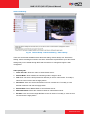
Fig. 30 Camera Setup - Motion - Get motion setting
1. Get Motion Setting: Click this button to connect to retrieve motion detection setting from
the device and see live view. The parameters of each motion region from the device will be
displayed to the right. In this stage red motion region borders will show up if you have
previously configured motion detection in NVR and applied it to both device and NVR. You
can check if the current setting detects video motion satisfactorily. If you wish to modify the
motion detection settings, click “Motion Setup”
2. Motion Setup: After you retrieved motion setting from device, click this button to start
setting up motion detection or PIR motion sensor. The previously grayed out check boxes
for each region will be enabled now. In this stage you may configure the size and location
of each individual region. Please see screenshot on the next page.
56
www.acti.com
NVR 2.2 SP3 (V2.2.57) User’s Manual
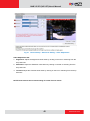
Fig. 31 Camera Setup – Motion - Motion Setup
After you click the Motion Setup button, the „Apply‟ button will show up and replace „Motion
Setup‟. Then you can start to configure motion (and PIR) detection
1.
Get Motion Setting: Click this button to connect to retrieve motion detection setting from
the device and see live view.
2.
Apply button: Click this button to save the settings to camera and NVR
3.
Show Motion Region in Active-Monitor: When this checkbox is checked, a red
rectangle representing the motion region will in Active-Monitor during live view if there is
motion activity. Please note that if the motion detection region was configured only in
camera and not through NVR, the live view camera title bar will turn red, but the motion
region rectangle will not show up in Active Monitor live view. Whether PIR motion sensor
activity will show red borders around the live view window is also controlled here.
4.
Set: After checking/unchecking “Show Motion Region in Active-Monitor”, click „Set‟ button
to save the setting. This setting applies to all cameras, regardless of which camera you
enabled it from.
5.
Enable / Disable Motion Detection: Click this button to enable / disable this motion
57
www.acti.com
NVR 2.2 SP3 (V2.2.57) User’s Manual
detection area. The motion detection region setup rectangle will show up when this is
enabled.
6.
Sensitivity: Enter the sensitivity level of this motion detection region. Higher sensitivity
levels are more easily triggered, but may give more false alarms. Sensitivity may range
from 1-100
7.
Name: Enter the name of this motion detection region. This is the name that will be
shown in Event manager and the Active Monitor event panel when motion activity is
detected.
8.
Timer: The interval before the next motion detection can be triggered again. The range of
available value is 1-300 seconds.
9.
Description: Enter more detailed description of this motion detection area. Both the
name and the description will be shown in the event manager.
10.
Enable/Disable PIR Event: Click this button to enable / disable PIR detection.(Available
only to certain models)
11.
Motion Region: Click and Drag to setup the location and size of the target motion region
in view window
After you‟ve completed setup, please click “Apply” to save into to camera and NVR. This
process may take a short while. If you have pressed “Get motion setting” and leave the page
without applying, the system will provide a warning message to urge you to save all changes.
If you have changed the motion detection settings via the web configurator, please remember
to come back to NVR and press Get device settings, then click apply to save to NVR. This is to
ensure that the settings in NVR are always in sync with the device.
* For ACTi TCM/TCD model devices, motion detection is available when codec is either H.264
or MPEG4. MJPEG does not support motion detection.
58
www.acti.com
NVR 2.2 SP3 (V2.2.57) User’s Manual
PTZ
This section describes how to set the PTZ (Pan/Tilt/Zoom) parameters for this camera. IP PTZ
cameras may be controlled directly. Or you may use a video server to either connect to an
analog PTZ camera or an analog PTZ camera plus a PTZ platform. You need to complete
setup in this section to enable PTZ Preset and Preset Tour sections. If the parameters here are
incorrect, the device will not respond properly to your PTZ commands.
Fig. 32 Camera Setup - PTZ setup
1.
Apply button: Click this button after you finish setup to save the settings
2.
Enable/Disable PTZ: Click this to enable or disable the PTZ function of this device.
3.
Vendor: Select the vendor of the PTZ device/ speed dome you wish to control. You may
select the device type directly if it is listed here.
4.
Protocol: Select the protocol of the PTZ device/ speed dome.
5.
PTZ File: If the protocol for your PTZ device is not within the previous list, you can import
a new protocol file to control the PTZ device / speed dome. Commands in PTZ file will
override the protocol previously selected. For details about the protocol file format,
please contact our technical support. PTZ file setup is not available for Web Clients.
6.
Address ID: Enter the address ID of the PTZ device / speed dome.
7.
Parity: Enter the parity of the PTZ device / speed dome.
8.
User Command List: If your speed dome or PTZ device has a special function not
supported in the standard protocol. Ex: Activate the wiper to clean the window of the PTZ.
User can manually input the command to activate the wiper for later selection in PTZ
controls.
59
www.acti.com
NVR 2.2 SP3 (V2.2.57) User’s Manual
9.
Baud Rate: Enter the baud rate of the PTZ device/ speed dome. This option appears
only for certain models.
10.
Absolute Position: Check this box to enable PTZ by absolute positioning. This option
appears only for certain devices
60
www.acti.com
NVR 2.2 SP3 (V2.2.57) User’s Manual
PTZ Preset
This section describes how to setup PTZ preset points, auto scan and the OSD (On Screen
Display) settings of the camera. Some devices may not support all functions listed here.
Fig. 33 Camera Setup - PTZ preset
1.
Live View: Click this button to see live view from camera
2.
Close: Click this button to stop previewing current camera in live preview window
3.
Apply: Click this button after you‟ve completed setup to save the settings
4.
Image Preview: You can see the camera preview here
5.
OSD setting Control Panel: For devices that provide On Screen Display control (OSD),
you may open control panel and configure the camera via OSD here.
6.
PTZ Operation Control Panel: You may control camera movement in this panel. Please
note that if the device does not support zoom, then the zoom in / zoom out buttons will
not show up.
7.
Auto Scan Panel: You may setup Auto scan parameters in this panel. For some devices,
you can only start or stop the auto scan. The camera will automatically scan between the
61
www.acti.com
NVR 2.2 SP3 (V2.2.57) User’s Manual
left extreme and the right extreme position. . For some devices, you can set the borders
for the auto scan to repeat between. The Auto Scan panel for such devices will look like
below.
8.
Preset Points Setup Panel: Here you may perform setups and operations about PTZ
preset points.
: To setup a PTZ Preset point, move the camera to your desired view angle (including
pan, tilt and zoom) via the PTZ control panel. After you‟re satisfied with the view, please
enter a name for the Preset point and click this button to save the settings.
: Click this button to delete this Preset point from both NVR and Device
: Click this button to go to the preset point
NVR supports up to 32 Preset Points. Some devices may not support that many Preset Points.
NOTE: After you finish setting or deleting preset points, please click “Apply” to ensure
the changes are properly saved to the device.
62
www.acti.com
NVR 2.2 SP3 (V2.2.57) User’s Manual
Preset Tour
Preset Tour is a preconfigured PTZ sequence that directs the camera to cycle through multiple
preset PTZ views, including where to look and how long to look at each location. You may
configure the preset points to go to in the previous PTZ Preset section. Make sure you
configure PTZ and PTZ Preset sections correctly before setting up Preset Tours.
Fig. 34 Camera Setup - Preset Tour
1.
New Tour: Click this button to create a new tour. Enter the Tour Name and Description,
then click “apply” to add a new tour to the tour list.
2.
Delete Tour: Click this button to delete the currently selected tour from the tour list.
3.
Add Preset Point: Click this button to add preset point to the current tour. After you click
this button, you will enter the subsection showing the available preset points.
63
www.acti.com
NVR 2.2 SP3 (V2.2.57) User’s Manual
You may click the checkbox in front of each preset point to select it. When you‟ve selected all
the presets points you wish to add, click “Add” to add them to the preset point list. Click Return
to return to preset tour page without making any changes.
4.
Delete Preset Point: Click this button to delete preset points of a tour.
5.
Apply: Click this button to save all current settings. If you are editing an existing tour, you
may change the tour name, description and preset setting. If you just clicked “New tour”,
then pressing apply will add the new tour to the tour list. Be sure to click Apply after
you finished setup, before configuring something else.
6.
Tour ID: Each preset tour has a unique preset tour ID stored in the system. The ID
column is entered automatically by the system
7.
Tour Name: Enter the name of this preset tour
8.
Description: Enter the description of this preset tour
9.
Preset Points Sequence Control Panel: You may rearrange the preset point sequence
here. First click on the row of the preset point you wish to move, then click the buttons to
move to top, move up, move down or move to bottom of list.
10.
Preset ID list: All the preset points included in this tour are listed here. Click on the
appropriate row to edit that preset point. You may setup how long will the PTZ camera
stay at each point by selecting from the drop down Dwell time list. Default dwell time is 30
seconds. You may change the value here, but do not use dwell time smaller than 15
seconds unless absolutely necessary.
11.
Tour ID list: All tours currently configured are listed here. You may select each tour to
edit the details.
64
www.acti.com
NVR 2.2 SP3 (V2.2.57) User’s Manual
Event Manager
Event Manager describes how NVR responds to events from devices. You may configure the
event types and the responses to these events. An example would be for NVR to record video
when motion detection from camera is triggered, and send email to alert the supervisor.
Event List
Event list panel gives an overview on event setup for this device. The Event type column is the
original trigger from the device. The Name is shown on the Event panel so that you may easily
decide what exactly happened.
Fig. 35 Camera Setup – Event Manager - Setup
1. Delete: Click this button to delete all the settings on the event. Settings on other events are
not influenced. (e.g. only settings for MD1 are removed, while settings on MD2 and Alarm
1 are kept)
2. Apply: Click this button to save settings to NVR and device
3. Event type: User can see the list of event type here and select the event user wants to
trigger to modify it. The Action and Mail checkboxes indicate if there is any responses
currently configured for this type of event.
4. Enable Action: After selecting an event, first user has to enable the function by checking it
and then select which action to take upon event.
5. Enable E-Mail Notification: If you wish to send email notification, you need to first enable
it by checking the checkbox.
65
www.acti.com
NVR 2.2 SP3 (V2.2.57) User’s Manual
When cameras have PIR, the event type PIR will show up. Therefore, user can take it as one of
the events and set actions for it.
Fig. 36 Camera Setup – Event Manager - PIR
66
www.acti.com
NVR 2.2 SP3 (V2.2.57) User’s Manual
Actions
This section lets you select which action to take upon event.
Fig. 37 Event Manager Setup – Action Tab
1. Action: Check this box to enable the following responses. Existing settings are still kept if
you disable action responses by clearing the checkbox. The settings will be grayed out as
a result.
2. Snapshot: Click to enable / disable Snapshot when this event occurs
3. Trigger DO1: Click to enable / disable DO1 when this event occurs. You may also setup
the duration for DO1 to be triggered.
4. Trigger DO2: Click to enable / disable DO2 when this event occurs. You may also setup
the duration for DO2 to be triggered.
67
www.acti.com
NVR 2.2 SP3 (V2.2.57) User’s Manual
5. Beep: Click to setup NVR to beep upon event. User can also select how many times does
it beep and the duration of each beep.
6. Play Audio File: Click to setup NVR to play your desired audio file for a number of
repetitions. User can enter the path of the audio file to be played. Please note that you may
either beep or play audio file, but cannot do both at the same time.
NOTE: Play Audio File function only works on NVR Workstation, not on Web Client.
7. Don’t beep: Click to disable beep function of NVR.
8. Activate Hot-Spot Window: Click to display video from the camera on Hot-Spot window
upon event. (The upper left main preview window). You may also select the duration for the
video to display on the Hot-spot window.
9. Activate Pop-Up Window: Click to display video form the camera on the event pop-up
window upon trigger. You may also select the duration for video to be displayed in the Pop
up window. Please note that you may activate either the Hot Spot window or the Pop-up
window, but not both at the same time.
10. None: Click here to disable both Pop-up and Hot-Spot windows.
11. Enable PTZ Command: Upon event, NVR can move specific camera to specific PTZ
presets. Check this box to enable this function.
12. Camera Channel and Preset number: Select which camera to move and which PTZ
preset to go to. Please note that you need to configure PTZ presets for that camera first.
13. Upload Snapshot File to FTP Site: Click to enable NVR to upload FTP to a FTP site
upon this event. You need to configure FTP settings in System Setup -> System for this to
function correctly. Please also make sure the FTP server setting is correct and the folder
access rights are properly configured.
14. Enable Execute Command and enter its File Path: Click to enable NVR to execute a
certain command upon this event. This is a very power function. User can use it to
integrate NVR‟s event handling with other programs. User can enter the path of the
command to be executed upon event.
68
www.acti.com
NVR 2.2 SP3 (V2.2.57) User’s Manual
Mail Notification Setup
This section lets you setup the E-mail notification.
Fig. 38 Event Manager Setup - Notification via Email
1. Notification via E-Mail: Check this box to enable email notification upon event.
2. Mail to: Click to select which users of NVR to send E-mail notification to upon this event.
All these E-mail accounts are from the NVR user list.
3. Mail Subject: Click to select the Mail subject to use. To avoid accidentally blocking the
message, you may wish to include special words, and use the words to do white listing on
your mail sever.
4. Mail Message: Write the message body of your email here.
NOTE: Only Alphabets, numbers, dash and underscore are allowed in Mail Subject /
Message. Special characters are not allowed.
5. Attach Snapshot File: Click to select whether to include Snapshot in E-mail upon event.
Attach Snapshot File option can only be enabled when Snapshot is enabled in the Action
tab.
NOTE: Event responses will only be triggered when the trigger time falls within either
the “Scheduled” Recording or the “Event with Streaming” Recording period. There
must be video stream from device when the event happens for event responses to
work.
69
www.acti.com
NVR 2.2 SP3 (V2.2.57) User’s Manual
System Setup
Camera Groups
Camera Group is an important layer of Camera management for NVR. User Permissions, View
Layouts and e-Maps are all based upon camera groups. Designing proper data groups in
advance is very important. One camera can belong to multiple groups at the same time, and
there‟s no limit to number of camera groups. Here‟s how to setup Camera Groups.
Fig. 39 System Setup - Camera Groups
1. Group Name: Enter the user group name for a new camera group or to modify existing
camera group.
2. Group Description: Enter the description of this camera group.
3. Group List: User can see all the groups already created here.
4. Apply button: When you first enter the Camera group screen, you are by default in a
“ready to add new group” mode. You can just enter a group name and click “Apply” to add a
new camera group. You may also select a group from the list of existing camera groups
below and edit the group. Always click “Apply” before leaving to preserve changes you‟ve
made.
IMPORTANT: Please do not delete default Camera Group. Default Camera Group is “No
Group”.
70
www.acti.com
NVR 2.2 SP3 (V2.2.57) User’s Manual
User Roles
Fig. 40 System Setup - User Roles
1.
Role Name: Enter the role name for a new user role.
2.
Role Description: Enter the description of this user role.
3.
Permission Selection Panel: Select the range of permission for each user role here.
4.
User Role List: You can see all the existing roles and their permission settings here.
5.
Apply: When you first enter the User Role screen, you are by default in a “ready to add
new User Role” mode. You can just enter a Role name and click “Apply” to add a new
User Role. You may also select a group from the list of existing user roles below and edit
the role permissions. Always click “Apply” before leaving to preserve changes you‟ve
made.
NOTE: Please do not change default User Roles. Default User Roles are: Administrator,
Guest, Standard User and Guard.
71
www.acti.com
NVR 2.2 SP3 (V2.2.57) User’s Manual
Users
Fig. 41 System Setup - Users
1.
User Account: Enter the user account for a new user or modify an existing user. This
user account will be used for this user to login the NVR system.
2.
User Name: Enter the user name of this account. This name is a reference data for this
account and will NOT be used for user to login NVR in the future.
3.
Password: Enter the password for this user account to login to NVR system.
4.
E-mail Address: Enter the E-mail address for this user. This may be used for
administrative purposes. Please note that when email is sent from event manager, the
emails are sent to the email stored here for the user account.
5.
User Role: Select the user role for this user.
6.
User Description: Enter the description for this user.
7.
Camera Group Permission: You may assign which camera groups are available to this
user. The user will not be able to see cameras outside for their permission.
8.
User List: User can see all the info on existing users here.
9.
Apply: When you first enter the Users screen, you are by default in a “ready to add new
User” mode. You can add new user by clicking “Apply” after filling in the required fields.
You may also select a user from the list of existing users and edit the roles and
permissions. Always click “Apply” before leaving to preserve changes you‟ve made.
NOTE: Please assign the correct Camera Groups to the user account created.
72
www.acti.com
NVR 2.2 SP3 (V2.2.57) User’s Manual
Storage
This section describes how to manage storage space in NVR. Please note that this section
only deals with the overall storage rules, and not storage of individual channels.
Please note that as NVR continuously writes and deletes file from the disk drive, using a
removable disk may risk losing recording when device is removed while being accessed.
Fig. 42 System Setup - Storage Management
1. Apply: Click this after you‟ve completed setup to save modified settings.
2. Recording Path: This is the folder path where the recordings from NVR will be stored.
This section will be inserted between the drive letter and the Channel number subfolders
3. Manual Record Duration: During manual recording in Active Monitor, this is the duration
when recording will automatically end if not stopped by user. If the user forgets to end the
manual recording, this prevents the recording from taking up unnecessary space.
4. Recording Delete Rule: There are two ways to delete recordings. The first one is to
decide a number of days of videos to keep, and delete recording files older than this. The
second option is to keep recording until the disk is almost full, and then delete the earliest
recording files. Select the method you wish to use by choosing the radio button.
5. Snapshot delete rule: This field defines how long will snapshots be kept on the disk drive.
73
www.acti.com
NVR 2.2 SP3 (V2.2.57) User’s Manual
Set the number of days to keep snapshots here.
6. Cleanup Space (GB): This is only used when recording delete rule is Reserve Space.
Once free space on the drive is lower than reserve space, the system will delete the
earliest recordings. This is the amount of space to clean out each time. Setting cleanup
space to small will result in over frequent deletes.
7. Selected Drive: Here you can see the storage space information for your disk drives.
8. Shift drive up / down: If you have multiple drives in your system, this changes the priority
in which they are used.
9. New / Delete: These two buttons control whether a drive is added to the system. To add
new disk to be used for NVR storage, select a disk below and click “New”. To remove a
drive from use, select a disk above and click “delete”. Please note that removing a disk will
result in deleting all previous recordings on that disk.
10. Available Disk Drives: These are the drives detected by NVR, but not yet included for
video storage use.
Note: When deleting storage drive will delete all recorded logs on this disk.
74
www.acti.com
NVR 2.2 SP3 (V2.2.57) User’s Manual
Joystick
Fig. 43 System Setup - Joystick
1.
Select joystick of IP Desktop: NVR supports two joystick providers, IP
desktop/Logitech. Please select the correct model.
2.
Select joystick of Logitech: NVR supports two joystick providers, IP desktop/Logitech.
Please select the correct model.
3.
Apply: Confirm the settings after you‟ve configured the joystick..
4.
Joystick Picture: When any joystick is selected, user can see a representative picture of
the joystick here.
5.
Button setups: You may configure the joystick buttons to perform specific actions.
Please the dropdown list in the next page for details.
Other joysticks are also supported, but they may not offer 3-dimentional operation. The user
may need to define zoom in and zoom out with specific buttons. USB joystick shown here may
be obtained from www.chproducts.com or other online distributors.
Note: Joystick Setup is available only through workstation and not available through
web client.
75
www.acti.com
NVR 2.2 SP3 (V2.2.57) User’s Manual
Fig. 44 System Setup - Joystick - Dropdown features menu
76
www.acti.com
NVR 2.2 SP3 (V2.2.57) User’s Manual
View Layouts
This section describes how to setup view layouts. View layouts are predefined arrangements of
cameras in a single screen. Each screen may contain multiple cameras, and the location of
each camera in each layout can be configured.
Fig. 45 View Layouts
1. New button: Click this button to create a new view layout. When you enter the View Layout
screen, it is by default in the “New” mode. Select the camera group, choose a layout style,
provide a name to the layout and assign at least one camera to the view before clicking
“Apply” to add a new layout.
2. Delete Button: If you have selected one layout from the list below, this button will appear.
You can click this to delete the layout from list.
3. Camera Groups: Select the camera group you wish to view from the drop down list. Only
cameras in the camera group can be assigned to the windows in the view layout.
4. Name: Enter the name for a new layout list or to modify an existing view layout.
5. Layout Style: Select the number of channels to see in this view layout.
6. Set as Default: Select this option to use this layout as the default view to see upon login.
7. Description: Enter descriptions for this view layout here.
8. Layout Setting: Pick the cameras to view in each window for this view layout. Only
77
www.acti.com
NVR 2.2 SP3 (V2.2.57) User’s Manual
cameras in the selected camera group are available. You may assign the same camera to
more than one window. Please note that if you assign one camera to more than one
window, the streaming load will be increased.
9. View Layout List: User can see the existing view layout list here. Click on the row of the
target layout to edit.
10. Apply Button: Click button to confirm and save the settings. If the View Layout screen is in
the “New” mode, clicking Apply will add a new layout.
78
www.acti.com
NVR 2.2 SP3 (V2.2.57) User’s Manual
View Tours
This section describes how to setup View Tours (Layout tours). View Tours are a predefined
sequence of view layouts that will be displayed in the Active Monitor. It is useful when you need
to monitor a large number of channels and also want enough detail in each view. Make sure
you configure View Layouts correctly before setting up View Tours.
Fig. 46 System Setup - View Tours
11. New Tour: Click this button to create a new layout tour. Enter the Tour Name and
Description, and then click “Apply” to add a new layout tour to the tour list.
12. Delete Tour: Click this button to delete the currently selected tour from the tour list.
13. Add Layout: Click this button to add layout to the current layout tour. After you click the
button, you will enter the subsection showing the available layouts.
Check the checkboxes in front of each layout to select it. When you‟ve selected all the layouts
you wish to add, click “Add” to add them to the layout tour. Click Return to return to preset tour
page without making any changes.
79
www.acti.com
NVR 2.2 SP3 (V2.2.57) User’s Manual
14. Delete Layout: Click this button to delete layouts from a layout tour.
15. Tour Information: Each layout tour has a unique view layout ID stored in the system. The
column ID is assigned automatically by the system. Each tour also has a tour name and
description.
16. Layouts in This Tour: All the layouts included in this tour are listed here. Click on the
appropriate row to edit that layout.
17. Layout Tour Sequence Control panel: You may rearrange the layout sequence here.
First click on the row of the preset point you wish to move, then click the buttons to move to
top, move up, move down or move to bottom of list.
18. Dwell Time: You may setup how long should Active Monitor stay in each layout by
selecting from the drop down Dwell time list. Default dwell time is 30 seconds. You may
change the value here, but do not use dwell time smaller than 15 seconds unless
absolutely necessary.
19. Tour List: All layout tours currently configured are listed here. You may select each tour to
edit the details.
20. Apply: Click this button to save all current settings. If you are editing an existing tour, you
may change the tour name, description and preset setting. If you just clicked “New tour”,
then pressing apply will add the new tour to the tour list. Be sure to click Apply after you
finished setup, before configuring something else.
Note: If you remove a camera that is part of a layout, the window for that removed camera will
display a black video when viewed.
80
www.acti.com
NVR 2.2 SP3 (V2.2.57) User’s Manual
Language
This section describes how to translate and modify the embedded texts through the language
section of NVR.
Fig. 47 System Setup - Language
1. Insert button: If the language you wish to translate to is not in the Language list to the
right
, click here to select from the full Language list. Check the boxes before the ones
you wish to translate and click Insert again as in the figure below.
Fig. 48 System Setup - Language - Language List to Insert
81
www.acti.com
NVR 2.2 SP3 (V2.2.57) User’s Manual
2. Remove button: You may remove language already inserted by clicking here. You can
select language to remove from the support list below.
Fig. 49 System Setup - Language - Language List to Remove
3. Reset button: Restore the fields back to default settings.
4. Export button: Export current language to an XML file for editing. Click here and a select
path and filename to export. This is available only to workstation, not to Web Client.
5. Import button: Select a translated XML file to import. You may update support for new
languages or change the more up to date translated version for your language this way.
6. Apply button: Confirm and save current settings.
7. Language: Show the keyword list of the selected language to edit.
82
www.acti.com
NVR 2.2 SP3 (V2.2.57) User’s Manual
Services
This section describes how to start / stop the various NVR component services. Occasionally,
some minor errors in NVR operation can be easily fixed by stopping and restarting individual
services.
For security reasons, this section is only available to workstation running on the same PC as
the NVR server. You cannot access this through web Client.
1. Refresh: Click to refresh the status of all services.
2. ActiveEventManager.EXE: Event Manager handles events and responses, and executes
all rule-based reactions.
3. ActiveScheduleService.EXE: Schedule service provides recording and scheduling
management.
4. ActiveServiceManager.EXE: This program monitors the other software service modules.
If the other services are down, it will automatically restart them.
5. ActiveStreamingService.EXE: Streaming engine handles connection to ACTi IP devices
and provides video stream to multiple clients.
6. ActiveMessageEngine.Exe: Message engine maintains proper background
communication between the various win32 services.
7. Service Status: Current status of each service is shown here. They may be either
Running, Pending, Stop Running, stopping and stop.
8. Service Action –Start Service button: Start Service
9. Service Action – Stop Service button: Stop Service
83
www.acti.com
NVR 2.2 SP3 (V2.2.57) User’s Manual
License
ACTi NVR software has 16 channel / 32 channel / 48 channel / 64 channel packages and is
free for 16 channels. For more than 16 channels, you have to purchase a license key.
Please contact our sales representatives for 32/48/64 channel license keys.
Version
NVR Professional
Channels
Single Package
NVR Enterprise
Server
16
Workstation
Free
Free
32 / 48 / 64
Free
License Required
Fig. 50 System Setup - License - License Requirements
How does registration work
During registration, your license key is matched against the MAC address on the Network
Interface Card (NIC) on your computer. This MAC address is used as the Machine Key. This
matching record will be stored on the ACTi web server. If your computer has more than one
network card, only the network card with the smallest MAC address will be used.
If your Server PC has multiple network cards, you will need to disable the extra network cards
which you do not intend to register. Please refer to the support document “How to Disable and
Enable Multiple Network Cards” on ACTi Knowledge base website for more information.
Online Registration
This is the recommended and easiest way to register NVR on your PC. You will need to have
internet connection to register this way. Please log into NVR with Active Setup, Click on the
Setup System symbol and then click on the license tab. (See following image)
Fig. 51 System Setup - License - Online Registration
84
www.acti.com
NVR 2.2 SP3 (V2.2.57) User’s Manual
Click the Online Registration on the horizontal menu under the tabs. Make sure your computer
is connected to internet and enter the License Key. Click Apply to connect to Registration
Center. Your License Key and MAC address (NVR automatically reads the Network card with
the smallest MAC Address number on your PC) will be recorded.
Offline Registration (Through ACTi Website)
If your PC cannot connect to the internet (e.g. in a restricted military base), then you should
register offline. You may obtain an activation key from ACTi website with another PC that has
internet connection, and activate your NVR license on the server PC off-line.
1. Please go to our website: http://www.acti.com/support_old/SoftwareRegistration.asp (See
following image)
2. Enter your license key and MAC address (you need to record the MAC address you‟re
your server PC beforehand)
3. Make sure the MAC address shown is correct.
4. Click Apply to generate your Activation Key
Fig. 52 System Setup - License - Offline Registration
5. Copy the complete Activation Key and transfer it to the NVR server PC. (By pasting into a
text file and copying it via USB disk, for example).
6. Paste the key in Active Setup -> System Setup -> License -> Offline Registration
7. Click Apply to finish registration
85
www.acti.com
NVR 2.2 SP3 (V2.2.57) User’s Manual
86
www.acti.com
NVR 2.2 SP3 (V2.2.57) User’s Manual
Verify Your License
Once you‟ve successfully registered your NVR, you will receive a notification message as
shown here.
You may check your current NVR license from Active Setup -> System Setup -> System tab
Fig. 53 System Setup - License - Verifying Registration Info
If you encounter any error message, please report on our Customer Help Desk:
http://www.acti.com/support/case/index.asp
87
www.acti.com
NVR 2.2 SP3 (V2.2.57) User’s Manual
System
This section describes how to setup system-wide basic parameters.
Fig. 54 System Setup - System - System Property
System Property: NVR system setup
1. Keep Event Log for (day): The number of days to keep event logs for. The default is 45
days. Event logs older than this date will be deleted.
2. Keep Recording Log for (day): The number of days to keep recording logs for. The
default is 45 days. Recording logs older than this date will be deleted.
3. Keep System Log for (day): The number of days to keep system logs for. The default is
180 days. System logs older than this date will be deleted.
4. NVR Streaming Port: NVR Streaming Port. Default 6002
5. NVR Control Port: NVR Control Port. Default 6001
6. Message Engine Port Number: NVR Message Engine Port. Default 8001
7. IIS HTTP port: IIS HTTP Port. Default 80. If you have changed this port during IIS
setup, please be sure to change it here.
8. OSD – [FPS]: Select this checkbox to display real time Frames Per Second info for each
channel on Active Monitor preview windows.
9. OSD – [Camera Name]: Check this box to show camera names on the preview window in
Active Monitor. The location of the OSD text is defined in Camera Setup -> Camera ->
Media Source Information -> OSD Position
10. Popup Message when event trigger: A warning message will popup in Active Monitor
when an event is trigged. A sample message is shown below.
11. Event status on Camera Tree: Check this box to enable cameras with recently triggered
events to highlight and flash on the Camera Tree.
12. Apply: Confirm and save the settings in System.
88
www.acti.com
NVR 2.2 SP3 (V2.2.57) User’s Manual
Fig. 55 System Setup - System - System E-Mail Setting
System E-Mail Setting: User can set an e-mail account for NVR to send notification
when events are triggered.
1. SMTP Server: Enter the SMTP server address to send E-mail.
2. SMTP authentication: Enable this checkbox if the SMTP server requires authentication.
3. Sender E-mail Address: Enter the E-mail address to send E-mail from.
4. SMTP User Name: Enter a SMTP user account.
5. Sender Name: Enter a name for NVR to send E-mail from.
6. SMTP password: Enter a password to login SMTP server with.
Fig. 56 System Setup - System - System FTP Setting System
FTP Setting Section: This section includes a FTP account for NVR to send notification
when events are triggered.
1. FTP Server: Enter a FTP server address for NVR to upload data.
2. User Name: Enter the FTP user name to login FTP server with.
3. Port: Enter the port number to upload files to FTP.
4. Password: Enter the password for NVR FTP account
5. Upload Folder: Enter the FTP folder path to upload files onto.
Fig. 57 System Setup - System - License Information
License Information:
You may review the software license information here, including shipping date and Channel
Number.
89
www.acti.com
NVR 2.2 SP3 (V2.2.57) User’s Manual
Fig. 58 System Setup - System - Available Disk Drive Capacity
This is the list of detected disks on this PC.
Fig. 59 System Setup - System - Workstation Setting
Default Export path: You may select the default export path for the data to export to. This is
only available on the workstation interface and not available for web client.
Fig. 60 System Setup - System - Camera Model Update
Camera Model Update: You may update supported device list to NVR by uploading a new
Camera Model file. Click the text field to select file to import. This is only available on the
workstation interface and not available for web client.
90
www.acti.com
NVR 2.2 SP3 (V2.2.57) User’s Manual
Map Setup
E-Map Setup
The purpose of the E-map system is to help the guard have better overview of the physical
locations of all the cameras in the monitored area. The E-map system may contain one or
several images (jpeg or gif) of the territory map, floor plan, etc which can be filled with the icons
of the cameras together with small live preview windows for each camera on the map.
Each image in the E-map system will be linked to a certain camera group – you can pick
the cameras only from that camera group to fill the image with camera icons. It is possible to
define convenient hyperlinks that help you switch between the maps with a single click.
In order to set up the E-map system, you have to use the Workstation that is located in the
same PC with the NVR server. Before you proceed with creating the maps, please make sure
you have already created the necessary camera groups and added the cameras into those
groups. Once the E-map is properly setup, you may access it from other PCs by either
workstation or web client.
To start with E-map setup, go to Active Setup -> Setup Map -> Map Manager -> Add Map.
Fig. 61 Map Setup - Map Manager (Before adding any map)
Before you add any map in the system, the Map Name dropdown list will be empty. Click “Add
Map” to select the camera group you wish to monitor and the map image file you wish to show.
91
www.acti.com
NVR 2.2 SP3 (V2.2.57) User’s Manual
Tips to setup: Before you start, make sure you have your camera groups configured correctly.
Please also add the cameras to their proper camera groups. Prepare the map images so that
each camera group is shown in full on a single map.
Add Map
Once you have clicked [Add Map], you will see the list of camera groups.
Fig. 62 Map Setup - Adding Map Image File
1. Pick a camera group, for example “Floors” by clicking the radio button.
2. Click on the map image file field to the right
to select the map you need. Before you
change, it will show “initialMap.jpg”.
3. A browse window will pop up for you to select the map image on your local hard drive.
4. Once the needed map image has been selected, press the [Add] button. The Map
Information page will appear together with the map image you had just chosen.
Only alphabets, numbers, dashes, underscores or spaces can be used in file name.
You can press [Cancel] button to stop adding new maps.
Edit Map
Fig. 63 Map Setup - Selecting Map
You may select one of the maps you have already added to the system and edit settings in this
screen. You may add cameras and arrange their icons / mini previews on the map here.
92
www.acti.com
NVR 2.2 SP3 (V2.2.57) User’s Manual
The drop down list
will show the maps you‟ve already added by the camera group name.
Pick the map you want to add cameras to, and press [Add Camera]. The description for the
camera group will also show to the right in Map Description.
Note: [Add Camera] button will only appear after you have added at least one camera into the
camera group that you are using for current map.
Add Cameras
Fig. 64 Map Setup - Adding Cameras to Map
Check the cameras
that you want to add to the given map and press [Add]. Alternatively,
you may cancel the adding process by pressing [Cancel] button.
Fig. 65 Map Setup - Arranging Cameras
93
www.acti.com
NVR 2.2 SP3 (V2.2.57) User’s Manual
After adding the cameras, you will be redirected back to the Map Information screen where the
newly added cameras are placed over the map image. Note that each camera on the map
appears twice – one as a camera icon to be positioned on the map
the small preview window to be placed anywhere you like.
and another one with
We recommended you to put it
as close as possible to the camera icon so it is clear to the user which preview represents
which camera. You may also want to leave a little space to the right of cameras so that the
popup camera information window does not interfere with the live image in Active Map.
You can drag and drop the cameras around the map to position them. The currently selected
camera will be highlighted with a green border. You may also move the live preview windows by
the same means. Note that there is no actual live preview during Setup stage. You will be able
to see live preview later on when you start using the ActiveMap.
By checking the checkbox
[Display Camera ID on eMap Viewer], the camera icons shown
on the Active Map with live previews will contain the camera IDs for better recognition
It is also possible to add the viewing direction arrows for each camera icon on the map. In the
camera information section, click on the drop down list under
[Direction] and choose one of
the 8 possible directions: [Upper left], [Up], [Upper right], [Right], [Lower right], [Down], [Lower
left], [Left]. As soon as you select any of the directions, the arrows indicating view angle
will appear beside the camera icon. Press [Apply] to save the changes when finished with all
the icons.
The live preview images can be resized by pressing [Resize]
button. There are three sizes
available – [Small], [Medium] and [Large]. The default size is [Small].
On the Camera Information section you can also find Camera ID and Camera Name. These
items are not editable under E-map system. You have to go to the Camera Setup page to edit
the name and ID if necessary.
If you want to replace the existing map image, just click on the file name and the file browsing
window will pop up.
You can delete the camera from the map by pressing [Delete Camera] button if necessary.
Please note that it will not delete the camera from the NVR system, but only from the current
E-map.
You can delete the map by pressing [Delete Map] button if necessary.
94
www.acti.com
NVR 2.2 SP3 (V2.2.57) User’s Manual
Add Map Link
If you want to have convenient hyperlinks to switch between the current map and other maps
with a single click, then you have to add Map Link. Press [Add MapLink] button and check the
map you want to link to.
NOTE: [Add MapLink] button will only appear after you’ve created more than one map.
Fig. 66 Map Setup - Selecting Map
Check the maps you want to create links for, and press [Add]. Only maps you‟ve already added
to the e-Map system will be shown here. Camera groups that are not represented by maps will
not be available for selection.
An icon representing map link will appear on the map information page once you‟ve added the
MapLink.
Occasionally the MapLink icon may appear outside the actual map image. In
that case, please use scroll down to find the map link icon and drag it to your desired location.
Press [Apply] to save the changes.
You can delete the Map Links by pressing [Delete MapLink] button if necessary.
The typical situation where the map link is needed is when there is one map for the large area
(for example a school‟s campus) and several other maps containing floor plans of each
building in the area. Map link can also be used when the area is too big so that it has to be
divided into several smaller maps.
95
www.acti.com
NVR 2.2 SP3 (V2.2.57) User’s Manual
Map Tour
If there are two or more maps in the system, and you would like to switch between them
regularly, then you can setup an automated Map Tour. You can decide which maps should be
included to the tour and for how many seconds will each map be displayed before switching to
the next one.
Open Map Tour tab and press [Add].
Fig. 67 Map Setup - Selecting Map to add into Map Tour
Put the checks into checkboxes for the maps you want to be added to the tour. Dwell time
indicates how long the screen will display this given map before switching to the next.
Once you have added the maps you wish into the Map Tour, you can re-arrange the order of
maps by using the following arrow keys on the right side of the window: You may also select
each row and redefine the dwell time.
Fig. 68 Map Setup - Changing sequence in Map Tour
You can run the Tour later on ActiveMap by pressing the following [Patrol] button:
Once you have added the maps to the Map Tour, the option of deleting the maps from the Tour
will appear – the [Delete] button. Click [Delete] to remove one or more maps from the Tour.
96
www.acti.com
NVR 2.2 SP3 (V2.2.57) User’s Manual
Active Monitor
Active Monitor is the interface where you see the live views from your cameras. It is where
most of the security professionals access the surveillance system. Aside from keeping an eye
on the video, you may also cycle through View layouts, drag and drop various cameras to the
screen, review a log of events, take snapshots, control PTZ cameras, start or stop recording on
a given channel, trigger Digital output and broadcast or talk to specific cameras.
First we provide an overview of the UI elements, and then we describe the functions in each
section.
Overview
Fig. 69 Active Monitor
1. About Us: Click on the logo to bring up the About Us dialog box which contains software
version, system information, technical support, knowledge base and other details about
the software.
2. Active Monitor Toolbar: Contains buttons to operate in Active Monitor application
3. Personal Profile: Click on this to bring up Personal Profile settings; you may change the
password for the current user and select the preferred Language.
97
www.acti.com
NVR 2.2 SP3 (V2.2.57) User’s Manual
4. PTZ/Event Layout Control: Click on the buttons to hide or show the sections of side
panel devoted to these functions. The figure below shows the different configurations
available when either PTZ or Event panel is hidden from view. Hiding sections you do not
use will provide more space for the camera tree.
Fig. 70 Active Monitor - Side panels
5. Camera Panel: The Camera tree is displayed here. .
6. Event Panel: Displays a real time log of events from devices, including motion detection,
alarm input, PIR, Video loss/recovery and Network Loss/recovery events. You may click on
each item to see further details.
7. PTZ Panel: PTZ operations are controlled here.
8. Layout Manager: Controls the various window layouts
9. Video Window: Each video window displays live view from one device. Click on any
window once to select it and enable functions for this specific camera (PTZ, snapshot,
close camera, etc.)
10. Change Layout: You may select a layout from this dropdown list to change the view. The
layouts here need to be setup first in the View Layouts section in System Setup.
98
www.acti.com
NVR 2.2 SP3 (V2.2.57) User’s Manual
Active Monitor Toolbar
Fig. 71 Active Monitor - Active Monitor Toolbar
1. Active Monitor: Click to go to Active Monitor. As you are already in Active monitor, this will
not change your current view.
2. Active Player: Click to go to Active Player to search and playback video recordings.
3. Active Map: Click to go to Active Map and view video overlaid upon physical map.
4. Active Setup: Click to go to Active Setup and configure the Camera, system or E-Map
settings.
5. Full Screen: Click to bring the video into full-screen mode. To return, press ESC.
6. Snapshot: Takes a single screenshot at maximum resolution for the selected video
window. The screenshot is saved as a JPG file in the Recording Path for that particular
channel, as defined in the Recording section of Camera Setup. Please refer to the
Recording section for details. The snapshots will be stored on your workstation local
machine, and cannot be searched by NVR Server.
7. Manual Record: Click to record the current selected channel immediately. The recording
will be stored on NVR server PC and can be searched by NVR Server. A red indicator will
show on the top right of video channels currently being recorded.
8. Disconnect This Camera: Click to stop video streaming for the selected channel.
9. Disconnect All Cameras: Click to stop video streaming for all channels.
10. Trigger DO: Click to trigger DO (Digital Output) of the selected channel.
11. System Monitor: Click to bring up system log.
12. Talk: Click and hold to talk to the selected video device; release mouse to end
transmission. Depending upon how your device is set up, you may be able to only hear,
only speak, or talk in both directions.
13. Broadcast: Pressing this icon enables broadcasting to all video devices that appear in this
layout. What you speak will be heard over all cannels in current layout, but you cannot hear
from them.
14. Volume Control: Turn audio signal on/off and adjust the volume. New channels are set to
Mute On as default (No Sound).
99
www.acti.com
NVR 2.2 SP3 (V2.2.57) User’s Manual
Camera Panel
Fig. 72 Active Monitor - Camera Panel
1. Refresh: Refresh the camera list. You should refresh when you have made some changes
to camera parameters in Camera Setup.
2. Sort By: You may sort the camera list in different ways. Select the criterion to sort by from
the drop down list.
Fig. 73 Active Monitor - Camera Panel - Sorting the Camera Tree
3. Camera Tree: List of cameras added into NVR. Note that there is an
each camera in the list. Clicking the
icon to the left of
icon displays a popup info panel with basic
information about the camera as shown in the figure below. If “Event on Camera Tree” is
enabled in System setup, then cameras with current events will highlight and flash.
100
www.acti.com
NVR 2.2 SP3 (V2.2.57) User’s Manual
Fig. 74 Active Monitor - Camera Panel - Popup Info Panel
Event Panel
Fig. 75 Active Monitor - Event Panel - Camera Panel
Events are special conditions that require attention, either from device or from the system.
Event Panel keeps a real time log of recent events. The most recent events are listed at the top
of the scroll-down list. Each entry describes the Channel ID, the Camera Name, the type of
event and the time. You may click on the “Clear” button to clear the log entries in the event list.
By the side of each entry there are two clickable icons,
and
. Clicking the
icon will pop up a mini preview window which shows the live view of the channel in this event.
Clicking the
icon will pop up a mini playback window which shows the recording for this
particular event. The mini-preview window and the playback window are shown in the following
two figures.
101
www.acti.com
NVR 2.2 SP3 (V2.2.57) User’s Manual
Fig. 76 Active Monitor - Event Panel - Event Preview window
Fig. 77 Active Monitor - Event Panel -Event Playback window
102
www.acti.com
NVR 2.2 SP3 (V2.2.57) User’s Manual
If you have configured a Pop-up window in the Event Manager Section for this camera, a
window will pop up when the event is triggered. If more events are triggered before the first one
times out, a logs show the events at the side of the pop-up window. You may click upon each
event in the window to switch between them. Shown below is the popup window for multiple
events.
Fig. 78 Active Monitor - Event Panel - Event Popup Mini-Preview
1. Mini Preview window: This window will automatically popup if configured to do so in
event manager.
2. List of triggered event: Each entry records the camera name, event type and dwell time.
3. Live preview: Here is the actual preview window of the channels with recent events.
NOTE: For PTZ cameras, you may also use mouse for PTZ controls in pop-up preview
window.
103
www.acti.com
NVR 2.2 SP3 (V2.2.57) User’s Manual
PTZ Panel
Fig. 79 Active Monitor - PTZ Panel
1. OSD: Click here to open On Screen Display for devices that use OSD menus.
2. Digital Zoom: Enable the Digital Zoom function for this device. You may zoom in, zoom out
and perform digital pan/tilt with this channel. You must zoom in first with Digital zoom to
perform digital PTZ.
3. Mouse PTZ: Enable PTZ control by mouse on the preview screen. Available only for PTZ
cameras. When you perform Mouse PTZ, your cursor icon will change with your position in
view. Depending upon its position on screen, the PTZ camera will Pan/Tilt with different
speed or zoom in/out. The below overlay image shows some of the possible cursor
images.
Fig. 80 Active Monitor - PTZ Panel - Mouse PTZ
104
www.acti.com
NVR 2.2 SP3 (V2.2.57) User’s Manual
4. Tour: Select PTZ Preset Tour from this drop down list. You can setup the Preset tour for
each camera in Camera Setup.
5. Control Pad: Click on this wheel to control PTZ movements.
6. Zoom In/Out: If the camera has controllable zoom, this will zoom the lens in or out.
7. Focus In/Out: If the camera has controllable focus, this will shift the focus of the camera.
Please note that if you use manual controlled focus, then auto-focus has to be disabled on
the camera side via web configurator. Otherwise the camera will return to the auto-focus
value once you finished the focus command.
8. Iris In/Out: If the camera has controllable iris, this will modify Iris level.
9. Pan: Set the Pan speed of the control pad.
10. Tilt: Set the Tilt speed of the control pad.
11. Goto: Go to a preset point. Just select the target from the drop down list. You must first
setup the preset point through NVR to use this.
12. Action: If you have special PTZ commands entered here, you may select from the drop
down list to issue that particular command.
105
www.acti.com
NVR 2.2 SP3 (V2.2.57) User’s Manual
Adding cameras into preview windows
Fig. 81 Active Monitor - Playback window
Users can add cameras into the preview window by simply dragging the camera from camera
tree and drop it onto the preferred window. A red border will show on the window where
preview will be displayed.
You may also first click on the preferred preview window then double click on the camera you
wish to display there.
106
www.acti.com
NVR 2.2 SP3 (V2.2.57) User’s Manual
Personal profile
Fig. 82 Active Monitor - Personal Profile
Fig. 83 Active Monitor - Change Password
Users may change their password in the Active Monitor by clicking the personal profile at the
top-left corner of the Active Monitor; a window will pop upon click with slots for password
confirmation and change.
Layout Manager
Layout manager is a toolbar where you can quickly switch between frequently used layouts.
1. Patrol: Click here to select the view layout tour to use. You may click “Cancel” to stop
layout tour.
2. 1 window view
3. 4 window view
4. 9 window view
5. 16 window view
6. 25 window view
7. 36 window view
8. 49 window view
107
www.acti.com
NVR 2.2 SP3 (V2.2.57) User’s Manual
9. 64 window view
10. 6 window view
11. 8 window view
12. 10 window view
13. This is the subsection where you select the stream or channel ID to display on the current
preview window. If you are using a Dual-stream device, you may setup two different
streams in Camera Setup. By default NVR will accept live view only on media 1, while
recording can be done with either Media 1 or 2. In active Monitor, channels with dual
streams will by default preview in media 1. You may temporarily change the displayed
video stream to media 2 by clicking on “2” here. This does not affect the recording, and the
live view will still use media 1 when you next refresh this layout. This way you may verify
that media 2 is acceptable to your recording needs, but do not need to keep decoding a
larger video stream in live view.
108
www.acti.com
NVR 2.2 SP3 (V2.2.57) User’s Manual
System Monitor
You may review, search and export system logs from System Monitor.
Fig. 84 Active Monitor - System Monitor
1. Type of log: Select the type of log you wish to display
Fig. 85 Active Monitor - System Monitor – Select Type of Log
2. Date & Time: Enter the start and end time filter to limit your search results.
3. Camera ID: enter a specific Camera ID here if you wish to limit the search to a particular
camera.
4. Search Button: Press the button to search the logs according to the filter.
5. Export Button: Export the logs into XLS file. Pressing the button will pop up a window for
you to confirm the path and name of the export file. This function is only available through
workstation, not Web Client.
109
www.acti.com
NVR 2.2 SP3 (V2.2.57) User’s Manual
Fig. 86 Active Monitor - System Monitor - Export
6. Navigation buttons: Click here to move through the pages of records
7. Displaying Data: Here you can see the record numbers being displayed.
8. Records: Display the search result according to the search filters. The results may contain
different fields depending upon the type of log filter.
110
www.acti.com
NVR 2.2 SP3 (V2.2.57) User’s Manual
Active Player
Active Player is the NVR module that processes recorded clips. You may search, playback
and export video through Active Player. You may search by time period, by snapshot, by time
bar and by event. Playback may include up to 4 channels synchronized playback or up to 36
individual clips. Video clips may also be exported in either RAW or AVI formats.
Overview
Fig. 87 Active Player - Overview
1. About Us: Click on the logo to bring up the About Us dialog box which contains software
version, system information, technical support, knowledge base and other details about
the software.
2. Active Player Toolbar: Contains buttons to operate in Active Player application
3. Personal Profile: Click on this to bring up Personal Profile settings; you may change the
password for the current user and select the preferred Language.
4. Layout Manager: Control various window layouts and 4-channel synchronized playback.
5. Camera Panel: The Camera tree is displayed here.
6. Open/Digital Zoom / Export: Open local file to playback. Once file is open, you may
perform digital zoom or export to local PC. Digital zoom is performed in the same way as in
Active Monitor.
111
www.acti.com
NVR 2.2 SP3 (V2.2.57) User’s Manual
7. Clip Information: Displays start, end and current date and time of the archive.
8. Playback Panel: Playback operations are performed here.
9. Video Window: Active window that plays recorded archive.
10. Quick Search Bar: Quick search with channel, date, time, event criteria.
11. Archive Time Bar: Displays time segments with recordings in the time bar. Each type of
recording is represented in a different color.
Active Player Toolbar
1. Active Monitor: Click to go to Active Monitor. As you are already in Active monitor, this will
not change your current view.
2.
Active Player: Click to go to Active Player to search and playback video recordings.
3.
Active Map: Click to go to Active Map and view video overlaid upon physical map.
4.
Active Setup: Click to go to Active Setup and configure the Camera, system or E-Map
settings.
5.
Full Screen: Click to go to full-screen mode. The entire video layout will be enlarged
together, not just video in the window. (CTRL-F12) To return, press ESC.
6.
Snapshot: Takes a single screenshot at maximum resolution for the selected video
window. (CTRL-F7) The screenshot is saved in JPG format. It will be saved in the
Recording Path for that particular channel, as defined in the Recording section of Camera
Setup. Please refer to the Recording section for details. The snapshots will be stored on
your workstation local machine, and cannot be searched by NVR Server.
7.
Disconnect This Camera: Click to stop video playback for the selected channel.
8.
Disconnect All Cameras: Click to stop video playback for all channels.
9.
Video Search: Click to search video recording files.
10. Snapshot Search: Click this button to search and browse snapshots taken by the system,
and bring up related archive playback.
11. Volume Control: Turn audio signal on/off and adjust the volume. New channels are set to
Mute On as default (No Sound).
112
www.acti.com
NVR 2.2 SP3 (V2.2.57) User’s Manual
Video Search
Fig. 88 Active Player - Video Search
1.
Video Search: Click to show the Video Search screen as shown above.
2.
Record Type: Select the types of recordings to include in search. You may select
between Schedule / DI / Motion and PIR / Manual.
3.
Camera: Select the cameras to include in search. Beside each camera there is an icon,
you may click on it to see camera information tab.
4.
Time Period: Mark the Start and end date/time for this search. Video that began before
the starting time will be included unless “Include video that began before this time period”
is unchecked.
5.
Search: Click to search video archives according to the filter above
6.
Return Button: Click to return to main page
113
www.acti.com
NVR 2.2 SP3 (V2.2.57) User’s Manual
Video Search Result
Fig. 89 Active Player – Video Search result
1.
Camera Name: Display the camera name that matches the search criteria
2.
Recording Type: Displays the recording type. This value can be Schedule, Manual or
event.
3.
File Location: Displays physical file location in NVR Server.
4.
Start Time / End Time: Displays start / end date/time of the video clip
5.
End Time: Displays end date/time of the video clip
6.
Page Indicator: User may go to different pages of the search result here.
7.
Download: Download video file to your local drive.
8.
Return: Click to return to search page
114
www.acti.com
NVR 2.2 SP3 (V2.2.57) User’s Manual
Play Archive from Search Page
Fig. 90 Active Player – Play Archive from Search Page
After clicking the link from the search page, user can see the file information on the screen first,
and playback will begin when the file is ready.
115
www.acti.com
NVR 2.2 SP3 (V2.2.57) User’s Manual
Snapshot Search
Fig. 91 Active Player – Snapshot Search
1.
Snapshot Search: Click on Snapshot Search
button to start search
2.
Recording Type: Displays the recording type. This value can be Schedule, Manual or
event.
3.
Camera: Select the cameras to include in search. Beside each camera there is an icon,
you may click on it to see camera information tab.
4.
Time Period: Mark the Start and end date/time for this snapshot search.
5.
Search: Click to search snapshot archives according to the filter above
6.
Return Button: Click to return to main page
116
www.acti.com
NVR 2.2 SP3 (V2.2.57) User’s Manual
Snapshot Preview
Fig. 92 Snapshot Preview
1.
Thumbnail List: You may see the thumbnail image of the snapshots from the search
results. In each thumbnail the type of event is listed at the top left. Beside the event type
there is a small “Play” icon. You may click on the “Play” icon or double click on the
thumbnail to playback that video. The video playback will start from the time of snapshot.
The time of snapshot within that video is shown below the thumbnail.
2.
Snapshot View: When you click on one thumbnail, a preview image the original
snapshot will be displayed below in the Snapshot view area. You may see the physical file
location below the snapshot, and click the link to the right to download snapshot file.
117
www.acti.com
NVR 2.2 SP3 (V2.2.57) User’s Manual
Playback Control Panel
1.
Start Time: Displays video clip start time
2.
Current Time: Displays the date / time of the current video playback.
3.
End Time: Displays end time of the video clip
4.
Playback scroll bar: Shows the time bar of current video clip. Click and drag to change
video segment to view.
5.
Previous recording: Click this button to go to the recording file before the current one.
6.
Play backward: Click this button to play backward.
7.
Local Record: Click this button to record from the playback file. Click again to stop
recording. This file is located in local PC, and cannot be search from NVR. When local
record is in effect, the playback speed is automatically locked into 1x normal. Click on the
Local Record button again to finish local record. This is a useful way to retrieve a
segment out of a long video archive clip.
8.
Stop: Click this button to stop playback.
9.
Pause: Click this button to pause playback.
10.
Play: Click this button to play forward.
11.
Next recording: Click this button to go to the recording file after the current one.
12.
Speed bar: This bar shows how fast this recording is being played. User can click the
button on this bar to change playback speed. F to the left means frame-by–frame.
118
www.acti.com
NVR 2.2 SP3 (V2.2.57) User’s Manual
Export
Active Player - Export
Select a video window with a clip already playing, then click on the Export button in the main
screen to export video. You may specify the following info:
1.
File type of the Export file
2.
Export destination path
3.
Name of the Export file
4.
Start Exporting
5.
Cancel Export
NOTE: You may export video only from Workstation, not from Web Client. The original
file must be located on the same PC as the workstation. If you are connecting to the
server from a remote workstation, then you may open the files from Server, but will not
be able to export them. If there are local recording files on the remote workstation PC,
then the remote workstation user cam export from these files, but not from files on NVR
Server.
NOTE: To play the exported .AVI file, you must have FFDShow or DivX codec installed in
your computer. They can be found over the internet at the following sites:
http://sourceforge.net/projects/ffdshow/
http://www.divx.com/en/software/divx-plus/codec-pack
119
www.acti.com
NVR 2.2 SP3 (V2.2.57) User’s Manual
Time Based Search Bar
1.
Camera ID: Shows the camera currently being displayed. To select the camera, click the
camera name on the device tree.
2.
Search time: Select the time for time bar starting point
3.
Search event: Choose the types of recordings to include in the search
4.
View-by-hour button: Change the scale of the time bar to one hour.
5.
View-by-day button: Change the scale of the time bar to 24 hours.
6.
Search button: Search for video with the above filter and display below.
7.
Time bar: The video clips found by the above filter will be displayed here. You can see the
time and type of recording available at a glance.
8.
Show previous section: Go to the previous section. If the time scale is hour, the time
bar will go back one hour. If it is day, it will go back by one day.
9.
Show next section: Go to the next section. If the time scale is hour, the time bar will go
forward one hour. If it is day, it will go forward one day.
10.
File Information: Shows the recorded, date and time of the recording file.
Note: The time displayed is based upon device time, not NVR PC time.
120
www.acti.com
NVR 2.2 SP3 (V2.2.57) User’s Manual
Channel Layout
1.
1-Window View: Shows a single channel; video is not expanded if maximum resolution of
the source video is reached.
2.
4-Window View: Shows a maximum of 2x2 video channels at one time.
3.
9-Window View: Shows a maximum of 3x3 video channels at one time.
4.
16-Window View: Shows a maximum of 4x4 video channels at one time.
5.
25-Window View: Shows a maximum of 5x5 video channels at one time.
6.
36-Window View: Shows a maximum of 6x6 video channels at one time.
7.
6-Window View: Shows one video channel with a larger view, and 5 others at a lower
resolution.
8.
8-Window View: Shows one video channel with a larger view, and 7 others at a lower
resolution.
9.
10-Window View: Shows two video channels with a larger view, and 8 others at a lower
resolution.
10.
Synchronous Button: 4-channel synchronized playback.
NOTE: The Synchronous Button will be enabled only when there are files being played back.
121
www.acti.com
NVR 2.2 SP3 (V2.2.57) User’s Manual
Synchronous Playback
4-channel synchronous playback function allows user to review what happened at a give time
from four different cameras. Synchronized playback works by first finding the time you wish to
investigate from a “Sync Main” channel. Then you may add up to three other reference
channels that will synchronize with the Sync Main channel. These other channels are called
Sync Follower.
Open file/Drag-drop channel
There are two ways to start a sync playback, first you need to define a “sync main” for other
channels to sync with.
1. Drag: You may drag a channel into one of the 4-window view or
2. Open: You can open a file from archive to sync with
Note: You may sync to a maximum of 4-channels at one time.
122
www.acti.com
NVR 2.2 SP3 (V2.2.57) User’s Manual
Finding your time and Synchronize
Fig. 93 Finding Sync Main start point
Here are the steps to prepare for synchronized playback.
1. Choose Video Screen: Open a recording in the view window to use as Sync Main.
2. Playback Time: Find the time you want to sync/view from Playback Control Panel
3. Time Bar: Or find the time you want to sync/view from Time Based Search Bar
4. Synchronize Button: Then click on the synchronize button to confirm the current channel
as Sync Main.
123
www.acti.com
NVR 2.2 SP3 (V2.2.57) User’s Manual
Sync Main and Sync Follower
Fig. 94 Sync Main and Sync Follower
1. Sync Main: This is the Main channel/file that the other channels would synchronize to.
2. Sync Follower 1: Drag/add the channel you want to synchronize with Sync Main here.
3. Sync Follower 2: Drag/add the channel you want to synchronize with Sync Main here.
4. Sync Follower 3: Drag/add the channel you want to synchronize with Sync Main here.
If the channel you drag into Sync Follower view windows does not have recording at the time
selected, then it will show as “Sync Fail”. You will need to find another channel with recording at
the same time to do Sync Playback.
Note: You may only have one channel acting as Sync Main. Once a channel is defined as Sync
Main, you need to first click “Cancel” below to exit Sync Playback mode before disconnecting
the Sync Main channel.
124
www.acti.com
NVR 2.2 SP3 (V2.2.57) User’s Manual
Sync Playback
1. Play: Click this button to play forward.
2. Pause: Click this button to pause playback.
3. Stop: Click this button to stop playback.
4. Play backward: Click this button to play backward.
5. Cancel: Cancel sync playback.
6. Synchronization Button: Cancel sync playback.
7. Disconnect all Channels: disconnect all channels and cancel sync playback.
8. Disconnect Channel: You may disconnect all sync followers except sync main.
Note: Under Sync Playback mode you may not use Search and Snapshot view button.
While Sync Playback (Play/Pause) you may not drag/add more channels to empty ones nor
replace original ones.
125
www.acti.com
NVR 2.2 SP3 (V2.2.57) User’s Manual
Active Map
Active Map viewer shows live video overlaid upon area maps. It can help you get a much better
visualization of your surveillance system. You can also navigate between several maps or cycle
through maps on a preset tour. This section describes how to operate the e-Map system via
Active Map. Before using Active Map, please be sure to setup your Camera Groups and e-Map
properly.
Map Overview
The Active map screen is divided in two parts. To the left is the camera tree sorted by Camera
Groups. To the right is the map view area.
Fig. 95 Active Map - Active Map Overview
1. Camera Tree: The cameras are shown in camera groups here. Select each camera group
to show the map linked to that particular group.
2. Camera: Icons representing each camera is shown here on the map. Arrows indicating the
direction they point to may also be shown if it is configured in the map setup section.
Double click on camera icon to show mini-preview.
3. Live View Window: These windows display the live view from cameras. If an event is
currently active, the bar at the top will turn red. Related event symbol will appear beside it,
and red rectangle will appear for Motion Detection or PIR events.
4. Camera Info: if your mouse hovers over the camera, then a popup text box will show up
126
www.acti.com
NVR 2.2 SP3 (V2.2.57) User’s Manual
with information on this camera.
5. Event rectangle: If an event is currently being triggered for a certain camera, it will be
highlighted on the map with a red square.
6. Event Symbol: When event is happening to a certain camera, small symbols of the event
type will show beside the camera and the camera live view. This allows the user to identify
what happened to the camera swiftly.
7. Full Screen: Click here for full screen mode. To return, pres Esc.
8. Map Tour: Click here to start the predefined Map tour. Please go to Map Setup section for
details.
9. Live View Start / Stop: Click here to toggle live view from all cameras.
Mini Preview
To get a more detailed view on a certain camera, there are two ways to bring up the mini
preview window.
1.
Double-clicking on camera icon, or
2.
Double-clicking on the live preview window
Fig. 96 Active Map - Mini Preview Window
1.
Mini-Preview Window: Mini-preview window displays with larger display window.
2.
Audio Control: User may turn on/off audio transmissions here.
NOTE: You may also control PTZ cameras via on-screen mouse PTZ.
127
www.acti.com
NVR 2.2 SP3 (V2.2.57) User’s Manual
Web Client
Introduction
NVR Web Client is an alternative to NVR Workstation. It provides access to NVR through
Internet Explorer 7 or 8. The layouts and functions are almost the same as NVR workstation
with a few restrictions. User will only need to install a small ActiveX control add-on to IE without
requiring any desktop application.
Connecting to NVR as a Web Client
1.
Open your Internet Explorer Browser (Only IE 7 and 8 are supported. Firefox / Safari /
Chrome or other browsers may not access NVR web client.)
2.
In the address bar, type in the web address of the NVR server. If the HTTP port it uses is
the default 80 then you do not need to add any port number. If the HTTP port it uses has
been changed, please add a colon and the port number after the IP address.
Sample Scenarios:
http://127.0.0.1
(Local host, used when running web client on the NVR Server PC.)
http://127.0.0.1:3456
(Local host, HTTP Port changed to 3456)
http://192.168.0.200
(Connecting to NVR server from another PC over LAN)
http://192.168.0.200:3456
(Connecting to NVR server from another PC over LAN,
HTTP Port changed to 3456)
3.
If you are logging in for the first time, a warning bar will appear in the page. Click to install
the ActiveX control and run the add-on to access NVR. This installation is secure, and
you will only need to install once for each PC.
128
www.acti.com
NVR 2.2 SP3 (V2.2.57) User’s Manual
4.
The Web Client login screen is shown below.
Fig. 97 Web Client – Login Screen
There are two important differences between the login screen of Web Client and Workstation.
Firstly the Server IP Address/port is not editable as you have already decided how to access
your server when you typed in the address bar. Secondly the Preview mode now has two
options, Basic and Advanced. Advanced mode is almost the same as NVR workstation. Basic
mode is used when you want to restrict access or for simple observers.
129
www.acti.com
NVR 2.2 SP3 (V2.2.57) User’s Manual
5.
Once you‟ve logged into Web Client, it looks exactly like the NVR workstation. The default
login connects you to the Active Monitor If you do not have access right to Active Monitor,
it will connect you to modules where your account has permission to.
Fig. 98 Web Client – Basic Mode
Fig. 99
Web Client – Advanced Mode
130
www.acti.com
NVR 2.2 SP3 (V2.2.57) User’s Manual
Web Client Restrictions
Below is a List of functions available to Workstation and not to Web Client
1.
In Setup Camera -> Event Action -> Beep and play audio file, Play audio file is not
available to Web Client.
2.
In Setup System -> PTZ setup, you may not use PTZ file function from Web Client.
3.
In Setup System -> System, Camera Model Update is not available to Web Client.
4.
In Setup System, Joystick setting is not available to Web Client.
5.
In Setup System -> System, Default Export Path is not available to Web Client
6.
You may not export files from Web Client, including Language files, Raw/AVI files and
system logs.
7.
You may not setup eMap from web client
131
www.acti.com
NVR 2.2 SP3 (V2.2.57) User’s Manual
ACTi Utility Suite
Aside from NVR, we also provide a set of utilities to help round out the features. Here is a brief
introduction to the utility programs. For details, please go to the respective user‟s manual.
IP Utility
IP Utility helps you find cameras over LAN network, and allows for multiple camera firmware
upgrades at the same time. You may also backup and restore device settings through IP Utility.
Often it is faster to use IP utility to check if your device is properly running then go through
NVR.
Media converter
Media converter helps you process your recorded files into your desired format. You may
convert between RAW / AVI / MP4 / JPG formats. You may also trim a section out of the original
video for your convenience
Backup Wizard
Backup Wizard provides a convenient way to safeguard your NVR settings. In case of any
troubleshooting needs, you may also provide a backup file for easier troubleshooting.
Streaming Explorer
Streaming explorer is a handy little tool to control camera directly. It is especially useful when
testing PTZ or OSD functions, as it does not include bulky setup steps, but goes directly to
camera control.
Archive Player
Archive Player allows you to view recorded video in detail. When you need to present evidence
to Law Enforcement authorities, sometimes they do not have proper software to view .RAW
or .AVI files. This is a little program to pack along with the recording of the suspect so that they
can work with you and enhance security.
132
www.acti.com