1
TOPEX MobiLinkIP
User`s Manual
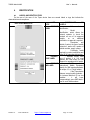
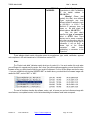
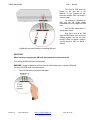
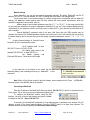
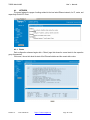
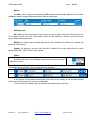
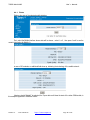
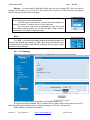
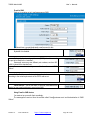
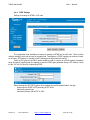
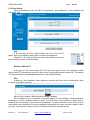
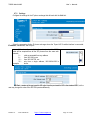
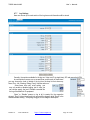
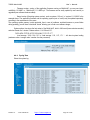
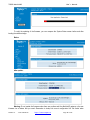
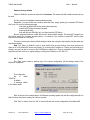
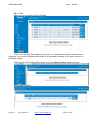
Status: you must Enable this feature, in order to use it.
By default it is also disabled.
When you Enable SMS-to-Email, the received messages will no longer
be seen in Receive, because they are deleted as soon as they are sent out as Email messages.
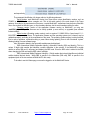
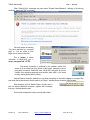
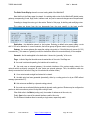
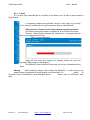
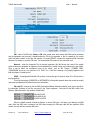
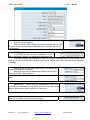
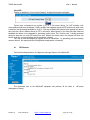
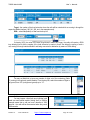
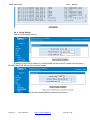
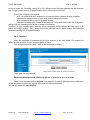
From/To mail settings.
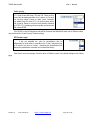
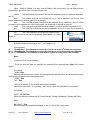
In the FROM field you can enter any address, it is not a
“real” e-mail sender. However, you should use a meaningful name.
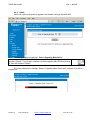
In the above example, the secretaries at “office” will know that the e-mails coming from the sender “SMS
Inbox” are in fact converted SMS messages, and may set up their mail client to process these messages
accordingly.
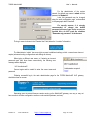
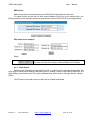
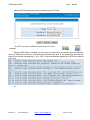
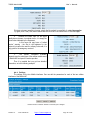
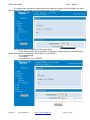
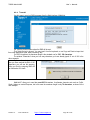
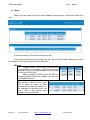
Settings for the incoming mail server (SMTP), the address and
the port to be used for the “customer”.
Some mail server may use different port numbers, such as 3535,
instead of 25 which is the standard one.
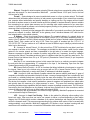
User name and associated password for the mail account SMS
inbox.
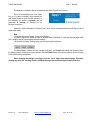
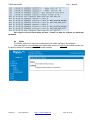
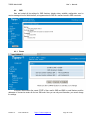
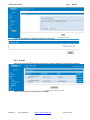
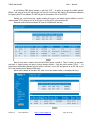
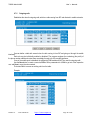
Authentication – method used for authentication, must be set
according to the requirements of the SMTP mail server. You may choose
either no authentication, plain text password, or with log-in.
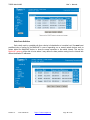
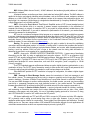
Check interval – you set the value, in seconds, when MobiLink IP
checks for new SMS to send out as e-mail messages
TOPEX S.A.
+4 021.408.39.00
http://www.topex.ro
Page 58 of 105