1
MUSIC-MP3 Player
1. Load your favorite music to a TF card using your computer
(Micro-sd Card is Not included in the package) Turn the device off
and insert the TF card into the device with the contacts facing
upwards.
2. Turn device on and Music should play automatically.
3. DOUBLE CLICK “play key” to enter into “A2DP” mode to play music
from your mobile phone, if your phone permits this.
4. Press and hold play key to return to the TF card.
Trouble Shooting
Bluetooth FM Car Kit V2
User Manual
1. Noise during playback of music through FM transmitter select a
quiet location in your FM band and adjust the frequency in steps of
0.05 MHz.
2. Noise present in music from TF card, probably due to bad recording,
or poor quality TF card , delete files and reload again from your
computer. The Music should be in MP3 format and consider adjusting
the sampling rate.
3. Car charger does not charge:-, fuse may have blown , open ,
replace with a fuse of identical rating.
4.Things that you do not understand and problems that you cannot
solve contact your dealer. The Company will not be responsible for
damages caused by misuse or negligence . There are no user
serviceable parts inside.
5.The product uses computer logic , as is inevitable If the device locks
up reset the device by turning the power off and on again.
6. When music is being transmitted from TF card expect latency in
Answering Phone Function.
PRECAUTIONS
1. This Unit should not be exposed to Extremes of heat, Cold or
Moisture.
2. Ingress of water will damage the unit, ensure it is kept DRY.
3. Do not drop or subject the device to extreme shock.
4. Envionmental considerations: Dispose of used batteries and
electronic products responsibly return to your e-waste collection
centre.
The Bluetooth logos are registered trademarks owned by Bluetooth SIG Inc
Please read before attempting to install and use your
Bluetooth car Kit
MUSIC-MP3 Player
1. Load your favorite music to a TF card using your computer
(Micro-sd Card is Not included in the package) Turn the device off
and insert the TF card into the device with the contacts facing
upwards.
2. Turn device on and Music should play automatically.
3. DOUBLE CLICK “play key” to enter into “A2DP” mode to play music
from your mobile phone, if your phone permits this.
4. Press and hold play key to return to the TF card.
Trouble Shooting
Bluetooth FM Car Kit V2
User Manual
1. Noise during playback of music through FM transmitter select a
quiet location in your FM band and adjust the frequency in steps of
0.05 MHz.
2. Noise present in music from TF card, probably due to bad recording,
or poor quality TF card , delete files and reload again from your
computer. The Music should be in MP3 format and consider adjusting
the sampling rate.
3. Car charger does not charge:-, fuse may have blown , open ,
replace with a fuse of identical rating.
4.Things that you do not understand and problems that you cannot
solve contact your dealer. The Company will not be responsible for
damages caused by misuse or negligence . There are no user
serviceable parts inside.
5.The product uses computer logic , as is inevitable If the device locks
up reset the device by turning the power off and on again.
6. When music is being transmitted from TF card expect latency in
Answering Phone Function.
PRECAUTIONS
1. This Unit should not be exposed to Extremes of heat, Cold or
Moisture.
2. Ingress of water will damage the unit, ensure it is kept DRY.
3. Do not drop or subject the device to extreme shock.
4. Envionmental considerations: Dispose of used batteries and
electronic products responsibly return to your e-waste collection
centre.
The Bluetooth logos are registered trademarks owned by Bluetooth SIG Inc
Please read before attempting to install and use your
Bluetooth car Kit
Installation
Setting language & other options
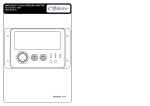
The kit comes with a Steering wheel bracket and main body.
Slide the body off the bracket and attach bracket to the steering wheel
at 12 O’clock position .using the Allen key. Slide body back into
bracket.
1. Press and Hold Power on / Hang up key “Power on device “” Car Kit
Bluetooth” message is displayed on the LCD screen.
2. DOUBLE CLICK Answer / Menu button The following options are
available “ Language select “ ,Back light time “ , Reset phone book
“ , Reset paired “, browse phone book “ , “Synch phone book “ .
3.Select desired option using back / next / Volume keys.
4. Enter subdirectory by pressing the “Answer Key .
5. Select and set your choices .
Charging
Please Charge the kit fully before using the device.
The battery can be charged in car with the adaptor provided or at
home with the USB cable provided either from a PC or travel charger.
Battery Capacity 3.7 V 800mAh Lithium Iron.
1. Standby time 46 Hours.
2. Working time FM 14 Hours, Built in Speaker 7 Hours.
3. When The battery indicator on the LCD screen shows low, recharge
the battery.
4. The Device stops working and enters power-save mode if there is
no TF card (Micro-SD) in device.
Operation of device
1. Switch device on:- , Press and Hold briefly, Power on / Hang up key
until Car Kit Bluetooth” “Power on device “message is displayed on
the LCD to switch off, press and hold this key again.
If you have installed a TF (Micro-SD) card in the device with MP3
music it will automatically start playing through the inbuilt speaker.
Bluetooth Pairing
1. Switch the device on by pressing and holding the Power on /Hang
up key and hold it down till “pairing mode” is displayed” .
2. Switch your mobile phone on and activate Bluetooth and Bluetooth
search options (Refer to your Phone manual) .
3. When your Phone detects the device it should display “DDD” and
will prompt to enter a password, enter “0000” as the password.
4. The device is now paired and will connect with your phone when it
is in range automatically.
5. If your phone permits, you could copy your phone book to the
device.
6. Enter subdirectory “Synch phonebook” in the device and press
“Answer “key ONCE after connecting with the mobile phone. The
phone book transfer may take some time depending on the No of
contacts.
Answering & Making Calls
2. Press the Private listen button once to activate FM transmitter and
twice to switch off both the Speaker and FM transmission. The switch
toggles through the options.
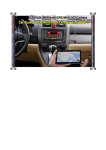
3. When the device is in FM transmit mode tune your car radio to the
same frequency as the device. . Now you should hear the Music
through your car stereo system.
4. To change frequency of the transmitting channel DOUBLE CLICK
the FM channel button and then using the back / Next / Volume keys
adjust in 0.05MHz steps.
1. Answer an incoming call,:- Press the Answer key, Hang up by
pressing the hang up key briefly.
2. To dial the last number dialed press the Answer key.
3. Using the Numeric Key pad you can dial out.
4. Music will automatically be muted.
5. For Privacy remove the wireless ear piece and use it.
Installation
Setting language & other options
The kit comes with a Steering wheel bracket and main body.
Slide the body off the bracket and attach bracket to the steering wheel
at 12 O’clock position .using the Allen key. Slide body back into
bracket.
1. Press and Hold Power on / Hang up key “Power on device “” Car Kit
Bluetooth” message is displayed on the LCD screen.
2. DOUBLE CLICK Answer / Menu button The following options are
available “ Language select “ ,Back light time “ , Reset phone book
“ , Reset paired “, browse phone book “ , “Synch phone book “ .
3.Select desired option using back / next / Volume keys.
4. Enter subdirectory by pressing the “Answer Key .
5. Select and set your choices .
Charging
Please Charge the kit fully before using the device.
The battery can be charged in car with the adaptor provided or at
home with the USB cable provided either from a PC or travel charger.
Battery Capacity 3.7 V 800mAh Lithium Iron.
1. Standby time 46 Hours.
2. Working time FM 14 Hours, Built in Speaker 7 Hours.
3. When The battery indicator on the LCD screen shows low, recharge
the battery.
4. The Device stops working and enters power-save mode if there is
no TF card (Micro-SD) in device.
Operation of device
1. Switch device on:- , Press and Hold briefly, Power on / Hang up key
until Car Kit Bluetooth” “Power on device “message is displayed on
the LCD to switch off, press and hold this key again.
If you have installed a TF (Micro-SD) card in the device with MP3
music it will automatically start playing through the inbuilt speaker.
Bluetooth Pairing
1. Switch the device on by pressing and holding the Power on /Hang
up key and hold it down till “pairing mode” is displayed” .
2. Switch your mobile phone on and activate Bluetooth and Bluetooth
search options (Refer to your Phone manual) .
3. When your Phone detects the device it should display “DDD” and
will prompt to enter a password, enter “0000” as the password.
4. The device is now paired and will connect with your phone when it
is in range automatically.
5. If your phone permits, you could copy your phone book to the
device.
6. Enter subdirectory “Synch phonebook” in the device and press
“Answer “key ONCE after connecting with the mobile phone. The
phone book transfer may take some time depending on the No of
contacts.
Answering & Making Calls
2. Press the Private listen button once to activate FM transmitter and
twice to switch off both the Speaker and FM transmission. The switch
toggles through the options.
3. When the device is in FM transmit mode tune your car radio to the
same frequency as the device. . Now you should hear the Music
through your car stereo system.
4. To change frequency of the transmitting channel DOUBLE CLICK
the FM channel button and then using the back / Next / Volume keys
adjust in 0.05MHz steps.
1. Answer an incoming call,:- Press the Answer key, Hang up by
pressing the hang up key briefly.
2. To dial the last number dialed press the Answer key.
3. Using the Numeric Key pad you can dial out.
4. Music will automatically be muted.
5. For Privacy remove the wireless ear piece and use it.