1
[
wanted to compile in support for MPICH parallelism. For now, you
can just enter the following to do a basic configuration:
UPFRONT ]
learn what is possible. To run your executable, run it as:
cactus_config1 parfile.par
make config1-config MPI=MPICH
If you are running an MPI version, it would look like this:
If you ever want to start over, you can try make config1-clean
or make config1-realclean. If you are done with this
particular configuration, you can get rid of it completely
with make config1-delete.
Now that everything is configured exactly the way you want it,
you should go ahead and build it. This is done simply with the
command make config1. Now, go off and have a cup of your
favourite beverage while your machine is brought to its knees with
the compile. This is a fairly complex piece of software, so don’t be
too disappointed if it doesn’t compile cleanly on the first attempt.
Just go over the error messages carefully, and make whatever
changes are necessary. The most likely causes are either that you
don’t have a needed library installed or the make system can’t find
it. Keep iterating through the build step until you get a fully compiled
executable. It should be located in the subdirectory exe. In this case,
you will end up with an executable called cactus_config1.
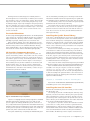
You can run some basic tests on this executable with the command make config1-testsuite. It will ask you some questions
as to what you want to test, but you should be okay if you accept
the defaults most of the time. When you get to the end, you can
ask the system to run all of the tests, run them interactively or
choose a particular test to run. Remember, if you are using
MPICH, you need to have mpd running on the relevant hosts so
the test suite will run correctly. This by no means guarantees the
correctness of the code. It’s just the first step in the process. As in
any scientific programming, you should make sure the results
you’re getting are at least plausible.
Now that you have your executable, you need some data to feed
it. This is the other side of the problem—the “initial data” problem.
The Einstein Toolkit uses a parameter file to hand in the required
parameters for all of the thorns being used. The development
team has provided some introductory parameter files (located at
https://svn.einsteintoolkit.org/cactus/EinsteinExamples/
branches/ET_2010_06/par) that beginners can download to
They Said It
The real danger is not that computers will begin to think
like men, but that men will begin to think like computers.
—Sydney J. Harris
mpirun -np X cactus_config1 parfile.par
where X is the number of CPUs to use, and parfile.par is the
parameter file to use.
As it stands, the Einstein Toolkit provides a very powerful set of
tools for doing numerical relativity. But, this is only the beginning. The
true power is in its extensibility. It is distributed under the GPL, so you
are free to download it and alter it as you see fit. You just have to be
willing to share those changes. But, the entire design of the toolkit
is based around the idea that you should be able to alter the system
easily. It’s as simple as writing and including a new thorn. Because
you have all the source code for the included thorns, you have some
very good examples to look at and learn from. And, because thorns
are ideally independent from each other, you should be able to drop
in your new thorn easily. The list of thorns to be compiled and linked
into the flesh is controlled through the file configs/config1/ThornList.
In case you decide to write your own thorn, I’ll cover a
bit of the concepts here. A thorn should, ideally, be completely
unlinked from any other thorn. Any communication should happen
through the flesh. This means that data should be translated into
one of the standard formats and handed off to the flesh. The
thorns are responsible for everything from IO to data management
to the actual number crunching. If you are working on some new
algorithm or solution technique, this is where you want to be.
The last step is getting pretty graphics. You likely will want to
share your results with others, and that seems to be easiest through
pictures. You will want to use other tools, like gnuplot, to generate
plots or even movies of the results from your calculations. Several
tutorials exist for what you can do with tools like gnuplot.
I hope this has given you enough to get started with a
very powerful tool for numerical relativity. And, as always, if
there is a subject you’d like to see, please let me know. Until
then, keep exploring.—JOEY BERNARD
Security at
LinuxJournal.com
Did you know you can visit www.linuxjournal.com/
tag/security to see all our latest security-related articles
The factory of the future will have only two employees, a man
and a dog. The man will be there to feed the dog. The dog
will be there to keep the man from touching the equipment.
—Warren G. Bennis
in one place? It’s important to stay informed about all
things security-related, so we hope you’ll visit us often.
Do you have some security insights to share with
LinuxJournal.com readers? We’re always looking for
What the country needs are a few labor-making inventions.
—Arnold Glasow
Web contributors, so let us know if you have some-
If it keeps up, man will atrophy all his limbs but the pushbutton finger.
—Frank Lloyd Wright
at [email protected].
thing to share with the whole class. Drop me a line
—KATHERINE DRUCKMAN
w w w. l i n u x j o u r n a l . c o m may 2011 | 1 5