1
4.1
Connecting Input Power
Guidelines
Wiring
Power Supply
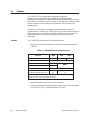
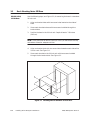
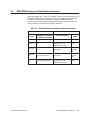
To connect the Series 505 power supply, and the Series 500 remote I/O base
to the external power source, follow these guidelines.
•
Use 14 AWG solid or stranded wire. If you use stranded wire, the wire
should be twisted and trimmed.
•
Strip insulation back 0.40 inches (10mm).
•
Insert the wires fully into the terminal block so that the insulation
butts against the block.
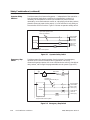
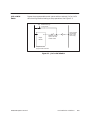
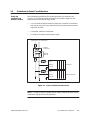
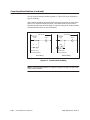
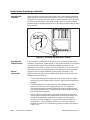
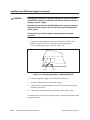
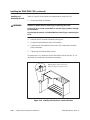
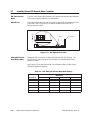
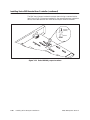
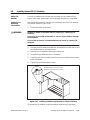
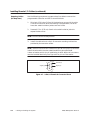
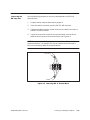
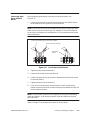
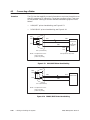
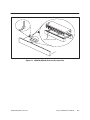
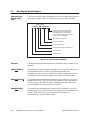
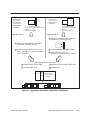
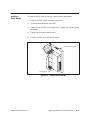
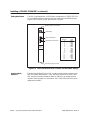
Use the following steps for connecting input power to the power supply. See
Figure 4-1.
1.
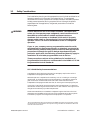
!
WARNING
Disconnect power to the base.
Disable all power before attempting the wiring procedures.
Failure to do so could cause death or serious injury and/or damage
to equipment.
Ensure that all power is disabled before attempting the wiring
procedures.
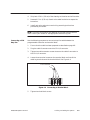
2.
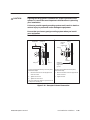
Loosen three power connector screws.
3.
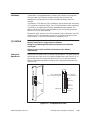
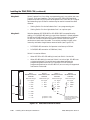
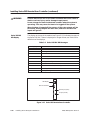
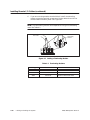
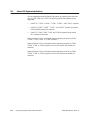
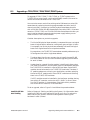
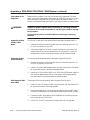
Connect wires as appropriate for your power supply module.
Model PPX:505–6660A: insert ground, neutral, and AC line wires into
socket on the power supply. This power supply requires 110 or 220 VAC.
!
CAUTION
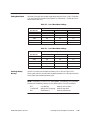
Ensure that PPX:505–6660A power supply is set to operate on 110
VAC or 220 VAC to match the input power. See Chapter 3 for
selecting voltage for this power supply.
Attempting to operate the power supply at 220 VAC with 110 VAC
selected, or 110 VAC with 220 VAC selected, will result in damage to
the power supply.
Double check your power supply voltage before you attempt the
operation.
Model PPX:505–6663: insert chassis ground, DC–, and DC+ line wires
into socket on the power supply. This power supply requires 24 VDC.
4-2
Cabling and Wiring the System
TI545/TI555 System Manual