1
Jinx! – LED Matrix Control
Metaballs
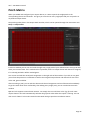
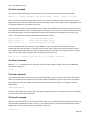
Metaballs are a well-known effect since the first days of computer graphic
demos. The bouncing balls, which will merge to a wobbling thing on hitting
themselves, will give you a great standalone effect.
You can control the amount and the size of the balls, as well as the color. The
color section in the configure dialog is already known and has been
introduced by the Simple Color effect.
Expanding Shapes
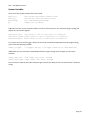
The Expanding Shapes will give you a lot of options to generate stunning
effects. This engine will generate shapes at a random position and will expand
the size while fading them out. You can choose various shapes like rectangles,
circles, or five-stars in an open or filled variation.
Additionally you can use words or characters instead of simple shapes and also trigger this all with an audio
source.
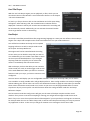
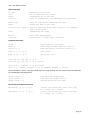
The most important control will be the Shape control,
here you can choose all the shapes or switch over to
the text/chars mode of this engine.
The main control will be the Count, Start and End
fader. After adjusting the amount of shapes with the
count fader, you can select the start size and the end
size of the expanding. Additionally you can turn off
the fading of the expanding shapes.
If you activated the text/chars mode, you also can
control the font and the text (ANSI or Unicode). You
can use whole words to expand or switch over to use
single chars with the last option (Use given chars in
random order). The font list will give you some
common fonts to use in the same way the scrolling text effect does. If you want to access all your installed
fonts, simply choose “More …” within the font selection to get the full list. You will also find the well-known
color section.
As already said, this effect can be controlled by audio. This means with every audio trigger a new shape will
be started and begins to expand and fade. After activating the audio trigger you have to setup your trigger
frequency, threshold and gain. You will find more about this in the “Audio based Effects” chapter inside this
manual.
Falling Rain
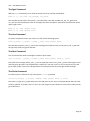
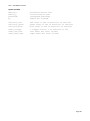
This engine will generate falling drops which will fade out to a line. You can control the amount and the
length of the drops as well as the moving direction (top->bottom, bottom->top, left->right, right->left). The
already known color control is also available.
Page 36