1
• Advanced Calibration:
You will need both a 50 gram and a 100 gram weight to
perform calibration (or two 50 gram weights). Press the “Fn”
button one time, “SCALE” will be displayed on the LCD; Press
the “Units” button once to change to “LINE” mode, then press
“Tare” to confirm. The scale will display 50.000, press “Tare”
again to confirm. The display will flash “50.000”. At this time,
place a 50 gram weight on the center of the weighing platform.
In a few seconds, the display will change to “100.000”. At this
time, either add a second 50g , or remove the 50g and replace
it with a 100g weight (there should be 100g on the scale at
this point). The display will now show “100.000”. Calibration is
complete!
Auto Off Duration
(seconds)
Weight (lb)
Tare Range
Pan Size (mm)
Capacity
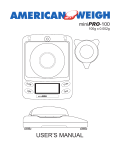
miniPRO 100
Power
Dimensions
60, 120, 180, 240, 300,
360, 420, 480, 540, off
0.58 lb
To full capacity by subtraction
Ø 2.75” (70 mm)
100g x 0.002g
3.5273oz x 0.0001oz
3.2150ozt x 0.0001ozt
64.300dwt x 0.002dwt
1543.25gn x 0.05gn
500.00ct x 0.01ct
4 x AAA Batteries (not included)
AC Power Adapter (included)
5.25” x 3.75” x 2.0”