1
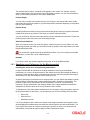
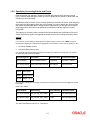
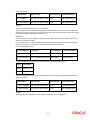
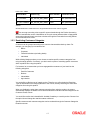
The services that you offer in a module will be specific to the module. For example, a broker margin maintenance product is specific to the ETD (Margin) module. You can view the module in which you are creating a product in the Product Module field. Product Slogan You can enter a slogan for the product that you are creating. In the Slogan field enter a slogan that suitably announces the product to your brokers/portfolio customers depending on the product type you are maintaining. Product Group Grouping products according to the common features they share, helps you organize information relating to the services you provide. This helps you retrieve information easily. You can invoke a list of all the product groups that you have maintained in your bank. Choose the product group to which the product you are creating belongs. Start Date and End Date When you create a product, you must also specify a date from which it can be offered. You may also specify the date upto which you would like to offer the product. Enter these dates in the Start Date and End Date fields. You cannot offer a product beyond the specified end date. If you do not specify an end date for a product, you can offer it for an indefinite period. Remarks If you want to enter any remarks regarding the product, do so in the Remarks field. 1.2.1 Specifying your Preferences for the Margin product Indicating the values to be re-keyed during authorization In Oracle FLEXCUBE, all operations on a margin settlement record (input, amendment, modification, etc.) have to be authorized by a user other than the one who entered the details of the record. These operations have to be carried out before the end-of-day activities have begun. Authorization is a way of checking the entries made by a user. As part of specifying the preferences for a margin product, you can indicate that details of certain fields should be re-entered when a margin settlement record is invoked for authorization. This process is called re-key authorization. Re-key authorization is used as a cross-checking mechanism. During authorization, the complete details of the margin settlement record will be displayed only after the values to the re-key fields have been entered. To indicate that re-key authorization should be done for contracts involving the product check the Re-key Required box in this screen. You can specify any or all of the following as re-key fields: Scheme ID Scheme Event Settlement Amount If no re-key fields have been defined, the details of the margin transaction involving the product will be displayed immediately when the authorizer calls the specific record for authorization. The re-key option also serves as a means of ensuring the accuracy of inputs. You can specify the authorization re-key fields through the Margin Product Preferences screen. 1-4